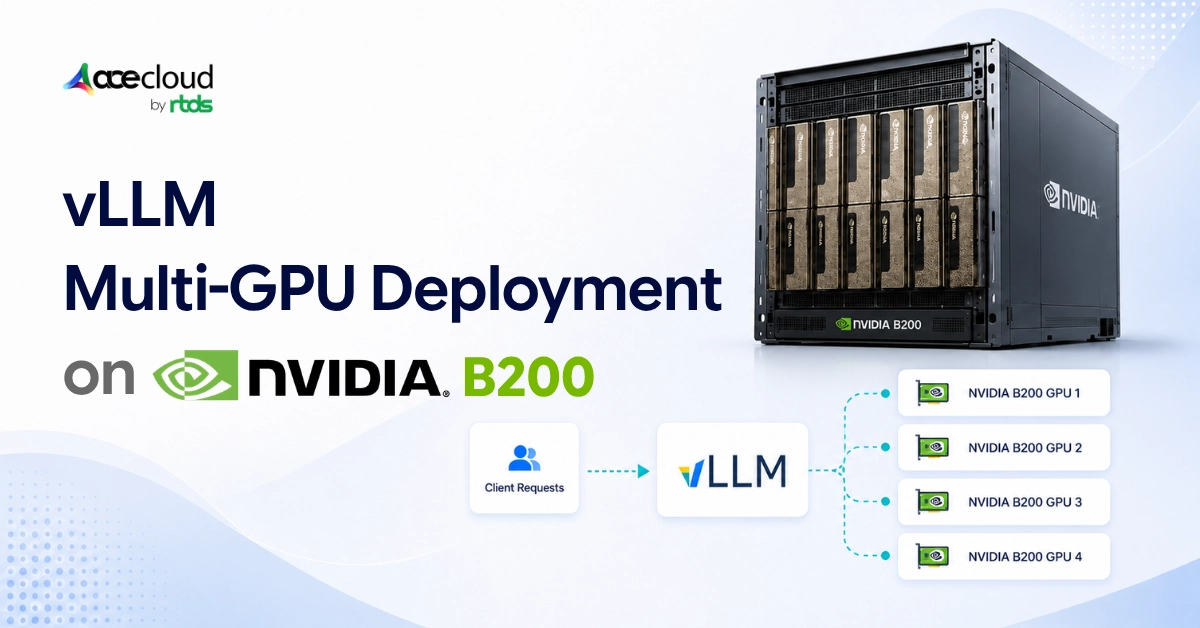
We have seen teams drop serious money on 8x B200 nodes, run vLLM multi-GPU deployment out of the box, hit their first latency test, and watch P99 numbers that would embarrass a 2021-era A100 cluster.
The hardware is not the problem here. The problem is usually a combination of the wrong parallelism layout, oversized batches, cold servers, and a latency metric that nobody agreed on before the benchmark ran.
So, before we get into configs and tuning commands, let us answer the question directly.
Quick Answer:
Yes, vLLM on NVIDIA B200 achieve sub-100ms latency, but only for the right metric and the right workload. On B200, vLLM can realistically target sub-100ms inter-token latency (TPOT) for streaming generation and, with short prompts and low queueing, sub-100ms TTFT. Full end-to-end latency under 100ms is only realistic for very short outputs such as classification, routing, extraction, or responses of one to five tokens.
Everything else is serving architecture.
What Does ‘Sub-100ms’ Mean Here?
This is the part most deployment guides skip, and it is also why most teams end up arguing over whether their benchmark passed or failed. TTFT, ITL, TPOT, and E2E latency are four different things, and optimizing for one can actively hurt another.
Here is a quick breakdown of what each metric means and how realistic a sub-100ms target is for each.
| Metric | Meaning | Sub-100ms reality |
|---|---|---|
| TTFT | Time to first token | Possible with short prompts, warm cache, and low queueing |
| ITL | Inter-token latency | Most realistic streaming target |
| TPOT | Time per output token | Best metric for streaming generation |
| E2E | Full request latency | Only realistic for tiny outputs |
The most common mistake we see is teams measuring E2E latency on a 500-token output and then wondering why they cannot hit 100ms. A 500-token response at 30ms per token is going to take over 15 seconds total regardless of what GPU is running it. That is not a B200 problem. That is a math problem.
Other common culprits include long prompts, high request queueing, cold server state, too much concurrency, and the classic mistake of running a saturation benchmark and then comparing those numbers to an interactive latency target. They measure very different things.
For cold server behavior and first-request latency, the issues go deeper than just warmup scripts. We covered the specifics in our post on cold-start latency in LLM inference.
The Latency Reality Check Nobody Puts in the Marketing Sheet
We want to get this out of the way early, because the B200 hype is real and some of it is justified. But a lot of the sub-100ms claims floating around are attached to conditions that are never disclosed. Here is what holds up.
| Common claim | Reality |
|---|---|
| “B200 gives sub-100ms latency” | Only for specific metrics and workloads |
| “Multi-GPU always improves latency” | Only if TP/DP is chosen correctly |
| “TP=8 is best on 8 GPUs” | Often false because TP adds synchronization overhead |
| “Throughput benchmarks prove low latency” | False; they often hide P99 queueing |
| “FP8 KV cache is always safe” | False; validate quality and model behavior first |
| “GPU utilization tells the full story” | False; queue time, CPU, and KV cache matter too |
B200 removes many hardware limits. It does not remove serving-system limits.
What B200 Fixes and What It Does Not
The B200 is genuinely a step up. More memory bandwidth, larger KV cache headroom, stronger intra-node GPU communication through NVLink and NVSwitch, and better room for tensor parallelism, FP8 paths, and long-context serving. If you are serving a 70B model and previously had to make uncomfortable tradeoffs on context length, B200 gives you breathing room.
But none of that fixes a bad TP/DP layout. None of it fixes long prompts, cold-start overhead, queueing pressure, oversized batches, KV-cache preemptions, or CPU bottlenecks from tokenization and scheduling.
If you are evaluating whether to buy, rent, or reserve B200 capacity in India, we have a practical breakdown of the options in our NVIDIA B200 infrastructure guide.
Why You Should Not Default to TP=8 Just Because You Have 8 GPUs
This is the most common mistake we see in vLLM multi-GPU deployment and it is very understandable. You have eight B200 GPUs. Tensor parallelism splits the model across all eight. Surely that is the right answer?
Not usually.
Tensor parallelism splits one model instance across GPUs, but every layer now requires synchronization across all eight GPUs. That synchronization has latency. For small models like 7B or 14B that fit comfortably on one or two GPUs, TP=8 can make tail latency worse, not better.
Data parallelism runs independent replicas of the model. More replicas mean shorter queues and lower tail latency under traffic. For 70B models, a layout like TP=2/DP=4 or TP=4/DP=2 will often outperform TP=8/DP=1 on P99 ITL.
The right starting point is simple. If the model fits on one GPU, use data parallelism. If the model needs sharding or more memory bandwidth, test tensor parallelism. Do not assume all GPUs should serve one request at a time.
TP vs DP vs PP vs EP: A Fast Decision Table
Choosing the right parallelism strategy is the core architectural decision in any vLLM multi-GPU deployment on B200.
- Tensor parallelism is for models that need sharding or more memory bandwidth.
- Data parallelism is for reducing queueing when the model fits on fewer GPUs.
- Pipeline parallelism can increase latency because of pipeline bubbles and should only be used when model size requires it.
- Expert parallelism is for MoE models where experts need to be distributed across GPUs.
Here is a starting point for each common workload.
| Model / workload | Recommended starting layout |
|---|---|
| 7B to 14B dense | TP=1, DP=8 |
| 30B to 40B dense | Test TP=1/DP=8 vs TP=2/DP=4 |
| 70B dense | Test TP=2/DP=4 vs TP=4/DP=2 |
| Huge dense model | TP=8, then evaluate PP only if needed |
| MoE model | Test EP plus DP |
| High-QPS serving | Favor more DP replicas |
| Strict single-request latency | Test smaller TP groups and low concurrency |
These are starting points for testing, not production defaults. More context on choosing the right GPU for different GenAI workloads is in our post on choosing a cloud GPU for GenAI workloads.
Test TP, DP and hybrid layouts, batching, KV-cache settings, TTFT, ITL, TPOT and P99 latency on AceCloud GPU infrastructure before committing to a production B200 deployment.
A Copy-Paste Config for a 70B B200 Deployment
This config is for a specific workload. It assumes a single 8x B200 node, a 70B-class dense instruct model, streaming chat, prompt lengths of around 128 to 1,000 tokens, output lengths of around 32 to 256 tokens, a warm server, and a target of P95/P99 ITL or TPOT under 100ms at low-to-moderate concurrency.
docker run --rm \
  --runtime nvidia \
  --gpus all \
  --network host \
  --ipc=host \
  -e HF_TOKEN="$HF_TOKEN" \
  -v ~/.cache/huggingface:/root/.cache/huggingface \
  vllm/vllm-openai:latest \
  --model meta-llama/Llama-3.3-70B-Instruct \
  --host 0.0.0.0 \
  --port 8000 \
  --tensor-parallel-size 4 \
  --data-parallel-size 2 \
  --dtype bfloat16 \
  --gpu-memory-utilization 0.88 \
  --max-model-len 4096 \
  --max-num-batched-tokens 2048 \
  --max-num-seqs 8 \
  --enable-prefix-caching \
  --kv-cache-dtype fp8 \
  --numa-bind
This is a starting config, not a universal best config. Benchmark it against TP=2/DP=4 and TP=8/DP=1 before production. For model-specific tuning across Qwen, Llama, and Mistral, we have guidance on best cloud GPUs for these inference workloads.
How to Hit Sub-100ms TTFT and ITL?
For TTFT, the levers are shorter prompts, a --max-model-len set to the real workload maximum rather than the model maximum, prefix caching for repeated system prompts and RAG templates, a warm server, and close attention to queue time before blaming the GPU.
Increasing --max-num-batched-tokens only helps if prefill is being starved. CPU overhead from tokenization and scheduling is often the actual culprit. For ITL and TPOT, the picture is a bit different. Here is what the most common symptoms point to.
| Symptom | Likely cause | First fix |
|---|---|---|
| ITL spikes during long prompts | Prefill interfering with decode | Lower max batched tokens |
| P99 bad but P50 good | Queueing or concurrency spikes | Add DP or lower max seqs |
| Frequent preemptions | KV-cache pressure | Lower concurrency or try FP8 KV |
| TPOT not improving with more GPUs | TP sync overhead | Test smaller TP plus more DP |
KV-cache pressure is often invisible until it starts causing preemptions, at which point P99 latency can jump significantly. We wrote about the mechanics of this in our post on idle VRAM tax in AI inference. For queueing behavior at scale, the patterns we see in agentic AI load balancing apply directly here too.
How to Validate Sub-100ms Claims With a Real Benchmark?
One of the more frustrating parts of evaluating vLLM multi-GPU deployment options right now is that most public benchmarks are not reproducible. They rarely disclose model, quantization, vLLM version, CUDA version, prompt length, output length, concurrency, cache state, parallelism mode, or warm vs cold server state. Running the same model on two different days with different warmup states can show a 40ms difference in TTFT.
Here is a benchmark matrix we use when validating latency targets across configurations.
| Test | TP | DP | Max batched tokens | Max seqs | Goal |
|---|---|---|---|---|---|
| A | 2 | 4 | 2048 | 8 | Queueing vs decode balance |
| B | 4 | 2 | 2048 | 8 | Strong 70B baseline |
| C | 8 | 1 | 2048 | 8 | Max sharding test |
| D | 4 | 2 | 1024 | 4 | Strict ITL test |
| E | 4 | 2 | 4096 | 16 | TTFT/throughput tradeoff |
The benchmark command to run across all five looks like this.
vllm bench serve \
  --backend openai-chat \
  --host 127.0.0.1 \
  --port 8000 \
  --model meta-llama/Llama-3.3-70B-Instruct \
  --dataset-name random \
  --random-input-len 128 \
  --random-output-len 64 \
  --request-rate 4 \
  --max-concurrency 16 \
  --num-prompts 1000 \
  --num-warmups 50 \
  --percentile-metrics ttft,tpot,itl,e2el \
  --metric-percentiles 50,90,95,99 \
  --goodput ttft:100 tpot:100
Always report P50, P95, and P99 for TTFT and ITL separately, along with queue time, prompt length, output length, request rate, concurrency, cache state, and warmup status. More on deployment and benchmarking methodology in our LLM deployment and benchmarking guide.
The Final Word
For B200, the winning vLLM architecture is not ‘use all GPUs for one request’. It is to match the parallelism strategy to the bottleneck. Use DP when queueing dominates. Use TP when the model needs sharding or more memory bandwidth. Keep batching small enough to protect decode latency.
Enable prefix caching and warm the server to reduce TTFT. Validate FP8 before assuming it is safe. And report TTFT, ITL, TPOT, and E2E separately. That distinction is the difference between a vague ‘fast B200 server’ and a real sub-100ms inference system.
Frequently Asked Questions
Yes, but most realistically for ITL or TPOT. TTFT under 100ms is possible with short prompts, warm cache, low queueing, and tuned prefill. Full E2E latency under 100ms is only realistic for very short outputs.
Use TP=4/DP=2 when you want a balance between model sharding and replica-level queue reduction. TP=8 may help with very large models, but it can also increase synchronization overhead and reduce the number of independent replicas.
Yes. If a 7B or 14B model fits on one B200 GPU, start with TP=1 and use data parallel replicas. This usually gives better tail latency under traffic than unnecessary tensor parallelism.
Yes, if inter-token latency is the bottleneck. Values like 1024 or 2048 can protect decode latency. Larger values may improve throughput or TTFT but can hurt ITL.
Because the bottleneck may be software, kernels, attention backend, precision, batching, CPU overhead, queueing, or parallelism layout rather than raw GPU capability.
Use it only after testing. FP8 KV cache can reduce memory pressure and improve KV-cache headroom, but quality and model-specific behavior must be validated before production.