A GPU priced at ₹125 per hour looks easy to budget. We multiply the rate by the expected runtime and assume we know what the workload will cost. Then the bill arrives with idle commitments, checkpoint storage, interrupted jobs, network charges, and a few notebooks that someone forgot to stop before the weekend.
The real difference between on-demand, reserved, and Spot GPU pricing in India is not simply the advertised hourly rate.
Quick Answer:
On-demand GPUs usually cost less for uncertain or short-term workloads. Reserved or committed GPUs become economical when usage stays consistently high. Spot GPUs can offer the lowest compute rate, but interruptions, reruns, and engineering overhead can reduce the saving.
The best pricing model is the one that produces the lowest cost per completed training run, inference request, rendered frame, or simulation. The lowest hourly price does not always win.
What is the Difference Between On-Demand, Reserved, and Spot GPUs?
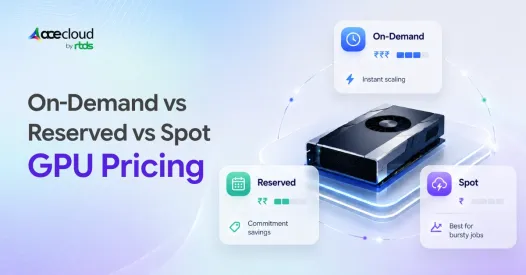
Each pricing model makes us pay for a different kind of certainty.
| Pricing model | What we pay for | Main benefit | Main risk |
|---|---|---|---|
| On-demand GPU | Actual running time without a long commitment | Maximum flexibility | Highest standard hourly rate |
| Reserved or committed GPU | A fixed level of usage or spending for a defined term | Lower and more predictable pricing | Paying for unused capacity |
| Spot GPU | Spare capacity that the provider may reclaim | Lowest potential compute rate | Interruptions and uncertain availability |
- On-demand pricing lets us start and stop capacity without committing to months or years of use.
- Reserved or committed pricing gives the provider predictable revenue. In return, we receive a lower rate for making a longer commitment.
- Spot pricing gives us temporary access to unused capacity. The provider can reclaim that GPU when the capacity is needed elsewhere.
Spot is not simply cheaper on-demand compute. It requires a workload that can pause, restart, or move without creating serious disruption.
In this article, reserved GPU pricing refers broadly to term-based discounts such as reservations, Savings Plans, committed-use discounts, and monthly commitments. These products are not identical. A lower rate also does not always include guaranteed GPU capacity.
What Maximum Discounts Do Cloud Providers Advertise?
Cloud providers advertise substantial discounts, but the maximum percentages are not direct quotes for a particular GPU or Indian region.
| Provider model | Provider-wide advertised maximum | Main condition |
|---|---|---|
| AWS Savings Plans | Up to 72 percent | One-year or three-year spending commitment |
| AWS Spot Instances | Up to 90 percent | Interruptible workloads using spare capacity |
| Azure Reserved VM Instances | Up to 72 percent | One-year or three-year commitment |
| Azure Spot Virtual Machines | Up to 90 percent | Price and availability vary by region and VM type |
| Google Cloud GPU commitments | Up to 55 percent | One-year or three-year commitment |
| Google Cloud Spot VMs | Up to 91 percent | Interruptible capacity with variable availability |
| AceCloud Spot Instances | Up to 80 percent | Flexible AI, batch, rendering, and compute workloads |
The phrase ‘up to’ matters.
A 90 percent Spot discount does not mean every GPU in every Indian location will always be available at one-tenth of its on-demand price. A 72 percent commitment discount does not mean every GPU model qualifies for the maximum reduction.
A useful comparison keeps these variables consistent:
- GPU model and memory
- Cloud region
- CPU and RAM allocation
- Storage
- Network capacity
- Runtime
- Operating system
- Software stack
- Support level
- Tax treatment
Without that consistency, we may be comparing three different products that happen to use the same GPU name.
How do the Three GPU Cost Models Compare?
The pricing models become easier to compare when we focus on effective cost rather than advertised rates.
| Model | Effective cost formula |
|---|---|
| On demand | Hourly rate multiplied by actual runtime, plus supporting infrastructure |
| Reserved or committed | Monthly commitment divided by actual used hours, plus supporting infrastructure |
| Spot | Spot rate multiplied by total runtime including reruns, plus checkpointing, restart, storage, and engineering costs |
These formulas measure the cost of consumed or useful work rather than the price shown at the top of a product page.
Where Reserved GPU Pricing Reaches Break-Even?
Reserved GPU pricing becomes cheaper only when we use enough of the capacity we committed to buy.
We have listed a one-GPU NVIDIA A100 80GB configuration in our Noida data centre at ₹125 per hour or ₹90,000 per month, excluding taxes.
The same page lists starting monthly prices of:
- ₹85,500 with a six-month term
- ₹81,000 with a twelve-month term
The six-month price is 5 percent lower than the listed monthly rate. The twelve-month price is 10 percent lower.
The more useful calculation is the number of on-demand hours required to reach the same monthly cost.
| Pricing option | Monthly cost | Break-even hours at ₹125 per hour | Equivalent daily usage over 30 days |
|---|---|---|---|
| Six-month term | ₹85,500 | 684 hours | 22.8 hours per day |
| Twelve-month term | ₹81,000 | 648 hours | 21.6 hours per day |
The example uses a simplified 30-day month and assumes that the hourly and monthly configurations include the same resources.
If we use the GPU for only 400 hours, the listed on-demand cost is approximately ₹50,000. A twelve-month commitment still costs ₹81,000 for the month.
The committed rate is lower, but the bill is higher because unused capacity absorbs the discount.
Reserved or committed GPU pricing works best when predictable monthly usage remains above the break-even level.
Where the Cost Difference Appears?
The final cost difference usually appears in four places. These are idle commitments, interruption overhead, capacity availability, and supporting infrastructure.
1. Idle Commitment Cost
A reserved GPU produces savings only while we use enough of the capacity.
Steady training pipelines, persistent inference endpoints, and always-on virtual workstations may use a commitment efficiently.
Early experiments, irregular fine-tuning jobs, seasonal projects, and uncertain product launches may not.
A reserved GPU sitting idle is not discounted compute. It is fully paid capacity producing no useful output.
The practical comparison is therefore: Reserved monthly cost divided by actual used hours
2. Spot Interruption Cost
Spot pricing lowers the compute rate, but interruptions create work that never appears in the headline price.
AWS generally provides a two-minute Spot interruption notice. Azure Spot VMs may be evicted with 30 seconds of notice and do not receive an availability guarantee.
Checkpointing can make Spot practical, but it also creates costs.
We may pay for:
- Time spent saving model state
- Persistent checkpoint storage
- Reloading models and optimiser state
- Repeated preprocessing
- Lost work since the previous checkpoint
- Engineering for automatic restart
- Monitoring and orchestration
Suppose an on-demand A100 costs ₹125 per hour.
At a 50 percent Spot discount, the listed Spot rate becomes ₹62.50 per hour. If interruptions create 20 percent additional compute work, one useful hour costs approximately ₹75.
The realized compute saving is 40 percent rather than 50 percent.
At a 30 percent Spot discount with the same 20 percent recompute overhead, one useful hour costs approximately ₹105.
The realized compute saving falls to 16 percent.
The numerical example measures only additional compute. Actual savings can be lower after checkpoint storage, data loading, monitoring, and engineering time are included.
A more complete formula is: Effective Spot cost per useful hour equals Spot rate multiplied by one plus recompute overhead, plus checkpoint storage, orchestration, and engineering cost
3. Capacity Certainty
A reserved price does not necessarily reserve a GPU.
Some products reduce the bill. Separate capacity-reservation products guarantee that infrastructure will be available.
Microsoft states that Azure Reserved VM Instances provide a pricing benefit but do not guarantee capacity. AWS offers separate Capacity Blocks for ML for customers that need scheduled access to accelerated instances.
This distinction matters when a project requires eight identical GPUs to start together.
A low-priced GPU that cannot be provisioned on time may delay training, product releases, customer delivery, or research deadlines.
For time-sensitive workloads, availability can be more valuable than the maximum advertised discount.
4. Supporting Infrastructure Cost
The GPU is only one part of the bill.
We may also pay for:
- CPU and RAM
- Persistent disks
- Checkpoint storage
- Object storage
- Dataset transfer
- Public IP addresses
- Network traffic
- Data egress
- Kubernetes resources
- Monitoring
- Support
- Software licenses
- Taxes
Storage can continue generating charges after a Spot GPU is reclaimed. Multi-GPU training may also require faster networking and higher storage throughput.
We provide GPU clusters for Kubernetes workloads and supporting cloud infrastructure, but those resources still belong in the full estimate.
A useful summary formula is: Total GPU workload cost equals GPU compute plus supporting infrastructure plus idle time plus interruption overhead
What Changes When We Buy GPU Infrastructure in India?
GPU pricing in India depends on more than whether a workload uses on-demand, reserved, or Spot capacity.
We also need to check:
- Whether billing is in INR or USD
- Whether the required GPU is available in an Indian location
- Whether taxes are excluded from the advertised rate
- How data transfer and egress are billed
- Whether local latency matters
- Whether data-location requirements apply
- What support response is included
- Whether CPU, RAM, and storage are bundled
Our published A100 pricing is specific to the Noida data center and excludes taxes. That makes it useful for an India-based comparison, but not automatically comparable with a hyperscaler quote that bundles or separates resources differently.
INR billing can reduce foreign exchange uncertainty. It does not remove utilization risk, taxes, storage charges, or capacity constraints.
Which GPU Pricing Model Fits Each Workload?
The best starting model depends on workload predictability and tolerance for interruption.
| Workload | Likely starting model | Why |
|---|---|---|
| Early experiments | On demand | Runtime and GPU requirements remain uncertain |
| Short fine-tuning jobs | On demand or Spot | Flexible timing can make Spot economical |
| Hyperparameter sweeps | Spot | Independent jobs can be retried |
| Batch inference | Spot or mixed capacity | Tasks can often be queued and restarted |
| Production inference | Reserved with on-demand fallback | Stable baseline with burst protection |
| Distributed training | Reserved capacity or capacity blocks | Deadlines and simultaneous GPU access matter |
| Rendering and simulation | Spot | Frames and tasks are usually restartable |
| Persistent AI workstations | Reserved or monthly commitment | Usage remains consistent |
- Spot works best when the workload can pause or restart.
- Reserved pricing works best when the GPU remains busy.
- On-demand pricing works best when flexibility costs less than unused commitment.
Why a Mixed GPU Strategy Often Costs Less?
Many teams can reduce cost by combining all three models.
A practical architecture may use:
- Reserved GPUs for predictable production demand
- On-demand GPUs for experiments and urgent bursts
- Spot GPUs for checkpointed training, simulations, and batch work
This reduces idle commitment without making production depend entirely on interruptible capacity.
GPU selection also affects the result.
An NVIDIA L40S GPU may provide a better price-performance fit for inference, visual computing, and graphics workloads. An A100 or H100 may suit heavier training and large-memory workloads.
Useful comparison metrics include:
- Cost per completed training run
- Cost per million tokens
- Cost per inference request
- Cost per generated image
- Cost per rendered frame
- Cost per simulation
- Cost per successful experiment
Cost per GPU hour is only an input. Cost per completed result is the business measure.
The clearest comparison comes from running the real workload. New AceCloud customers can use ₹20,000 in free GPU credits for up to 30 days, without a credit card, to test training, inference, utilization, and supporting infrastructure.
The Five-Question GPU Pricing Reality Test
Five questions usually reveal the true economics of GPU pricing in India.
- How many GPU hours will we reliably consume each month?
- What percentage of the workload can restart after interruption?
- Does the commitment include guaranteed capacity or only a lower rate?
- Which storage, network, CPU, support, and tax costs sit outside the GPU price?
- What is the cost per completed result after idle time and reruns?
A lower hourly rate matters only when it reduces the cost of useful work.
Where the Lowest GPU Cost Usually Comes From?
On-demand, reserved, and Spot GPUs solve different cost problems. On-demand protects us from uncertain usage. Reserved pricing rewards predictable demand. Spot rewards workloads that can survive interruption.
For GPU pricing in India, the largest saving rarely comes from selecting the biggest advertised discount.
It usually comes from matching the pricing model to actual utilization, accounting for interruption and infrastructure overhead, and measuring the cost of completed work.
Frequently Asked Questions
Not always. Some commitments provide a lower rate without reserving physical capacity. Guaranteed access may require a separate capacity reservation or capacity block.
No. On-demand pricing can cost less when monthly usage remains below the commitment break-even point.
Yes. Spot works best when the framework supports regular checkpoints, automatic restarts, and flexible scheduling.
Usually not as the only capacity source. Production inference commonly needs reserved or on-demand fallback.
Persistent disks, snapshots, and checkpoints may continue generating charges after the GPU instance stops.
The best interval depends on checkpoint duration, interruption frequency, model size, storage cost, and acceptable repeated work.
INR billing reduces foreign exchange uncertainty. It does not remove utilization, tax, storage, networking, or availability risk.
Not necessarily. Monthly pricing may assume continuous access or a term commitment. On-demand charges only for consumed runtime.
Not always. A term discount may apply only to eligible compute. Storage, networking, licenses, support, and taxes can remain separate.
Cost per completed training run, token, inference request, image, or rendered frame is more useful than hourly price alone.


