
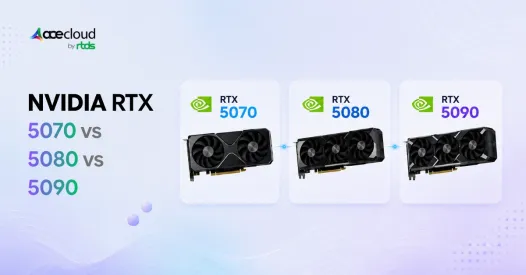
The NVIDIA GeForce RTX 5070, RTX 5080, and RTX 5090 use the Blackwell architecture, GDDR7 memory, DLSS 4, Multi Frame Generation, fourth-generation ray-tracing cores, and fifth-generation Tensor Cores. However, they target very different users.
- The RTX 5070 is primarily suited to mainstream 1440p gaming and lighter creative work.
- The RTX 5080 offers the strongest balance for high-refresh 1440p, 4K gaming, streaming, and content creation.
- The RTX 5090 targets buyers who need maximum 4K performance, 32GB of VRAM, faster rendering, or demanding local AI capabilities.
Your choice should depend on gaming resolution, workload, VRAM requirements, power consumption, and total system cost, not just specifications alone.
Quick Answer
| GPU | Best for | Main limitation |
|---|---|---|
| RTX 5070 | 1440p gaming, conventional streaming, lighter creation | 12GB VRAM and lower 4K headroom |
| RTX 5080 | High-refresh 1440p, 4K gaming, advanced streaming and creation | Higher cost and 360W power draw |
| RTX 5090 | Maximum 4K, path tracing, local AI and professional rendering | Cost, 575W power draw and system requirements |
- Choose the RTX 5070 for a value-focused 1440p build.
- Choose the RTX 5080 for the strongest balance of gaming and creator performance when its local street price is reasonably separated from the RTX 5070 Ti and RTX 5090.
- Choose the RTX 5090 when maximum throughput or 32GB of VRAM provides measurable value.
Comparing RTX 5070 vs RTX 5080 vs RTX 5090
Below is a side-by-side look at the core specs that separate NVIDIA’s mainstream, high-end, and flagship RTX 50 GPUs.
| Specification | RTX 5070 | RTX 5080 | RTX 5090 |
|---|---|---|---|
| Architecture | NVIDIA Blackwell | NVIDIA Blackwell | NVIDIA Blackwell |
| CUDA cores | 6,144 | 10,752 | 21,760 |
| AI performance | 988 AI TOPS | 1,801 AI TOPS | 3,352 AI TOPS |
| Ray tracing performance | 94 TFLOPS | 171 TFLOPS | 318 TFLOPS |
| VRAM | 12GB GDDR7 | 16GB GDDR7 | 32GB GDDR7 |
| Memory interface | 192-bit | 256-bit | 512-bit |
| Memory bandwidth | 672GB/s | 960GB/s | 1,792GB/s |
| Total Graphics Power | 250W | 360W | 575W |
| NVIDIA reference system power | 650W | 850W | 1000W |
| NVENC | One ninth-generation encoder | Two ninth-generation encoders | Three ninth-generation encoders |
| NVDEC | One sixth-generation decoder | Two sixth-generation decoders | Two sixth-generation decoders |
| Best fit | 1440p gaming | High-refresh 1440p and 4K | Maximum 4K, AI and rendering |
| Main limitation | 12GB VRAM | Price and upgrade value | Cost, heat and power |
Gaming Performance at 1440p and 4K
A 2026 14-game rasterization benchmark suite averaged approximately 81 FPS, 112 FPS, and 143 FPS at 1440p Ultra for the RTX 5070, RTX 5080, and RTX 5090, respectively. At 4K Ultra, the same cards averaged about 48 FPS, 71 FPS, and 106 FPS.
1440p Gaming
- RTX 5070 is the most accessible of the three for mainstream 1440p gaming, provided its street price remains competitive. It averaged approximately 81 FPS at 1440p Ultra in the rasterization suite, making it suitable for high settings and conventional high-refresh gaming.
- RTX 5080 averaged approximately 112 FPS, making it around 38% faster than the RTX 5070. That additional performance is useful for 180Hz or 240Hz displays, heavier ray tracing, and better minimum frame rates.
- RTX 5090 averaged 143 FPS, around 28% faster than the RTX 5080. However, its advantage can narrow in CPU-limited games, making it difficult to justify for gaming-only 1440p systems.
Best 1440p choice: RTX 5070 for mainstream gaming and RTX 5080 for high-refresh or ray-traced gaming.
4K Gaming
- At 4K Ultra, RTX 5070 averaged approximately 48 FPS, while the RTX 5080 averaged 71 FPS. That makes the RTX 5080 approximately 49% faster, giving it significantly more headroom for demanding games.
- RTX 5090 averaged approximately 106 FPS, making it about 49% faster than the RTX 5080 in this test suite. It is the strongest choice for high-refresh 4K monitors and maximum graphics settings.
- RTX 5070 can still run games at 4K, but demanding titles will more often require DLSS, Frame Generation, or reduced settings. Its 12GB VRAM also offers less capacity for high-resolution textures than the RTX 5080 or RTX 5090.
Best 4K choice: RTX 5080 for most buyers and RTX 5090 for no-compromise performance.
Ray Tracing and Path Tracing
The performance gap usually increases with ray tracing and path tracing, but it depends on game engine, RT implementation, VRAM pressure, DLSS mode and CPU bottlenecks. At 4K Ultra ray tracing, the RTX 5080 was approximately 53% faster than the RTX 5070, while the RTX 5090 was approximately 57% faster than the RTX 5080.
- RTX 5070 is therefore the most dependent on DLSS and Frame Generation in demanding ray-traced games.
- RTX 5080 provides a stronger native frame-rate foundation.
- RTX 5090 is the fastest and least-compromised option for 4K path tracing, although its price, power draw and platform requirements make it impractical for many buyers.
DLSS and Multi Frame Generation can improve displayed smoothness, but generated frames are not equivalent to additional natively rendered frames because they do not reduce simulation/input latency in the same way as higher native FPS. Compare native FPS, input latency, frame pacing and generated-frame smoothness separately. Buyers should compare native FPS, input latency, frame pacing, and generated-frame results separately.
Streaming Performance
All three GPUs use ninth-generation NVENC hardware, but encoder count differs by SKU and affects parallel encode/export capability more than single-stream quality. The main difference is the number of encoders, not a proportional increase in the visual quality of one livestream.
- RTX 5070 has one NVENC encoder, which is sufficient for a conventional gaming stream or local recording.
- RTX 5080 has two encoders, giving streamers more flexibility for simultaneous streaming and recording, multiple outputs, or complex production setups.
- RTX 5090 has three encoders. This is most useful for professional pipelines running parallel streams, exports, or encoding jobs. It will not make a normal single livestream look three times better than one produced on the RTX 5070.
Best streaming choice: RTX 5070 for conventional streaming and RTX 5080 for advanced production.
Video Editing and Content Creation
Video-editing performance does not scale as strongly as gaming or GPU rendering because applications can also be limited by the CPU, codec, storage, and media engine.
- RTX 5070 is suitable for lighter 4K projects, conventional effects and shorter timelines, but its 12GB VRAM can become restrictive for heavy GPU effects, high-resolution timelines, AI effects or complex color/noise-reduction workloads. Puget Systems found that it was only marginally faster than the RTX 4070 Super in many video-editing tasks, although GPU-specific workflows could show gains of around 15%. Its 12GB VRAM may become restrictive for heavier 6K-plus editing and GPU-focused workflows.
- RTX 5080 is the best overall recommendation for serious creators. Its 16GB VRAM, two NVENC encoders, and greater compute performance provide more flexibility for 4K media, GPU effects, motion graphics, and simultaneous applications. Puget measured it at approximately 5–10% ahead of the RTX 4080 Super in video editing and motion graphics, with larger gains in selected GPU-heavy tasks.
- RTX 5090 is best suited to demanding DaVinci Resolve effects, AI-assisted workflows, high-resolution media, and projects where export or processing time affects productivity. It is the fastest option, but the benefit may be limited in workflows that remain predominantly CPU-bound.
Best creator choice: RTX 5080 for most serious creators and RTX 5090 for demanding professional workloads.
3D Rendering, AI, and Workstation Performance
Tom’s Hardware combines Blender, Stable Diffusion, MLPerf, SPECworkstation, and other tests into an AI, professional, and visualization score:
| GPU | Composite score | Relative performance |
|---|---|---|
| RTX 5070 | 447.7 | 1.00x |
| RTX 5080 | 601.9 | 1.34x |
| RTX 5090 | 862.8 | 1.93x |
In this mixed professional suite,
- RTX 5080 was approximately 34% faster than the RTX 5070.
- RTX 5090 was around 43% faster than the RTX 5080 and approximately 93% faster than the RTX 5070.
Individual application results can differ substantially, so buyers should check benchmarks for their specific renderer, AI framework, or professional application.
For 3D rendering,
- RTX 5070 fits learning, smaller scenes, and occasional work.
- RTX 5080 is better for regular Blender, V-Ray, Unreal Engine, and visualization workloads.
- RTX 5090 is strongest for large scenes, complex textures, and professional rendering where shorter completion times have financial value.
For local AI, VRAM capacity, memory bandwidth, quantization support, framework compatibility and model size often matter more than the average benchmark score.
- RTX 5070’s 12GB can support smaller quantized models and image-generation experiments.
- RTX 5080’s 16GB provides more flexibility than RTX 5070 for diffusion, larger batches and some local AI models, but 16GB can still be limiting for larger LLMs, long context or high-resolution generation.
- RTX 5090’s 32GB can accommodate substantially larger local models, higher-resolution generation, larger contexts and batch sizes than 12GB/16GB cards, but very large LLMs still require quantization, CPU/NVMe offload or cloud/data-center GPUs. Its 1,792GB/s memory bandwidth also benefits memory-sensitive AI workloads.
Best workstation choice: RTX 5080 for balanced professional use and RTX 5090 for large rendering or local AI workloads.
Which GPU Should You Buy?
- Buy the RTX 5070 if you primarily play at 1440p, want manageable power requirements, stream conventionally, or perform occasional creative work.
- Buy the RTX 5080 if you want high-refresh 1440p, strong 4K performance, heavier ray tracing, advanced streaming, video editing, or regular 3D rendering. It offers the best overall balance for buyers combining gaming and creation.
- Buy the RTX 5090 if you need maximum 4K or path-tracing performance, 32GB VRAM, large-scene rendering, demanding video effects, or serious local AI inference. It is the fastest card, but specialist workloads are more likely than gaming alone to justify its total platform cost.
Still Unsure Between RTX 5070, 5080, and 5090?
Choose the RTX 5070 for efficient 1440p gaming and everyday creation, the RTX 5080 for balanced 4K gaming, streaming, and professional workflows, or the RTX 5090 for maximum performance, 32GB VRAM, advanced rendering, and local AI. Before committing to expensive hardware, consider a flexible way to access powerful GPU resources.
AceCloud delivers scalable cloud GPU solutions that help gamers, creators, streamers, and professionals run demanding workloads without upgrades or upfront costs. For temporary rendering, AI, batch generation, model testing or other compute-intensive projects, compare the cost of on-demand GPU access with purchasing, powering, cooling and maintaining a local workstation. Make your GPU decision cost-effective and future-ready.
Book a free consultation with AceCloud or start with a free trial worth ₹20,000 today.
Frequently Asked Questions
Yes. RTX 5080 is faster and better suited for 4K gaming, heavier ray tracing and creator workloads. RTX 5070 is better for value-focused 1440p builds.
RTX 5090 is worth it for 4K path tracing, AI, 3D rendering and creator workloads. Most gaming-only buyers get better value from RTX 5080.
Yes. RTX 5070 fits 1440p gaming well, especially with DLSS 4. Its 12GB VRAM is sufficient for most 1440p gaming today, but it provides less headroom for ultra-resolution textures, heavy ray tracing and future VRAM-intensive titles.
RTX 5090 is the fastest 4K option, but RTX 5080 is the smarter 4K value pick for most buyers. The better choice depends on whether you need flagship path tracing.
No. DLSS 4 can improve perceived frame rate, but generated frames are not the same as raw rendering performance. CUDA cores, memory bandwidth and VRAM still matter.
Buy RTX 5070 for 1440p gaming and lower power builds. Buy RTX 5080 for 4K gaming, heavier ray tracing and a longer upgrade cycle.
Buy a local GPU if you use it daily and need predictable access. Use cloud GPUs when your workload is bursty, temporary, collaborative, experimental or too expensive for local hardware.
Yes, if you are gaming at high-refresh 1440p. The RTX 5070 Ti offers 16GB GDDR7 and around 15% less performance than the RTX 5080 at a lower price. It is worth comparing current street prices across all three cards before deciding.

