

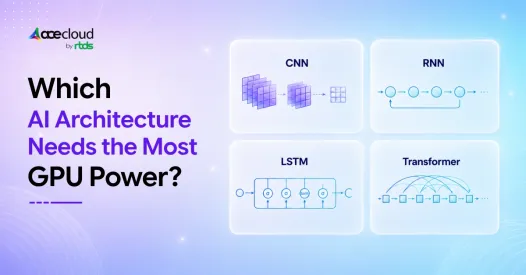
Choosing between a CNN, RNN, LSTM, and Transformer is not only a model-design decision. It also determines how much VRAM, compute, memory bandwidth, and GPU time your workload may consume.
A model can perform well in a notebook and still become difficult or expensive to train and serve at production scale. CNNs are highly parallel and efficient for many vision tasks. RNNs and LSTMs process sequences recurrently, which can limit GPU utilization. Transformers parallelize training effectively, but large models, long context windows, and growing KV caches can create substantial compute and memory demand.
The architecture that needs the most GPU power therefore depends on model size, input dimensions, sequence length, batch size, numerical precision, and whether you are training or running inference.
This guide compares CNN, RNN, LSTM, and Transformer GPU requirements to help AI engineers and ML infrastructure buyers choose a practical GPU starting point.
Quick Answer
For large-scale modern workloads, a useful directional GPU-demand ranking is: large Transformer > large CNN / vision pipeline > LSTM > simple RNN.
However, this is not universal; input size, sequence length, batch size, precision, model depth and serving target can change the order.
Add nuance here, though. A compact Transformer encoder, distilled model, or quantized 7B model used for inference can require less GPU power than a large CNN pipeline processing high-resolution 3D medical scans, real-time video segmentation, or satellite imagery. Workload scale matters as much as architecture type.
Which Factors Actually Drive GPU Demand Across Architectures?
Larger models need more GPU memory for weights, gradients, activations, optimizer states, and checkpoints. FLOPs give a useful estimate of raw compute demand, but FLOPs alone can mislead because memory bandwidth, kernel efficiency, tensor shape and data pipeline bottlenecks determine realized GPU throughput. Memory bandwidth and GPU kernel utilization determine how efficiently your hardware actually executes those FLOPs.
A higher-FLOPs model with optimized dense kernels and good batching can train faster than a lower-FLOPs model with poor memory locality, small tensors, sequential dependencies or inefficient dataloading. If you are relying on FLOPs-based comparisons without measuring VRAM utilization, actual throughput, and kernel efficiency, you are optimizing for the wrong variable.
During training, optimizer choice also matters. Adam-style optimizers can require significantly more memory than model weights alone because they maintain additional optimizer states.
Input Size and Sequence Length: Where Your GPU Bills Actually Come From
| Architecture | Main GPU Demand Driver | Key Bottleneck |
|---|---|---|
| CNN | Image resolution, channels, filters, batch size | Convolution compute and memory bandwidth |
| RNN | Sequence length, hidden state size | Sequential recurrence |
| LSTM | Sequence length, gates, hidden state size | More operations per time step |
| Transformer | Token length, attention heads, layers, KV cache | VRAM, attention cost, feed-forward compute, memory bandwidth, KV-cache growth and interconnect at multi-GPU scale |
NVIDIA’s convolution performance guide notes that convolution performance depends on batch size, input and filter dimensions, stride, dilation, Tensor Core-friendly dimensions, tensor layout, and cuDNN algorithm selection.
Why Do Training and Inference Require Separate GPU Plans?
Training and inference are different infrastructure problems. Treating them as one is a common and expensive mistake.
Training needs VRAM headroom for activations, gradients, optimizer states, and the full backward pass. Inference depends more on latency targets, request concurrency, throughput, batch size, model serving stack, and memory footprint.
A model that requires multiple A100s for training may serve on fewer or different GPUs after quantization, batching, and serving-stack optimization, but this depends on model size, latency target, request concurrency, and context length.
IEA’s latest update shows global data-center electricity demand grew 17% in 2025, while electricity consumption from AI-focused data centers surged 50% and is projected to triple by 2030.
If you right-size your GPU selection at the architecture design stage rather than the deployment stage, that is where your infrastructure savings actually materialize across power, cooling, capacity, and hardware utilization.
Which Architecture Trains Fastest on GPUs?
Many teams assume lower VRAM means faster training, but GPU performance depends more on parallelism, kernel efficiency, and data throughput.
CNNs: Predictable, Mature, and Fast for Your Vision Pipeline
CNNs have years of GPU kernel optimization behind them. CUDA and cuDNN acceleration paths for convolution are stable, well-documented, and matched to modern GPU hardware.
For many vision workloads, CNNs offer predictable and efficient GPU training because convolution kernels are mature, well-optimized, and strongly supported by CUDA and cuDNN. Training usually scales with batch size, image resolution, channel dimensions, and tensor layout.
This makes CNNs highly practical for image classification, object detection, visual inspection, and many production computer vision pipelines.
RNNs and LSTMs: Smaller Models That Will Train Slower for You
Model size and training speed are not always correlated in recurrent architectures, and this trips up a lot of teams.
RNNs and LSTMs often have lower VRAM footprints than large Transformers, but sequential recurrence limits full GPU parallelization. Each time step depends on the previous one, which restricts the amount of simultaneous work a GPU can execute.
LSTM-based models often show lower GPU utilization than CNNs or Transformers on long sequences because recurrent dependencies limit parallelism across time steps. Actual utilization depends on sequence length, batch size, framework, cuDNN implementation, and data-loading efficiency.
Transformers: Fast at Scale, Only If You Have the Right Infrastructure
Transformers can train faster than recurrent architectures at scale when they are adequately provisioned, because they expose more parallel work to the GPU. Full parallelism across sequence length allows more data throughput per GPU cycle than any recurrent architecture can reach.
However, that speed advantage only materializes when you have sufficient VRAM, NVLink or InfiniBand interconnect bandwidth, and a well-optimized multi-GPU setup behind it.
At multi-GPU scale, data loading, checkpoint frequency, optimizer state sharding, and interconnect efficiency can become as important as raw GPU FLOPs.
MLCommonsMLPerf Training 5.0 confirmed this trajectory, reporting a 2.28x speed increase for Stable Diffusion and a 2.10x speed increase for Llama 2 70B LoRA on 8-processor systems compared with results from six months prior, both exceeding Moore’s Law expectations.
| Architecture | GPU Utilization | Training Speed Pattern | Main Bottleneck |
|---|---|---|---|
| CNN | High when batch and tensor shapes are optimized | Fast and predictable for vision | Image size, batch size, memory bandwidth |
| RNN | Low to medium | Slow on long sequences | Recurrence |
| LSTM | Medium, workload-dependent | Heavier per step than RNN | Gates, memory cells, recurrence |
| Transformer | Very high at scale when optimized | Fast at scale with enough GPUs | VRAM, attention, interconnect |
Which Architecture Is More Cost-Effective for Inference?
Inference cost depends on traffic, latency targets, throughput requirements, concurrency, model size, precision, batch size, and memory footprint.
- CNN inference is often predictable and cost-effective for image classification and object detection. But real-time video analytics, high-resolution imagery, and segmentation can increase GPU requirements quickly.
- RNN and LSTM inference can be cost-effective for smaller or latency-tolerant sequence workloads, especially where CPU or small-GPU serving is sufficient. They may not require as much VRAM as Transformers, but recurrence can limit throughput for long sequences.
- Transformer inference can become expensive quickly. Large LLMs need VRAM for model weights, KV cache, runtime buffers, CUDA graphs, quantization metadata and serving-framework overhead. Long prompts, high concurrency, and low-latency serving can push teams toward A100, H100, H200, or multi-GPU infrastructure.
How Can Teams Reduce GPU Demand Without Changing Architecture
Before changing architectures, teams should first check whether the current model can be made cheaper to train or serve. Many GPU cost problems come from unoptimized precision, serving, batching, memory layout, or context length.
Useful optimization methods include:
| Optimization | Where it helps | Why it matters |
|---|---|---|
| Mixed precision: FP16, BF16, FP8 | Training and inference | Reduces memory use and improves Tensor Core throughput |
| Quantization: INT8 or lower | Inference | Shrinks model memory footprint and can improve serving cost |
| Gradient checkpointing | Training | Reduces activation memory at the cost of recomputation |
| FlashAttention | Transformer training and inference | Reduces attention memory movement and improves long-sequence efficiency |
| TensorRT / TensorRT-LLM | Inference | Optimizes model execution for NVIDIA GPUs |
| vLLM paged attention | LLM inference | Improves KV cache handling and serving throughput |
| Batching and caching | Inference | Improves GPU utilization and reduces repeated computation |
| Distillation and pruning | Training and inference | Reduces model size while preserving useful performance |
| Right-sized context windows | Transformer inference | Reduces KV cache growth and VRAM pressure |
Practical takeaway: Do not assume that a GPU-heavy model must be replaced immediately. First, test whether optimization can reduce VRAM, latency, or cost enough to meet production requirements.
The Practical GPU Demand Ranking
A ranking is useful only when it stays tied to bottlenecks you can measure: VRAM, tokens/sec, images/sec, latency, GPU utilization, memory bandwidth, data-loading throughput and cost per result. This ranking assumes modern workloads, not small classroom-scale models.
| Workload | Best starting architecture | GPU planning note |
|---|---|---|
| Image classification | CNN | Usually efficient, but batch size and resolution still matter |
| Object detection | CNN or Vision Transformer | Benchmark throughput and latency carefully |
| Real-time video analytics | CNN or Vision Transformer | GPU demand rises quickly with resolution and frame rate |
| 3D medical imaging | CNN, 3D CNN, or Transformer-based vision model | VRAM becomes a primary constraint |
| Short time-series | RNN or LSTM | Smaller GPU or CPU may be enough |
| Long sequence modeling | LSTM or Transformer | Benchmark sequence length impact |
| LLM fine-tuning | Transformer | Prioritize VRAM, Tensor Cores, and memory bandwidth |
| Long-context inference | Transformer | KV cache and concurrency drive GPU cost |
| Multimodal AI | Transformer-based architecture | Plan for high VRAM and multi-GPU scaling |
How Training Changes Your Ranking
For large-scale training, a directional ranking is: large Transformer > large CNN/vision pipeline > LSTM > simple RNN, but actual GPU-hours depend on dataset size, target accuracy, optimizer, batch size and hardware efficiency.
A ResNet-152 training on full ImageNet at large batch sizes can exceed a small BERT fine-tuning job in total GPU hours. Scale always modifies the ranking, and running a generic comparison without your actual data dimensions gives you a directional signal at best, not an infrastructure plan.
How Inference Changes Your Ranking
For production inference, a directional ranking is: large Transformer > large CNN/vision pipeline > LSTM > simple RNN, but optimized quantized Transformers can be cheaper than unoptimized high-resolution vision pipelines.
However, INT8 or FP8 quantization, vLLM paged attention, TensorRT-LLM optimizations, and aggressive batching strategies can close the gap between a compressed Transformer and a larger unoptimized CNN. We recommend you benchmark optimized and compressed versions of your target architectures, not naive baseline implementations.
Which Architecture Needs the Most GPU Power?
Transformers are highly parallelizable across tokens and layers during training, which makes them excellent GPU workloads when memory, batch size and kernel paths are optimized. The challenge is that at scale, this parallelism must be fed with enough VRAM, memory bandwidth, interconnect bandwidth, and Tensor Core throughput.
However, when you push Transformer workloads to scale, you are feeding large-batch matrix operations, multi-layer attention stacks, long context windows, and KV cache growth during inference. That is where GPU demand compounds.
| Rank | Architecture | GPU demand | Why |
|---|---|---|---|
| 1 | Transformer | Highest at scale | Self-attention, long context, large matrix multiplication, KV cache |
| 2 | CNN | High for large vision workloads | Convolution, image resolution, video, batch size |
| 3 | LSTM | Medium | Gates, memory cells, long sequence handling |
| 4 | RNN | Lowest in most cases | Simpler structure, lower memory demand |
When CNNs Outpace Smaller Transformers in GPU Demand
3D medical imaging, satellite scene segmentation, real-time video analytics at 60fps, large-batch object detection across industrial pipelines, and deep multi-scale backbones with high-channel filters all push CNN GPU demand past a small fine-tuned Transformer.
A 224×224 image classifier and a 4K video segmentation pipeline are both “CNN workloads,” but their GPU requirements are completely different.
Architecture type sets your baseline, but workload scale sets your actual infrastructure bill. If you benchmark only by architecture label without accounting for your actual data dimensions, you will consistently overprovision or under provision your GPU clusters.
GPU Selection Guide by Architecture
You should treat GPU selection as an iterative measurement process. A mapping table still helps you start testing in a disciplined way.
| Architecture | Small workload | Medium workload | Large workload |
|---|---|---|---|
| CNN | L4, RTX A6000, or L40S depending on resolution | L40S or A100 | A100 or H100 |
| RNN | CPU or smaller GPU first | L4/L40S depending on sequence volume | A100 if needed |
| LSTM | L4/L40S | A100 | A100 or H100 for large sequence workloads |
| Transformer | L40S or A100 for small inference/fine-tuning | A100 or H100 for larger inference | Multi-H100 or H200 for large-scale training |
Why Generic Benchmarks Will Mislead You
Your real GPU requirements depend on dataset size, model architecture, numerical precision (FP32, FP16, BF16, INT8), framework, CUDA and cuDNN optimization level, sequence length, image resolution, batch size, and production traffic patterns.
Two models with identical FLOPs can produce meaningfully different GPU execution times when their memory access patterns, kernel efficiency, and data pipeline bottlenecks differ.
Generic architecture benchmarks set directional expectations for your team. They do not set infrastructure requirements. Only your workload does that.
Why Cloud GPUs Are the Right Starting Point for Your Decision
Cloud GPU platforms let your engineering team run actual workloads on H100, A100, L40S, and RTX A6000 hardware before committing to long-term infrastructure spend.
AceCloud offers 1x NVIDIA H100 80GB HGX cloud GPU pricing at ₹180,000/month. It also lists 2x, 4x, and 8x H100 configurations for larger AI training, LLM, inference, and HPC workloads.
At H100/H200-class monthly pricing, benchmarking before procurement should be treated as mandatory technical due diligence because architecture, precision and serving choices can change cost materially. It is the difference between right-sized infrastructure and an overspend that compounds every month on your bill.
Benchmark CNN, RNN, LSTM and Transformer workloads on AceCloud GPUs to compare VRAM usage, training speed, inference latency and cost before committing to production infrastructure.
Benchmark Before You Scale with AceCloud
In the CNN vs RNN vs LSTM vs Transformer debate, there is no one-size-fits-all GPU answer. Transformers usually need the most power at scale, CNNs can become expensive with high-resolution vision workloads, LSTMs sit in the middle, and RNNs are often lighter but less GPU-efficient.
The real decision depends on your model size, VRAM usage, sequence length, batch size, latency target, and inference traffic. That is why benchmarking your actual workload matters more than relying on generic architecture rankings.
AceCloud helps AI engineers and ML infrastructure buyers test CNN, RNN, LSTM, and Transformer workloads on cloud GPUs before committing to production infrastructure.
Book a free cloud infrastructure consultation or start with a free trial worth ₹20,000.
Frequently Asked Questions
Transformers usually use the most GPU power at scale. Large model size, self-attention, long context length, and KV cache increase VRAM and compute requirements, especially in production serving.
CNNs are often faster on GPUs because convolution operations parallelize well and have mature kernel support. LSTMs are sequential across time steps, which makes them harder to parallelize effectively.
Transformers need VRAM for model weights, activations, attention intermediates, and KV cache during inference. Long-context prompts and high concurrency increase KV cache, which raises VRAM pressure quickly.
Usually yes for small sequence workloads because RNNs can have fewer parameters and lower VRAM needs. However, recurrence can reduce GPU utilization, which can increase wall-clock time relative to the model size.
Sometimes. LSTMs can be practical for smaller time-series and temporal workloads where data is limited and latency targets are modest. Transformers tend to be stronger for large-scale sequence modeling and long-context tasks, but they usually require more GPU resources, more data, more tuning and more careful serving optimization.
CNNs are still efficient for many vision tasks and often provide strong performance with manageable GPU cost. Vision Transformers can perform strongly at scale, but they often need more data, compute, and memory to reach peak results.
Yes. Benchmarking helps you measure real training time, inference latency, VRAM usage, GPU utilization, and cost before you scale. If you want a low-risk start, AceCloud offers ₹20,000 in free GPU credits for new customers.

