
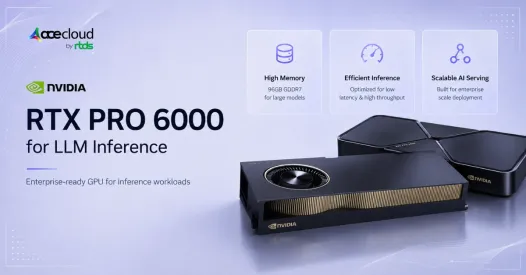
Most GPU inference comparisons ask the wrong question. They ask which GPU is fastest. The more useful question is which GPU gives you the best cost per million tokens for your specific serving pattern. For teams running quantised 30B to 70B models on single-GPU replicas like private LLMs, RAG systems, inference APIs. The RTX PRO 6000 Blackwell Server Edition deserves serious consideration. Not because it replaces H100 or H200. Because for this workload pattern, it doesn’t need to.
That is why many teams are evaluating RTX PRO 6000 LLM inference for workloads that need high memory, strong throughput, and practical cost control. With 96GB GDDR7 memory, fifth-generation Blackwell Tensor Cores, FP4/FP8 capability and PCIe Gen 5 x16 deployment, the RTX PRO 6000 Blackwell Server Edition can be a strong fit for private LLMs, RAG applications, agentic AI workflows and selected quantized 30B–70B model serving, provided the model, context length and concurrency fit within single-GPU memory.
But the real question is not whether RTX PRO 6000 is powerful. It is whether it is the right GPU for your inference stack.
This blog breaks down how Blackwell architecture affects throughput, cost per token, model fit, and where H100, H200, or B200 may still be better.
Quick Verdict: Is RTX PRO 6000 Good for LLM Inference?
Yes, RTX PRO 6000 Blackwell can be a strong LLM inference GPU when your model fits within 96GB VRAM, benefits from FP4 or FP8 execution and scales through single-GPU replicas instead of NVLink-heavy tensor parallelism.
It is best suited for teams that want high memory capacity, practical PCIe deployment and better cost control for private LLMs, RAG systems, inference APIs and quantized 30B to 70B workloads.
However, RTX PRO 6000 is not a universal H100 replacement. H100, H200 and B200 remain better choices when your workload needs training, large-scale distributed inference, NVLink scale-up, very long context windows or tightly coupled multi-GPU performance.
RTX PRO 6000 is a better fit when,
- The model fits on one 96GB GPU
- Replica-based serving is your preferred scaling method
- Quantized 30B to 70B models are the main workload
- Cost per million tokens is a primary decision factor
- Private AI, RAG or inference APIs are your main use cases
- Simpler PCIe server deployment is preferred
- You want isolated smaller workloads through MIG where applicable
Why Does Blackwell Architecture Change LLM Inference Economics?
Blackwell architecture matters for LLM inference because it changes how teams think about throughput, precision, memory movement, and cost per token. For AI teams, the goal is not only to run a model faster. The goal is to serve more tokens at acceptable latency while keeping GPU utilization high and infrastructure cost predictable.
How fifth-generation Tensor Cores help inference
Transformer models rely heavily on matrix multiplication. Blackwell fifth-generation Tensor Cores accelerate these operations, especially when teams use lower-precision formats such as FP8, FP4 or NVFP4.
Lower precision can reduce memory movement and improve throughput, but the result depends on three things:
- whether the model supports the precision path,
- whether the serving framework has optimized kernels for that path,
- whether output quality remains acceptable after quantization.
Why FP4, NVFP4, and FP8 matter
FP8 can offer a balance between performance and quality for many inference workloads, but support depends on the model, checkpoint format, kernels and serving framework. FP4 and NVFP4 can further reduce weight memory and memory movement, but they need careful validation because quality, calibration, kernel support and model compatibility vary by workload.
A lower-precision model is useful only when it preserves the accuracy, safety behavior and response quality your application needs. For example, a customer support agent, code assistant, healthcare workflow or legal research assistant may have very different quality thresholds.
Why this affects cost per token
If FP4, NVFP4, or FP8 increases throughput while keeping quality acceptable, the same GPU can generate more tokens per hour. When throughput rises faster than GPU hourly cost, cost per million tokens goes down.
This is one reason RTX PRO 6000 Blackwell is commercially interesting for LLM inference, but the final economics still depend on GPU rental price, utilization, context length, framework support and supportability.
Where Does RTX PRO 6000 Gain Throughput for LLM Serving?
Real LLM inference performance is measured by serving metrics, not just peak PFLOPS. The most important metrics include:
- Total tokens/sec and output tokens/sec per GPU
- TTFT and ITL under realistic concurrency
- Throughput per server and cost per million tokens
- GPU utilization and memory utilization across a full traffic cycle
These metrics matter because a fast GPU can still be expensive if it runs at low utilization, exhausts KV-cache memory, increases tail latency or forces a multi-GPU topology that adds communication overhead.
Batch size and context length drive the tradeoff curve
Larger batches often improve utilization, but they can raise latency if you over-batch interactive workloads. Longer context windows increase KV-cache pressure, which can reduce concurrency and cause performance cliffs when memory becomes the bottleneck.
You should tune batch size and scheduler behavior around your product SLOs, not around a synthetic maximum throughput target.
Serving frameworks and kernel paths matter more than most buyers expect
Your framework choice can change real throughput because scheduling and kernel fusion determine how often you stall on memory or synchronization.
Continuous batching can keep the GPU busy during bursty traffic, and quantization-aware kernels can reduce memory movement, which often increases throughput at the same concurrency. This is why teams commonly evaluate TensorRT-LLM, vLLM and sometimes SGLang side by side for production serving, using the same model, context length, quantization and traffic pattern.
Why 96GB GDDR7 Matters for Model Fit, KV Cache, and Batch Size?
VRAM is often the first bottleneck in LLM inference. The model weights take the first large block of memory. Then the KV cache grows with sequence length, batch size, and concurrent users. On top of that, the serving framework, CUDA kernels, activation buffers, and runtime overhead also consume memory.
This is why 96GB GDDR7 matters. It can allow teams to run larger models, increase batch size, support longer context windows, or keep more KV-cache headroom without splitting the model across multiple GPUs.
However, model fit is not determined by parameter count alone. It also depends on quantization format, serving framework overhead, context length, KV-cache size, batch size, and concurrency target.
Practical model sizes for a 96GB inference GPU
| Model class | RTX PRO 6000 fit |
|---|---|
| 8B to 14B models | Strong fit for high-concurrency serving |
| 30B models | Strong fit, especially with AWQ, GPTQ, INT4, FP8, or FP16 depending on model |
| 32B models | Practical in FP8 or FP16 depending on workload |
| 70B models | Practical in Q4, AWQ, GPTQ, INT4, or FP8 |
| 70B FP16 | Usually not practical on one 96GB GPU |
Single-GPU fit reduces operational complexity
When the full workload fits on one GPU, including weights, KV cache and overhead, you can avoid tensor parallel partitioning, reduce interconnect sensitivity, simplify monitoring and scale with replicas. That approach often matches private AI, RAG, inference APIs, and agentic workflows where you want predictable latency and clean horizontal scaling.
Comparing RTX PRO 6000 with H100, H200, L40S, B200, and RTX 6000 Ada
RTX PRO 6000 should not be positioned as a universal H100 replacement. It should be positioned as a strong Blackwell inference option for workloads where 96GB VRAM, FP4 support, and single-GPU economics matter.
| GPU | Best fit | Main strength | Main limitation |
|---|---|---|---|
| RTX PRO 6000 Blackwell | Single-GPU inference, private AI, quantized 30B to 70B serving | 96GB GDDR7, FP4 and FP8 support, strong PCIe economics | No NVLink |
| H100 PCIe or SXM | Enterprise inference, training, multi-GPU workloads | Mature data-center stack, strong ecosystem, NVLink on SXM | Higher cost in many rentals |
| H200 | Larger-memory inference, high-throughput serving | More memory headroom with strong data-center performance | Premium cost |
| B200 | High-end distributed inference and training | Top-tier throughput for large clusters | Expensive, best in advanced clusters |
| L40S | Cost-sensitive inference, visual AI, smaller LLMs | Strong value for some inference stacks | Lower memory than RTX PRO 6000 |
| RTX 6000 Ada | Existing professional stacks, lighter serving | Mature option with ecosystem support | Older than Blackwell |
For most production inference buyers, the decision is not simply RTX PRO 6000 vs H100. The real decision is often single-GPU replica scaling vs tensor-parallel serving, but long-context KV cache, latency SLOs and framework support must also be included. RTX PRO 6000 becomes more attractive when each GPU can serve an independent model copy. H100 SXM, H200 and B200-class systems become more attractive when one large model must be split across multiple GPUs and fast GPU-to-GPU communication becomes critical.
Key Takeaways:
- RTX PRO 6000 Blackwell fits when you want single-GPU replicas, 96GB VRAM headroom, and FP4 or FP8 economics for quantized 30B to 70B serving.
- H100, H200, B200 fit when you need training, tensor parallel inference, or NVLink scale-up, even at higher rental cost.
- L40S, RTX 6000 Ada fit for budget inference, legacy pro stacks, or local testing, but they trade off VRAM, architecture, or data center readiness.
Also Read: RTX PRO 6000 Blackwell vs. RTX 6000 Ada
How RTX PRO 6000 Changes Cost Per Token?
Cost per token is where RTX PRO 6000 becomes commercially interesting. The formula is not complicated, but the inputs are easy to underestimate.
Simple formula:
Cost per 1M output tokens = GPU hourly cost ÷ output tokens generated per hour × 1,000,000.For RAG and chat workloads, also calculate input-token and total-token cost separately.
Your cost per token is shaped by:
- GPU hourly cost, including commitment and availability dynamics
- Tokens/sec under your target SLOs, not under a single benchmark run
- Precision format and quantization method
- Utilization across peaks and idle periods
- Power draw and rack density, if you run private infrastructure
- Framework efficiency, batching strategy, and kernel selection
- Concurrency levels and queueing behavior under production load
A more expensive GPU can still be cheaper per token if it sustains much higher throughput at high utilization, especially under concurrency.
RTX PRO 6000 is especially relevant for inference, evaluation, embedding/reranking, batch generation, and some parameter-efficient fine-tuning workloads where 96GB VRAM helps the model or adapter workload fit on a single GPU. It should not be positioned as a primary large-scale training GPU without caveats around no NVLink and PCIe-only scaling.
NVIDIA lists RTX PRO 6000 Blackwell Server Edition with 96GB GDDR7 memory, fifth-generation Tensor Cores, and FP4 support, while Lenovo’s product guide confirms 96GB GDDR7, PCIe Gen 5 x16, and no NVLink support.
When RTX PRO 6000 can lower cost per token
RTX PRO 6000 often reduces cost per token when:
- The model fits on one GPU, which avoids tensor parallel overhead
- FP8, FP4, NVFP4, AWQ, GPTQ, or INT4 increases throughput without unacceptable quality loss
- Concurrency is high enough to keep the GPU utilized
- Your scaling strategy uses replicas, which keeps failure domains simpler
- Your rental rates favor PCIe professional/server GPUs versus premium data-center SKUs, and the workload does not need NVLink/NVSwitch scale-up
RTX PRO 6000 for Fine-Tuning: Cost per Training Token
If your workload includes fine-tuning rather than inference, the cost calculation changes. Here’s how the same GPU comparison looks for training token throughput.
For AI training workloads, the cost metric changes from cost per generated token to cost per training token processed. This matters because training does not generate tokens for users. Instead, the GPU processes dataset tokens across one or more epochs while updating model weights.
For example, if a team fine-tunes a model on 50 million tokens for 2 epochs, the total workload becomes 100 million training tokens. The final cost depends on how many training tokens the GPU can process per second under the selected model size, precision, batch size and training framework.
| GPU option | Approx. hourly cost | Cost per 1M training tokens at 1,000 tokens/sec | Cost for 100M training tokens |
|---|---|---|---|
| RTX PRO 6000 | ₹131.01/hour | ₹36.39 | ₹3,639 |
| H100 | ₹246.58/hour | ₹68.49 | ₹6,849 |
| H200 | ₹301.37/hour | ₹83.71 | ₹8,371 |
| L40S | ₹82.19/hour | ₹22.83 | ₹2,283 |
This table uses an assumed 1,000 training tokens/sec to explain the calculation. Actual training cost will change based on model size, precision, optimizer, sequence length, dataloader efficiency, GPU utilization and checkpointing overhead.
For small fine-tuning jobs, L40S may look attractive because of its lower hourly cost. For larger models or heavier training runs, RTX PRO 6000, H100 or H200 may become more practical if they deliver higher throughput, larger batch sizes or better memory headroom.
Where RTX PRO 6000 Falls Short for Multi-GPU LLM Inference?
RTX PRO 6000 is strongest when the model fits on one GPU or scales through independent replicas. It is less ideal when a workload depends on tightly coupled multi-GPU communication.
Why the lack of NVLink matters
RTX PRO 6000 Blackwell Server Edition uses PCIe Gen 5 x16 and does not support NVLink. This matters because tensor parallel inference splits one model across multiple GPUs.
In that setup, GPUs must exchange data frequently, and interconnect bandwidth can become a bottleneck.
H100 SXM, H200, and B200-based systems are better suited for workloads where NVLink, HBM bandwidth, and multi-GPU scale-up performance are critical.
Which workloads need caution
Benchmark carefully before choosing RTX PRO 6000 for:
- 70B FP16 inference
- 100B+ models
- High-concurrency tensor-parallel serving
- Large-scale training
- Large distributed fine-tuning
- Workloads with heavy collective communication overhead
- Very long-context inference where KV-cache memory, prefix caching and attention scheduling dominate capacity planning
Practical takeaway:
Choose RTX PRO 6000 when you can run the model on one GPU and scale with replicas. Consider H100, H200, or B200 when model size, interconnect bandwidth, or distributed serving efficiency matters more than entry cost.
When Is RTX PRO 6000 the Right Choice for LLM Inference?
RTX PRO 6000 is a strong fit when the workload needs high VRAM, strong single-GPU throughput, and practical cost control.
AceCloud’s RTX PRO 6000 Blackwell Server Edition instances are available on-demand with INR pricing, no egress charges, and 24/7 support. For teams running private LLM serving, RAG pipelines, or inference APIs where single-GPU economics matter, this removes the currency risk and egress exposure that typically inflate hyperscaler inference bills. The ₹131.01/hour rate cited in this piece reflects AceCloud’s published on-demand pricing.
For enterprise private AI
RTX PRO 6000 is often a strong fit when you run:
- Private LLM serving for internal copilots
- Secure RAG applications where data locality matters
- Dedicated GPU environments where you want predictable capacity
These environments benefit from single-GPU model fit and simpler operational controls around isolation and monitoring.
For multi-tenant inference
RTX PRO 6000 can also make sense when you run multi-tenant serving with:
- Independent model replicas per traffic shard
- Moderate to high concurrency that maintains utilization
- Cost-sensitive inference APIs and batch inference jobs
- Agentic AI workloads where parallel requests are common
Deployment Checklist to Use Before Choosing RTX PRO 6000
Before you commit budget, validate quantization, serving stack, and monitoring, because small setup gaps can erase expected RTX PRO 6000 gains.
Validate quantization and precision choices
You should test:
- Target precision: FP16, BF16, FP8, FP4, NVFP4, INT4
- Quantization method: AWQ, GPTQ, and vendor toolchains where relevant
- Quality gates: task accuracy, safety behavior, and regression tests
- KV-cache sizing: context length targets, concurrency targets, and memory headroom
This matters because a throughput gain is only valuable if output quality remains acceptable for your application.
Validate the serving framework and reproducibility
You should validate:
- TensorRT-LLM compatibility for your model architecture and quantization path
- vLLM support and scheduler settings for your traffic profile
- Continuous batching behavior under bursty loads
- CUDA and driver versions, plus kernel paths for your chosen precision
- Benchmark reproducibility across identical configs
A serving framework can shift results enough that a GPU comparison becomes meaningless unless you lock the stack.
Track monitoring metrics that map to user experience
You should track:
- Tokens/sec, TTFT, ITL
- GPU utilization and memory utilization
- Batch size, context length, cache hit behavior for RAG
- Cost per million tokens under real traffic, not synthetic loads
- Error rates and quality metrics tied to your product SLOs
Build a cost model that reflects how you will actually run the system
Your cost model should include:
- GPU hourly price, and whether you will use on-demand, reserved, or spot
- Expected utilization across peaks, off-hours, and seasonality
- Real tokens/sec and latency at target concurrency
- Power and infrastructure costs if you self-host
- Engineering overhead for multi-GPU complexity and reliability controls
- Scaling strategy, replica scaling versus tensor parallel scaling
Compare RTX PRO 6000, H100, H200 and L40S for private LLMs, RAG, agentic AI, inference APIs and quantized 30B to 70B serving based on model fit, latency SLOs and cost per million tokens.
Ready to Validate RTX PRO 6000 for Your LLM Workload?
RTX PRO 6000 Blackwell for LLM inference can be a practical choice when the model, KV cache and concurrency target fit within 96GB VRAM, the workload benefits from supported FP4/FP8/INT4 paths and the service scales cleanly with replicas.
It is especially relevant for private LLMs, RAG, agentic AI, inference APIs and quantized 30B to 70B model serving. But if your workload depends on NVLink, tensor parallelism, very long context windows or large-scale training, H100, H200 or B200 may deliver better economics.
The right GPU decision should come from your model, traffic pattern, latency target and cost per million tokens.
AceCloud helps teams benchmark, size and deploy GPU infrastructure for real LLM workloads. Share your model size, context length, precision target, concurrency goal and latency SLO. Our team can help you compare RTX PRO 6000, H100, H200 and L40S against practical cost-per-token scenarios. Talk to an AceCloud GPU expert today.
Frequently Asked Questions
The RTX PRO 6000 Blackwell Server Edition has 96GB of GDDR7 memory. For LLM inference, this memory helps with model fit, KV-cache headroom, batch size, and concurrency.
Yes. RTX PRO 6000 Blackwell supports FP4 capability through Blackwell Tensor Cores, but practical FP4 inference depends on model support, quantization workflow and serving-framework kernels. FP4 can improve throughput and memory efficiency when the model, quantization method, and serving framework support it.
No. RTX PRO 6000 Blackwell Server Edition does not support NVLink. It uses PCIe Gen 5 x16, which is practical for single-GPU serving and replica scaling but less ideal for communication-heavy tensor parallelism.
Yes, but precision, context length and concurrency matter. RTX PRO 6000 can run many 70B models in 4-bit/INT4/AWQ/GPTQ-style quantized formats; FP8 70B serving should be treated as workload-dependent and benchmarked carefully on 96GB VRAM. A 70B FP16 model is usually not practical on one 96GB GPU.
It depends on the workload. RTX PRO 6000 can be more cost-effective for single-GPU, PCIe, private AI, and quantized inference workloads. H100 is usually better for NVLink-heavy multi-GPU inference, training, and large-scale tensor parallel workloads.
You should favor H100 SXM, H200 or B200-class systems when your model requires tensor parallelism across multiple GPUs or needs more KV-cache headroom than 96GB can provide. In that case, NVLink-class scale-up efficiency often outweighs PCIe simplicity.
You should choose replicas when the model fits on one GPU at your target context and concurrency. Choose tensor parallelism when memory limits force partitioning or when a single-GPU replica cannot meet latency/throughput goals, but include interconnect cost and complexity in the decision.
You should present cost per million tokens, p95 TTFT, p95 ITL, and sustained tokens per second at target concurrency. These metrics connect user experience to operating cost.
Evaluate TensorRT-LLM, vLLM and, where relevant, SGLang using the same model revision, quantization, context length, concurrency and latency target. TensorRT-LLM is NVIDIA’s open-source library for accelerating and optimizing LLM inference on NVIDIA GPUs, while vLLM is widely used for high-throughput, memory-efficient LLM serving. The right choice depends on model architecture, quantization format, batching strategy, latency target, and production environment.
Teams often compare peak throughput numbers without locking the same model revision, quantization format, prompt/output length, context length, batching policy, framework version, CUDA/driver version and concurrency target. As a result, conclusions fail in production.

