
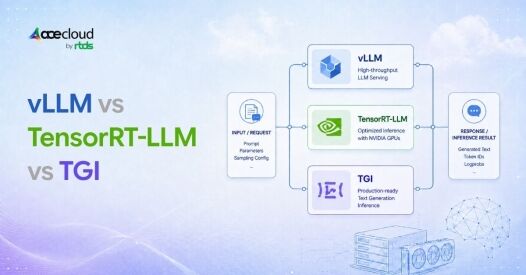
Quick Answer
vLLM is the strongest default for most new deployments. It stays flexible and fast to iterate on, with support for multiple hardware backends, though maturity varies by backend. TensorRT-LLM delivers the NVIDIA throughput ceiling but demands significant engineering and tuning effort, justified only at high sustained volume. TGI is frozen. Hugging Face put it in maintenance mode in December 2025 and archived its GitHub repository read only on March 21, 2026. Anyone still on TGI should migrate to vLLM or SGLang.
It’s midnight, and your LLM API is timing out, not because the model is weak, but because the serving stack cannot handle the traffic reaching it.
Most teams never choose an inference engine deliberately. They adopt whatever was easiest during experimentation, then keep it as the product moves into production. Honestly, that works until concurrency spikes, prompts stretch into tens of thousands of tokens, or GPU costs climb faster than usage.
Here is the reality: vLLM, TensorRT-LLM, and TGI were not designed with identical priorities, and treating them as interchangeable is a costly mistake. The right stack is the one that meets latency, reliability, and cost targets under production load.
Which LLM Serving Stack is Best at a Glance?
| Engine | Best For | Hardware scope | Operational trade-off | Status (2026) |
|---|---|---|---|---|
| vLLM | Greenfield APIs, model churn, bursty traffic, and broad compatibility | NVIDIA, AMD, Intel, CPUs, and additional supported hardware | Broad flexibility, but feature parity may vary across hardware | Active, hosted by the PyTorch Foundation |
| TensorRT-LLM | Stable, performance-sensitive NVIDIA workloads | NVIDIA GPUs | Greater value when teams can profile and tune a stable workload | Active, with PyTorch as the sole current execution backend |
| TGI | Existing deployments with established integrations | Depends on the existing configuration | Greater ownership of maintenance, compatibility, security, and migration | Maintenance mode, upstream repository archived |
Key Takeaways:
- vLLM is built around efficient memory management and scheduling techniques, including PagedAttention. Its current documentation also covers prefix caching, structured outputs, tool calling, distributed inference, and support for AMD ROCm and NVIDIA CUDA. Exact capabilities remain model and hardware dependent.
- TensorRT-LLM optimizes inference on NVIDIA GPUs through custom kernels, low-precision execution, KV-cache management, CUDA graphs, advanced scheduling, and distributed-serving capabilities. Current releases should not be described only through the older model-specific compilation workflow.
- TGI provides an established serving toolkit, but its archived upstream repository means teams should not expect an active new-feature roadmap from the original project.
Is vLLM Faster Than TensorRT-LLM?
Neither engine wins universally. TensorRT-LLM can be a strong choice when a team standardizes on NVIDIA hardware and can invest in configuration-specific optimization. vLLM can be a stronger general baseline when model compatibility, burst tolerance, deployment speed, and hardware portability matter.
However, the result will be change with:
- Model architecture, size, and checkpoint revision
- GPU type, count, topology, and interconnect
- Precision and quantization
- Prompt and output-length distributions
- Concurrency and request-arrival rate
- Prefix-cache hit rate and shared-prefix distribution
- Warm versus cold KV-cache state
- Speculative decoding and chunked prefill
- Tensor, pipeline, data, and expert parallelism
- Streaming configuration
- Structured-output and tool-call constraints
- Scheduler and memory-utilization settings
- Engine, container, CUDA, and driver versions
- TTFT, TPOT, p95, p99, and failure-rate objectives
Does TensorRT-LLM still require a model-build step?
Not in its current architecture.
NVIDIA has removed the legacy TensorRT backend. PyTorch is now the sole execution backend, and the trtllm-build, trtllm-refit, and trtllm-prune command-line tools have been removed from the current workflow.
TensorRT-LLM still uses NVIDIA-specific optimization techniques, but older comparisons based on a mandatory model-specific engine build should not be applied to current releases.
Cold start times vary significantly across model architectures, sizes, checkpoint organization, storage bandwidth, GPU count, quantization settings, cache state, and warm-up requirements. Avoid extrapolating results from specific deployments. Measure startup from infrastructure launch until your endpoint meets its latency SLO.
What do NVIDIA’s TensorRT-LLM numbers say?
NVIDIA’s own official performance page reports the following measurements for Llama 3.3 70B FP8 on H100 GPUs with tensor parallelism of two:
| Input and output length | Output throughput |
|---|---|
| 128 input, 128 output | 6,092.28 tokens/s |
| 1,000 input, 1,000 output | 4,181.06 tokens/s |
| 2,048 input, 2,048 output | 2,785.53 tokens/s |
| 20,000 input, 2,000 output | 411.85 tokens/s |
NVIDIA describes these as reference measurements rather than guaranteed peak performance. The drop from more than 6,000 to about 412 output tokens per second shows how strongly workload shape affects headline throughput.
Note: These figures demonstrate TensorRT-LLM’s performance potential, but they do not prove that it is always faster than vLLM because they are not an equal-configuration cross-engine comparison.
Why Do Benchmarks Show Different Winners?
Benchmark results disagree because they often test different questions.
An offline batch test measures aggregate capacity. A single-stream test measures individual-request latency. An infinite-rate test measures maximum-load throughput. A production test may prioritize p99 latency, failure rate, or cost per successful response.
Results also become incomparable when one engine uses prefix caching, speculative decoding, optimized quantization, or a different prompt distribution, and the other does not.
The correct lesson is not that benchmarks are useless. It is that a benchmark number is only as relevant as its similarity to your own model, GPU, request pattern, feature settings, and SLO.
Treat every reported multiplier, including the figures in this article, as a hypothesis to validate rather than a universal fact.
How Do Compatibility, Operations, and Cost Affect the Choice?
vLLM is a strong baseline for teams that need rapid model onboarding, OpenAI-compatible serving, and hardware flexibility. Its documentation supports both NVIDIA CUDA and AMD ROCm, although feature support can vary by platform.
TensorRT-LLM is better aligned with teams that:
- Standardize on NVIDIA hardware
- Serve stable, high-volume models
- Need NVIDIA-specific FP8 or FP4 optimization
- Operate large reasoning or mixture-of-experts models
- Can invest in profiling and version-specific tuning
TGI remains viable when already stable, and integrated but requires strong internal governance. Teams must own security patches, model compatibility, container provenance, and migration planning. This is especially critical for given upstream maintenance-mode status. Production safety depends on your ability to patch independently.
Before selecting an engine, verify support for structured outputs, tool calling, LoRA adapters, multimodal models, prefix caching, quantization, multi-GPU scaling, observability, and rolling upgrades.
Which costs should be included?
The cost comparison should include:
- Cost per million input and output tokens
- Replicas required to meet p95 and p99 latency
- Effective GPU utilization
- Idle capacity
- Failure and retry costs
- Storage and networking
- Engineering, migration, and support effort
- Output-quality loss after quantization
A useful starting formula is:
GPU cost per 1M total tokens = (GPU cost per hour × GPU count × 1,000,000) ÷ (total throughput in tokens/second) ÷ 3,600
Where total throughput = input tokens/second + output tokens/second
Important: If throughput is measured from your actual deployment, utilization is already reflected in that number. Do not divide by utilization again. Instead, add input-token compute, CPU, storage, networking, retries, idle capacity, orchestration, and engineering expenses for a fuller production estimate.
For long-context and RAG workloads: Input-token cost often dominates total cost. A 10,000-token context with 100-token outputs generates 100x more input tokens than output tokens. Ensure your token-per-second measurement includes both prefill and decode phases, and weight your cost model accordingly.
Note: FP8, INT8, INT4, and FP4 materially reduce memory and improve throughput. BF16 reduces model size but offers less dramatic cost gains. Understand the trade-offs between precision levels and throughput before finalizing your cost model.
AceCloud offers a single NVIDIA H100 80 GB HGX instance from ₹180,000 per month and a single NVIDIA A100 80 GB instance from ₹90,000 per month. However, prices are subject to change and may vary by commitment term, taxes, configuration, and region.
A more expensive GPU can still lower total cost when it completes more SLO-compliant requests per replica.
Last Verified July, 2026
Which Serving Stack Should You Choose for Each Workload?
Choose vLLM when:
- You are launching a new LLM API.
- Traffic is bursty or highly concurrent.
- Models change frequently.
- Broad hardware or model compatibility matters.
- You want strong performance without extensive vendor-specific tuning.
Evaluate TensorRT-LLM when:
- The infrastructure is NVIDIA-only.
- The model and traffic pattern are stable.
- FP8, FP4, MoE, or disaggregated serving matters.
- Tight latency targets justify profiling work.
- Small efficiency improvements translate into large infrastructure savings.
Benchmark both when:
- A stable NVIDIA workload operates at significant scale.
- The application has strict p95 or p99 latency targets.
- Long-context or reasoning traffic dominates.
- Quantization quality has been validated.
- Small capacity differences could change the required GPU count.
Retain TGI when:
- The deployment is already reliable.
- Existing monitoring and operational workflows are mature.
- Required models and features remain supported.
- Migration testing does not demonstrate meaningful gains.
AceCloud’s recommended approach is to begin with vLLM as the baseline, then evaluate TensorRT-LLM when NVIDIA-specific optimization could improve SLO-compliant throughput or cost. Once you’ve chosen your serving stack, select the right GPU to pair with it, the wrong hardware choice can eliminate the benefits of engine optimization.
Talk to an Expert to create a stack-selection plan based on your model, GPU, and production SLO.
How Should Existing TGI Users Migrate Safely?
Do not replace a stable production endpoint without feature-parity testing and a rollback plan.
- Inventory models, quantization, LoRAs, APIs, tracing, metrics, and custom extensions.
- Establish feature parity in vLLM or SGLang.
- Replay representative production traffic, including failures and long-tail requests.
- Compare SLO-compliant goodput, output quality, memory use, and operating cost.
- Route a small percentage of production traffic through a canary deployment.
- Preserve rollback until performance, security, and application compatibility are confirmed.
Hugging Face recommends vLLM and SGLang going forward, while TGI’s upstream repository is archived and read-only.
Benchmark Your Serving Stack Before You Commit
vLLM is the strongest default for most new deployments, TensorRT-LLM is best evaluated for stable NVIDIA workloads with strict performance targets, and TGI is now better suited to existing environments with a planned migration path. But no engine wins every workload. The right choice depends on your model, GPU, prompt length, concurrency, latency SLO, and cost per successful request.
AceCloud helps you benchmark these variables on production-grade GPU infrastructure and identify the stack that delivers the best balance of throughput, reliability, and cost.
Book a Free Consultation with AceCloud to validate your serving stack before scaling it.
Frequently Asked Questions
Yes, for existing stable deployments. It still runs but receives no active development. For any new deployment or if you need support for newer model architectures migrate to vLLM or SGLang instead.
Yes. vLLM runs on both NVIDIA (CUDA) and AMD (ROCm) hardware which makes it the more portable choice if you want to avoid single vendor lock in. TensorRT-LLM is NVIDIA only.
It depends on the backend and your deployment configuration. The legacy compiled engine workflow can take 10 to 30 minutes for a 70B class model. The PyTorch-native backend default since v1.0 (September 2025) skips the compile step, but cold start times vary. Typical results range from 60 to 90 seconds for specific configurations, though factors like model architecture, checkpoint organization, storage bandwidth, GPU count, and quantization significantly impact actual results.
Engines like vLLM and TensorRT-LLM own the GPU and run the forward pass. Orchestrators like Ray Serve or NVIDIA Dynamo wrap an engine to add autoscaling and routing across a cluster rather than competing with it.
Not universally. It depends on the workload. SGLang’s RadixAttention gives it a real edge on shared prefix traffic like RAG pipelines and multi turn chat, but that edge mostly disappears on unique non repeated prompts where vLLM and TensorRT-LLM remain the stronger general choices.
Model, GPU, quantization, batch size, and concurrency all change the outcome, and some published comparisons have been openly contested by the engine teams themselves. Treat any single benchmark, including the ones cited here, as a snapshot of one configuration and retest on your own workload before committing.

