
Quick Answer
Choose the RTX PRO 6000 Workstation Edition for maximum single-GPU performance in a high-end desktop workstation. Choose the RTX PRO 6000 Max-Q Workstation Edition when you need lower power consumption and greater multi-GPU density in a workstation. Choose the RTX PRO 6000 Server Edition for rack-mounted servers, cloud infrastructure, virtual workstations, rendering farms and enterprise AI deployments.
If you bounce between cinematic visualization, complex DCC scenes and AI workflows, the RTX PRO 6000 Blackwell is the right choice. This is because it combines high compute with high capacity, which allows seamless transition from preview to production and even model inference.
The RTX PRO 6000 has excellent enterprise-friendly features, like:
- 24,064 CUDA cores, 5th-gen Tensor cores, 4th-gen RT cores
- 96 GB GDDR7 with ECC on a 512-bit bus, 1,792 GB/s of bandwidth
- PCIe 5.0 x16
- Four DisplayPort 2.1b outputs
- Four 9th-gen NVENC encoders
- Four 6th-gen NVDEC decoders
- 600W board power envelope.
With Multi-Instance GPU (MIG) support, it ensures secure multi-tenant usage, making it an excellent option for cross-disciplinary enterprise teams. In this guide, we’ll look at how the RTX PRO 6000 Blackwell is a versatile GPU for workloads ranging from visualization to AI.
What is RTX PRO 6000 Blackwell?

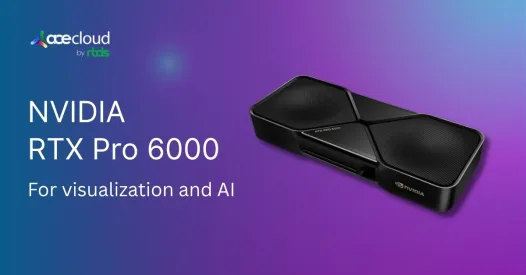
Image Source: NVIDIA RTX PRO 6000
NVIDIA RTX PRO 6000, built on Blackwell architecture, has rolled out support for neural shaders in the SM, along with FP4 precision on Tensor cores and improved RT throughput.
NVIDIA claims that single-precision performance hits 125 TFLOPS, while RT performance reaches 380 TFLOPS and it can achieve up to 4,000 effective AI TOPS using FP4 with sparsity.
This powerful combination really enhances path-traced previews, boosts render throughput and optimizes quantized inference. Moreover, the GPU is available in three different configurations.
1. NVIDIA RTX PRO 6000 Server Edition
The RTX PRO 6000 Blackwell Server Edition is a headless, rack-mounted setup designed for servers, featuring front-to-back airflow and the ability to be managed remotely. You won’t find any active display outputs here, as tasks are handled over the network and results are accessed remotely.
The firmware, power and thermal settings are optimized for round-the-clock operation under a scheduler, often used alongside NVIDIA AI Enterprise, container orchestration and hypervisor passthrough.
Key specifications of RTX PRO 6000 Server edition:
| GPU architecture | NVIDIA Blackwell |
|---|---|
| CUDA parallel processing cores | 24,064 |
| Tensor Cores | 752 (5th generation) |
| Ray Tracing Cores | 188 (5th generation) |
| Single-precision performance (FP32) | 120 TFLOPS |
| Peak FP4 AI PFLOPS | 4 PFLOPS |
| RT Core performance | 355 TFLOPS |
| GPU memory | 96 GB GDDR7 with ECC |
| Memory interface | 512-bit |
| Memory bandwidth | 1597 GB/s |
| Power consumption | Up to 600W (Configurable) |
| Multi-instance GPU | Up to 4 MIGs @ 24GB |
| NVENC | NVDEC | JPEG | 4x | 4x | 4x |
| Confidential compute | Supported |
| Secure boot with root of trust | Yes |
| Graphics bus | PCI Express 5.0 x16 |
| Display connectors | 4x DisplayPort 2.1 |
| Form factor | 4.4″ (H) x 10.5″ (L), dual slot |
| Thermal solution | Passive |
| Power connector | 1x PCIe CEM5 16-pin |
2. NVIDIA RTX PRO 6000 Workstation Edition
The RTX PRO 6000 variants are built on the same Blackwell GB202 foundation, so their raw computational power looks similar at first glance. However, the real difference comes down to their intended use and environment.
The workstation card is a self-contained, actively cooled, dual-slot board featuring four DisplayPort 2.1b outputs and top-notch studio drivers. It fits right into a tower or deskside workstation, drives local displays and runs ISV-certified DCC and CAD applications alongside CUDA, TensorRT and cuDNN.
If your workflows involve a mix of interactive viewport tasks, local visualization and on-device AI, this setup keeps everything in one chassis, ensuring consistent acoustics and thermal performance.
Main Differences between Server and Workstation Edition
- The workstation model is ideal for creators and engineers who need to view and interact with their work locally while also processing large inference or simulation tasks.
- The server edition is the better option when you’re scaling identical nodes in a data center, where every watt, cable, and airflow route needs to align with an OEM service plan.
Key specifications of NVIDIA PRO 6000 Workstation edition:
| GPU architecture | NVIDIA Blackwell |
|---|---|
| NVIDIA CUDA Cores | 24,064 |
| Tensor Cores | 5th Generation |
| Ray Tracing Cores | 4th Generation |
| AI TOPS | 4000 AI TOPS |
| Single-precision performance | 125 TFLOPS |
| RT Core performance | 380 TFLOPS |
| GPU memory | 96 GB GDDR7 with ECC |
| Memory interface | 512-bit |
| Memory bandwidth | 1792 GB/s |
| System interface | PCIe 5.0 x16 |
| Display connectors | 4x DisplayPort 2.1b |
| Max simultaneous displays | >4x 4096 x 2160 @ 120 Hz>4x 5120 x 2880 @ 60 Hz>2x 7680 x 4320 @ 60 Hz |
| Video Engines | 4x NVENC (9th Gen)4x NVDEC (6th Gen) |
| MIG Support | >Up to 4x 24 GB>Up to 2x 48 GB>Up to 1x 96 GB |
| Power consumption | Total board power: 600 W |
| Power connector | 1x PCIe CEM5 16-pin |
| Thermal solution | Double-flow-through |
| Form factor | 5.4” H x 12” L, dual slot, extended height |
| Graphics APIs | DirectX 12, Shader Model 6.6, OpenGL 4.63, Vulkan 1.3 |
| Compute APIs | CUDA 12.8, OpenCL 3.0, DirectCompute |
3. NVIDIA RTX PRO 6000 Max-Q Edition
The RTX PRO 6000 Max-Q Edition is designed for high-performance laptops, offering a balance between GPU power and energy efficiency. It targets professionals who need advanced graphics and compute capabilities in a mobile form factor.
Instead of server-grade cooling or rack compatibility, Max-Q focuses on delivering quiet, cool performance in slim mobile workstations. It supports ray tracing, AI workloads and simulation tasks, all within a portable system.
Power delivery, thermal management and firmware are tuned for longer battery life and low heat output, making it suitable for creators and engineers working on the go.
The Max-Q Edition is best when local interaction, mobility and workstation-class performance are needed, rather than remote or large-scale server deployment.
Key specifications of NVIDIA PRO 6000 Max-Q edition:
| GPU architecture | NVIDIA Blackwell |
|---|---|
| NVIDIA CUDA Cores | 24,064 |
| Tensor Cores | 5th Generation |
| Ray Tracing Cores | 4th Generation |
| AI TOPS | 3511 AI TOPS |
| Single-precision performance | 110 TFLOPS |
| RT Core performance | 333 TFLOPS |
| GPU memory | 96 GB GDDR7 with ECC |
| Memory interface | 512-bit |
| Memory bandwidth | 1792 GB/s |
| System interface | PCIe 5.0 x16 |
| Display connectors | 4x DisplayPort 2.1b |
| Max simultaneous displays | >4x 4096 x 2160 @ 120 Hz>4x 5120 x 2880 @ 60 Hz>2x 7680 x 4320 @ 60 Hz |
| Video Engines | >4x NVENC (9th Gen)>4x NVDEC (6th Gen) |
| MIG Support | >Up to 4x 24 GB>Up to 2x 48 GB>Up to 1x 96 GB |
| Power consumption | Total board power: 300 W |
| Power connector | 1x PCIe CEM5 16-pin |
| Thermal solution | Active |
| Form factor | 4.4” x 10.5” L, dual slot, full height |
| Graphics APIs | DirectX 12, Shader Model 6.6, OpenGL 4.63, Vulkan 1.3 |
| Compute APIs | CUDA 12.8, OpenCL 3.0, DirectCompute |
Difference Between Server vs. Workstation vs. Max-Q Editions
To help you choose the right NVIDIA PRO 6000 Blackwell variant for your workflow, here is a detailed comparison of the Server, Workstation and Max-Q editions.
| Factor | Server Edition | Workstation Edition | Max Q Edition |
|---|---|---|---|
| Cooling / Thermal Design | Passive cooling (no fans on the card itself). The card is intended to rely on server chassis airflow. | Active cooling (fans, heatsinks) as a standalone GPU card in desktop and workstation environments. | Custom thermal solutions integrated into laptops, optimized for thin-and-light mobile systems. |
| Power / TDP / Configurability | Configurable power range (e.g., 400W–600W) to allow tradeoffs between performance and cooling. | Fixed TDP, generally around 600W, with desktop-optimized cooling. | Expected range of 80W–150W, optimized for power efficiency in mobile workstations. |
| Clock Speeds / Performance Tradeoffs | Clocks may be lower or adjustable due to passive cooling and airflow constraints. Some versions operate at lower boost levels. | Higher boost clocks under better active cooling, maximizing single-GPU performance. | Lower boost clocks expected, balanced for thermal and battery constraints in laptops. |
| Deployment / Multi-GPU Density | Optimized for high-density server deployments (e.g., render farms, data centers, multi-GPU chassis). | Designed for local workstations, supporting single or dual GPU configurations per system. | Built for laptops and mobile workstations, typically limited to a single GPU per system. |
| Memory Bandwidth / Throughput | Bandwidth is slightly reduced in some comparisons due to tuning and thermal constraints. | Can operate with higher memory clocks and bandwidth if thermal conditions allow. | Optimized for efficiency; lower bandwidth than desktop versions expected. |
| Use Cases / Environment | Suited for headless environments: cloud compute, VDI, inference, and rendering at scale. Often lacks display outputs. | Ideal for designers, 3D artists, developers, and engineers who need high-performance interactive graphics with display output. | Best for mobile professionals who need portable power for design, rendering, or AI prototyping on the go. |
Ideal For:
Server Edition is ideal for high-density environments like data centers, render farms and cloud inference, where passive cooling and configurable power are essential.
Workstation Edition is best for professionals who need high single-GPU performance, active cooling and direct display outputs in local desktop setups.
Max-Q is ideal for mobile users who need workstation-level performance in a portable form factor with efficiency.
Difference:
The key differences really come down to cooling, power and clock speeds that directly affect how each version performs in specific deployment scenarios. Memory bandwidth and software environments are tailored to the use case whether it’s remote compute, interactive local workflows or mobile production.
RTX PRO 6000 Blackwell Power Consumption: TDP by Edition
Power draw is one of the biggest differences between the three editions, and it directly shapes how each one gets deployed. Here’s how the TDP compares.
| Edition | TDP | Why |
| Server Edition | 400W to 600W, configurable | Passive cooling and reliance on chassis airflow let data center operators tune power against rack density and cooling budget. This is the only edition where TDP is adjustable rather than fixed. |
| Workstation Edition | 600W, fixed | Active cooling (fans and heatsinks) lets this edition run consistently at the top of its power envelope, since it’s built for a desktop tower or deskside chassis with dedicated airflow. |
| Max-Q Edition | 300W, fixed | Tuned for laptop thermals and battery life. This roughly halves the power draw of the other two editions, which is also why its boost clocks and RT/FP32 performance numbers run a bit lower. |
If you’re deploying at scale in a data center, the Server edition’s configurable power range gives you a lever to balance performance against cooling costs that the other two editions don’t offer.
Max-Q vs Workstation: Which One Should You Choose?
If you’re choosing between just these two, it comes down to where you work. The Workstation edition gives you the highest boost clocks and the most raw single-GPU performance, since it’s built for a desktop tower with room to breathe. The Max-Q edition trades about half the power draw and some clock speed for a form factor that fits inside a mobile workstation. Choose Workstation if you’re deskbound and want maximum performance. Choose Max-Q if you need that same 96 GB memory pool and architecture on the go.
Performance, Power and Cooling Comparison
All three editions provide 96GB of GDDR7 memory with ECC, but their power limits and thermal designs make them suitable for different environments.
The Workstation Edition operates at up to 600W and uses a double-flow-through cooling system. This allows it to prioritize maximum single-GPU throughput, but it also requires a workstation with sufficient power delivery, physical space, and cooling capacity.
The Max-Q Workstation Edition reduces power consumption to 300W and uses active cooling. Its lower power requirement helps reduce heat output and makes it easier to install multiple GPUs in the same workstation. The trade-off is lower peak performance per GPU compared with the full Workstation Edition.
The Server Edition supports a configurable power range of 400W to 600W and relies on passive cooling. Rather than using onboard fans, it depends on high-pressure airflow generated by the server chassis. It should therefore be installed in a compatible rack server rather than a conventional desktop case.
The Workstation Edition is generally the better choice when one application needs the fastest possible GPU. Max-Q becomes more attractive when the workload can scale across several GPUs, or when power and cooling capacity are limited. The Server Edition is designed for centralized infrastructure where GPUs are shared, accessed remotely, or deployed at scale.
Buy a Workstation vs Rent RTX PRO 6000 in the Cloud
Buying an RTX PRO 6000 workstation provides complete control over the hardware and gives users direct, low-latency access to the GPU. It can be a practical long-term investment for professionals who run GPU-intensive applications every day, need a local display environment, or regularly work with large datasets that cannot be transferred to external infrastructure.
However, purchasing the GPU is only part of the total cost. A suitable workstation may also require a high-capacity power supply, professional cooling, compatible motherboard and chassis, additional storage and ongoing maintenance. Multi-GPU configurations increase these requirements further.
Renting the RTX PRO 6000 Server Edition in the cloud removes the upfront hardware commitment. Teams can provision GPU resources for a project, increase or reduce capacity as requirements change and provide remote access to multiple users. The cloud model is particularly useful for temporary projects, variable workloads, distributed teams, model benchmarking, rendering jobs, and organizations that do not want to maintain specialized GPU infrastructure.
A local workstation may be the better choice when:
- The GPU will remain heavily utilized over several years.
- Applications require direct interaction with local displays or peripherals.
- Sensitive data must remain on local infrastructure.
- Internet connectivity or transfer latency could interrupt the workflow.
A cloud RTX PRO 6000 deployment may be the better choice when:
- GPU demand changes from one project to another.
- The workload requires more than one GPU for limited periods.
- Teams need secure remote access from different locations.
- The organization wants to avoid hardware procurement and maintenance.
- Developers need to test performance before committing to a system purchase.
For organizations still evaluating their requirements, starting with an on-demand cloud instance provides a lower-risk way to benchmark models, scenes and applications on the RTX PRO 6000 before making a long-term infrastructure decision.
What are the Benefits of RTX PRO 6000 Blackwell?
Here’s what makes the NVIDIA RTX Pro 6000 Blackwell a standout choice for professionals across AI, 3D rendering and advanced computing:
Breakthrough AI Performance
The improvements in Blackwell’s Tensor Core and the addition of FP4 precision accelerate AI workflows. Complex models that used to require data-center clusters can now often run smoothly on a desktop GPU, which means saving both time and money.
NVIDIA has reported productivity boosts up to 3× in large-model tasks, like running Llama and Mixtral models, on the impressive 96 GB NVIDIA RTX Pro 6000 Blackwell.
Real-Time 3D Rendering
Because of new neural shaders and quicker RT cores, visualizations are now much smoother. NVIDIA’s early tests show that Blackwell GPUs can render 3D scenes and ray-traced images up to 5× faster than the previous Ada-generation pros, as showcased by Foster+Partners with their Cyclops ray-tracer.
This means instant visual feedback during the design process, significantly shortening development cycles for products, buildings or graphics.
Massive Scalability
With 96 GB of memory and Multi-Instance GPU support, Blackwell cards are built to handle multiple workloads at once. A single workstation can be divided into independent GPUs for rendering, simulation and compute tasks.
In the data center, linking up to eight NVIDIA RTX Pro 6000 cards with NVLink achieves one of the highest GPU compute densities available, making it perfect for large-scale enterprise AI projects.
Efficiency & New Features
Blackwell has been fine-tuned for both efficiency and quality. Enhanced power delivery combined with the TSMC 4NP process results in better performance-per-watt. The next-gen video engines also speed up editing workflows.
Moreover, built-in support for AI-based tools like CUDA-X libraries, NVIDIA Omniverse and DLSS 4 allows professionals to tap into a rich ecosystem of accelerated applications.
What are the Use Cases of Blackwell Architecture?
Blackwell Architecture is designed to push the boundaries of performance across a wide range of industries. From AI breakthroughs to immersive content creation, its capabilities unlock new possibilities in speed, efficiency and innovation.
AI and Machine Learning
Increase training and inference speed with faster computation and memory capacity, which makes it perfect for data scientists and artificial intelligence engineers.
Engineering and Simulation
Run simulations and visualizations quicker than before, which helps engineers and researchers in swiftly solving challenging challenges.
Content Creation
Improved rendering and real-time feedback can help you speed up video editing, 3D modeling and animation.
Virtual and Augmented Reality
Create powerful VR settings and real-time visualization tools for design reviews and digital twins.
Healthcare and Scientific Imaging
Using on-site GPU computers to expedite MRI/CT processing, genomics analysis and drug simulations can result in faster diagnosis and discoveries.
Supercharge Your Workflow with the RTX PRO 6000 Blackwell
We’ve covered what makes the RTX PRO 6000 Blackwell a true cross-discipline workhorse: its core specs (24,064 CUDA cores, 5th-gen Tensor and 4th-gen RT, 96 GB GDDR7), how those translate into real-time visualization, accelerated rendering and AI inference and the practical differences between the Workstation, Server and Max-Q editions including cooling, power envelopes, I/O and ideal deployment scenarios. We also walked through enterprise features like MIG partitioning, NVENC/NVDEC pipelines and the surrounding NVIDIA software ecosystem that unlocks performance for DCC, CAD, simulation and LLM workflows.
If you’re weighing which configuration best fits your pipeline from deskside visualization to scaled inference in the data center, AceCloud can help you map requirements to the right GPU, platform and cost model, then assist with sizing, integration and ongoing optimization.
Frequently Asked Questions:
Yes, the RTX PRO 6000 is ideal for AI and machine learning. Its FP4 precision and 4000 AI TOPS accelerate large model training and inference, making it suitable for tasks like NLP, computer vision and deep learning workloads.
The Workstation edition includes active cooling and display outputs for local use in desktop systems, while the Server edition is passively cooled with no display outputs, designed for rack-mounted systems and remote workflows in data centers.
Yes, you can use the Server Edition, but only if your setup supports it. The Server Edition lacks display outputs and is designed for headless, rack-mounted environments with passive cooling. For local, display-driven workflows like 3D design or visualization, the Workstation Edition is still the recommended choice.
Availability of the RTX PRO 6000 Server Edition depends on regional inventory and authorized resellers. It is typically distributed through enterprise channels, so contacting official NVIDIA partners or system integrators is the best way to check current stock and lead times.
Yes, the Workstation Edition can be installed in a standard tower or desktop workstation with a compatible PCIe 5.0 x16 slot and sufficient power and cooling. The Server Edition, however, is designed for rack systems and is not recommended for desktop use.
Not at all. While powerful, the RTX PRO 6000 is purpose-built for professionals handling complex tasks like real-time rendering, high-resolution video editing and AI-enhanced workflows. It ensures maximum performance, stability and future-ready capabilities for creators and engineers alike.
The RTX PRO 6000 Blackwell supports compute capability 12.0, which unlocks the latest CUDA 12.8 toolkit features, including FP4 precision support for the Tensor cores.
No, NVIDIA doesn’t sell a “Max-P” edition. The term shows up informally when people want to distinguish full-power configurations from Max-Q, but the official lineup only has three editions: Server, Workstation, and Max-Q.

