Quick Answer
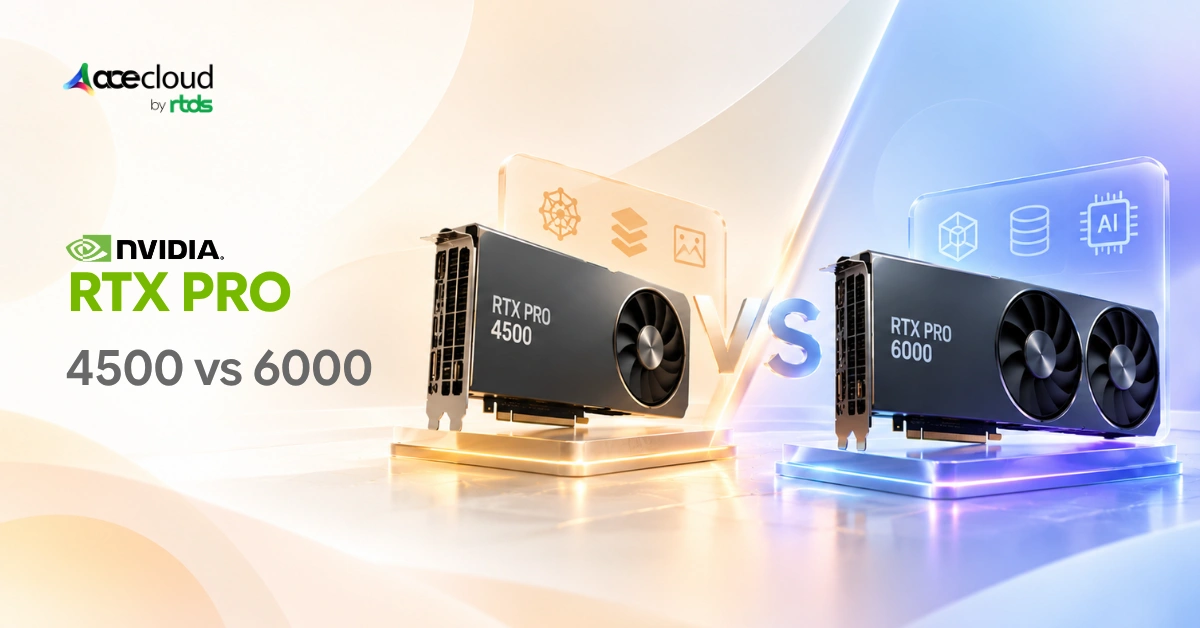
RTX PRO 4500 and RTX PRO 6000 solve different AI training constraints. Choose RTX PRO 4500 when individual jobs fit within 32 GB and efficiency, density, or parallel experimentation matters. Choose RTX PRO 6000 when one job needs substantially more memory, higher memory bandwidth, or more single-GPU compute. Some AI teams can benefit from using both.
RTX PRO 4500 vs RTX PRO 6000: Quick Decision Table
| Workload or Priority | Better Starting Point | Why |
|---|---|---|
| LoRA or QLoRA job comfortably below 32 GB | RTX PRO 4500 | Avoids provisioning 96 GB when the workload does not need it |
| Hyperparameter sweeps | RTX PRO 4500 | Independent experiments can benefit from higher GPU density |
| Parallel model development | RTX PRO 4500 | 165 W, single-slot Server Edition design |
| Dense shared GPU infrastructure | RTX PRO 4500 | More GPUs can fit within a given rack and power envelope |
| One training job consistently above 32 GB | RTX PRO 6000 | 96 GB of local GPU memory |
| Larger batches or longer context windows | RTX PRO 6000 | Greater local memory headroom |
| Maximum performance from one GPU | RTX PRO 6000 | Higher Tensor throughput and almost 2× memory bandwidth |
| Larger or more MIG partitions | RTX PRO 6000 | Supports up to four 24 GB MIG instances |
| Conventional single-GPU full fine-tuning of a 7B or 8B model | Neither by default | Standard mixed-precision AdamW memory requirements exceed either card |
The choice is therefore less about which GPU has the larger specification sheet and more about whether your workload needs capacity per GPU or efficient capacity across multiple GPUs.
Same Blackwell Generation, Very Different Capacity Profiles
Consider an AI team running a LoRA fine-tuning workload that consumes about 25 GB of GPU memory. That workload fits within the 32 GB available on RTX PRO 4500. Running the same 25 GB job on a 96 GB RTX PRO 6000 could leave roughly 70 GB of local GPU memory unused.
That does not make RTX PRO 6000 inefficient. It means the additional capacity only creates value when the workload can use it.
Change the workload to one that consumes 45 GB, requires longer contexts or larger batches, or benefits materially from more bandwidth and compute, and RTX PRO 6000 becomes the stronger option.
Both Server Edition GPUs use NVIDIA Blackwell, but their capacity profiles are substantially different.
| Specification | RTX PRO 4500 Server Edition | RTX PRO 6000 Server Edition |
|---|---|---|
| Architecture | NVIDIA Blackwell | NVIDIA Blackwell |
| CUDA cores | 10,496 | 24,064 |
| GPU memory | 32 GB GDDR7 | 96 GB GDDR7 |
| Memory interface | 256-bit | 512-bit |
| Memory bandwidth | 800 GB/s | 1,597 GB/s |
| FP4 Tensor performance | 1.6 PFLOPS | 4 PFLOPS |
| FP8 Tensor performance | 811 TFLOPS | 2 PFLOPS |
| FP16/BF16 Tensor performance | 406 TFLOPS | 1 PFLOP |
| FP32 performance | 51 TFLOPS | 120 TFLOPS |
| Interconnect | PCIe 5.0 x16 | PCIe 5.0 x16 |
| Maximum GPU power | 165 W | Up to 600 W, configurable |
| MIG | Up to 2 × 16 GB | Up to 4 × 24 GB |
| Form factor | Single-slot FHFL | Air: dual-slot FHFL; liquid: single-slot FHXL |
Note: The 6000 provides almost 2× the memory bandwidth of the 4500 alongside roughly 2.46× the listed FP16/BF16 Tensor throughput. These are hardware ratios, not claims that every workload will train 2× or 2.46× faster.
How Much Model Can 32 GB vs 96 GB Actually Train?
GPU training memory is substantially larger than the size of the model weights alone. Hugging Face documents a useful planning model for conventional mixed-precision training with AdamW:
6 bytes per parameter for model weights + 8 bytes for AdamW optimizer states + 4 bytes for gradients = approximately 18 bytes per parameter, before activation memory.
For an 8B model:
8 billion parameters × 18 bytes ≈ 144 GB
That is before forward activations, temporary tensors, and framework overhead. An 8B model therefore does not fit conventional single-GPU mixed-precision AdamW full fine-tuning on either RTX PRO 4500 or RTX PRO 6000 under this memory model.
Practical Training-Memory Sizing Guide
| Training Method | RTX PRO 4500, 32 GB | RTX PRO 6000, 96 GB | Practical Interpretation |
|---|---|---|---|
| Conventional mixed-precision full fine-tuning with AdamW | ~1.78B mathematical ceiling before activations | ~5.33B mathematical ceiling before activations | Real usable limits are lower |
| LoRA | Strong fit for many 7B/8B-class configurations when the complete job remains below 32 GB | More room for larger models, contexts, and batches | Measure the complete job |
| QLoRA | Can make much larger models practical than conventional full fine-tuning | Greater headroom for large-model PEFT configurations | Exact fit varies substantially by setup |
| Conventional full fine-tuning of 7B/8B | Does not fit under the 18-byte model | Still exceeds 96 GB before activations | Requires another memory/distributed strategy |
The first two ceilings are simple arithmetic:
32 GB ÷ 18 bytes ≈ 1.78 billion parameters
96 GB ÷ 18 bytes ≈ 5.33 billion parameters
They should not be treated as recommended maximum model sizes because they leave no room for activations or temporary allocations.
Hugging Face’s current documentation makes this distinction concrete. Its example estimates roughly 85 GB of GPU memory to train a 4B model in mixed precision with a batch size of 16, showing how the practical footprint can rise beyond parameter-state arithmetic alone.
Why LoRA Changes the Calculation
LoRA freezes the pretrained model weights and adds trainable low-rank matrices instead of updating every model parameter.
The original LoRA paper reports that, in its GPT-3 175B comparison with Adam fine-tuning, LoRA reduced the number of trainable parameters by up to 10,000× and GPU memory requirements by roughly 3×.
That reduction makes RTX PRO 4500 relevant for many parameter-efficient fine-tuning workloads that would not fit under conventional full fine-tuning.
For a worked example of estimating VRAM, runtime, and rental cost for these jobs, see our guide to LoRA fine-tuning on a rented GPU.
Why QLoRA Changes It Further
QLoRA backpropagates through a frozen, 4-bit quantized base model into LoRA adapters.
The original QLoRA research demonstrated fine-tuning a 65B-parameter model on a single 48 GB GPU under its tested configuration.
This is also why it would be misleading to publish rigid claims such as ‘32 GB supports exactly 30B parameters’ or ‘96 GB supports exactly 70B.’
Model architecture, numerical precision, sequence length, batch size, optimizer, quantization method, gradient checkpointing, and framework implementation can materially change the result. Use model size to shortlist a GPU. Use actual peak VRAM consumption to make the final decision.
For architecture-level VRAM estimates to start from, see our guide on GPU VRAM requirements for CNN, RNN, and Transformer models.
Where RTX PRO 4500 Wins
- Parallel AI ExperimentationLoRA runs, hyperparameter sweeps, dataset variants, evaluations, and development jobs can often execute independently. If every job fits within 32 GB, allocating 96 GB to each experiment may provide little value.Exxact’s June 2026 Llama 3.1 8B LoRA benchmark reported 10,717 tokens/s from 4× RTX PRO 4500 Workstation Edition GPUs, 3.86× scaling over one GPU, and 96.5% DDP efficiency. VRAM consumption remained around 24.8–25.0 GB per GPU.Exxact used RTX PRO 4500 Workstation Edition and RTX PRO 6000 Server Edition, so these results demonstrate workload scaling rather than a controlled Server Edition-to-Server Edition comparison.To see how the different RTX PRO 6000 editions compare, see our guide to RTX PRO 6000 Blackwell Server vs Workstation vs Max-Q.
- Power and Rack DensityRTX PRO 4500 Server Edition is rated at 165 W and uses one FHFL slot. RTX PRO 6000 can be configured up to 600 W, while its air-cooled version occupies two slots.Eight RTX PRO 4500 cards therefore represent about 1,320 W of rated GPU power, compared with up to 4,800 W for eight RTX PRO 6000 cards at their maximum configuration. These figures cover GPU power, not complete server consumption.NVIDIA’s reference configurations also show 8× RTX PRO 4500 GPUs in 2U and 8× air-cooled RTX PRO 6000 GPUs in 4U.For shared AI platforms, private clouds, and teams running many modest-sized jobs, that density can matter as much as per-GPU performance.For scheduling many independent jobs across GPUs, see our guide on multi-GPU orchestration on Kubernetes.
- Shared Infrastructure with MIGRTX PRO 4500 supports up to two isolated 16 GB MIG instances. NVIDIA’s technical guidance also confirms RTX PRO 4500 support with NVIDIA vGPU 20.That gives infrastructure teams the option to use the entire 32 GB accelerator for one workload or partition it for smaller isolated jobs.For a deeper look at how MIG, vGPU, and passthrough differ, see our NVIDIA GPU virtualization guide.
Where RTX PRO 6000 Wins
- One Job Needs More than 32 GBIf one training configuration repeatedly exceeds 32 GB, RTX PRO 6000 provides 96 GB on one accelerator. That extra memory can accommodate larger models, contexts, batches, or activation footprints before sharding or CPU offload becomes necessary.
- Memory Bandwidth MattersRTX PRO 6000 provides 1,597 GB/s of memory bandwidth versus 800 GB/s on RTX PRO 4500. Workloads that repeatedly move large tensors between GPU memory and compute can become bandwidth-sensitive, so the 6000’s advantage is not simply 3× more VRAM.
- Per-Job Throughput MattersRTX PRO 6000 provides 1 PFLOP of listed FP16/BF16 Tensor performance versus 406 TFLOPS on RTX PRO 4500.In Exxact’s LoRA benchmark, one RTX PRO 6000 Server Edition delivered 4,962 tok/s, compared with 2,777 tok/s for one RTX PRO 4500 Workstation Edition. Because the editions differ, these numbers should not be treated as a controlled speed ratio. They do show why teams should evaluate throughput per job as well as aggregate throughput across jobs.
- Larger MIG CapacityNVIDIA’s MIG documentation lists the 96 GB RTX PRO 6000 with a 1g.24gb profile supporting up to four instances.That gives RTX PRO 6000 up to four 24 GB MIG instances, compared with two 16 GB instances on RTX PRO 4500.
What Neither GPU Does
Three RTX PRO 4500 GPUs contain 96 GB of aggregate memory, but they do not behave like one GPU with a transparent 96 GB local memory pool.
A model that exceeds one GPU’s capacity needs an explicit strategy such as model sharding, FSDP/ZeRO-style parameter or optimizer sharding, tensor parallelism, pipeline parallelism, or CPU/storage offload.
A useful rule is:
Use several RTX PRO 4500 GPUs when you have several jobs that individually fit. Use RTX PRO 6000 when one job requires more local capacity or substantially more per-GPU performance.
Beyond that, large foundation-model training can become an interconnect problem rather than simply a VRAM-per-card problem. NVIDIA’s HGX platforms use tightly connected multi-GPU architectures for demanding large-scale AI training.
For a closer look at HGX-class platforms, see our HGX B300 vs HGX B200 platform comparison.
A Two-Tier Setup Can Use Both GPUs
For some teams, the best answer is not RTX PRO 4500 or RTX PRO 6000. It is both.
| Stage | GPU Strategy | Typical Work |
|---|---|---|
| Explore | RTX PRO 4500 | LoRA/QLoRA experiments, hyperparameter sweeps, notebooks, evaluation |
| Promote | RTX PRO 6000 | Runs needing more VRAM, larger batches, longer contexts, or higher per-GPU throughput |
| Production | Size by workload | Retraining or inference on whichever GPU meets performance and cost targets |
A team can run multiple exploratory jobs on RTX PRO 4500 capacity and move the winning configuration to RTX PRO 6000 when the final run needs more memory or speed. This avoids provisioning 96 GB for every experiment while still giving heavier workloads room to scale.
For more ways to keep fine-tuning budgets under control, see our guide on fine-tuning open-source LLMs without overspending.
RTX PRO 4500 vs RTX PRO 6000: Which Should You Choose?
- Choose RTX PRO 4500 when individual workloads fit comfortably within 32 GB and your priorities include LoRA/QLoRA development, hyperparameter sweeps, parallel experimentation, GPU density, or lower power per card.
- Choose RTX PRO 6000 when one workload needs substantially more local memory, larger batches or contexts increase memory pressure, memory bandwidth matters, or per-GPU throughput is more important than density.
- Use both when your development cycle consists of many smaller exploratory jobs followed by fewer, heavier training runs.
Move beyond both when large-scale distributed training makes GPU-to-GPU communication and scale-up topology central to the architecture.
The final choice should come from four measurements: peak VRAM consumption, throughput per job, required concurrency, and total infrastructure cost.
Size the GPU Around the Workload, Not the Spec Sheet
RTX PRO 4500 and RTX PRO 6000 serve different training priorities. Choose RTX PRO 4500 when jobs fit within 32 GB and your goal is higher experiment concurrency, better rack density, and lower power per GPU. Choose RTX PRO 6000 when a single workload needs more VRAM, memory bandwidth, or per-GPU throughput. For mixed AI environments, using both can separate cost-efficient experimentation from heavier training runs.
AceCloud helps AI and infrastructure teams size GPU capacity around peak VRAM, training method, context length, concurrency, and performance targets.
Book a free consultation with AceCloud to validate your workload and choose the RTX PRO GPU architecture that delivers the required performance without unnecessary GPU capacity or infrastructure spend.
Frequently Asked Questions
Yes, for many workloads. Its 32 GB GDDR7 memory is well suited to LoRA, QLoRA, model development, hyperparameter tuning, computer vision, and other workloads that fit within 32 GB. The key is to size the GPU around actual VRAM use, batch size, context length, and training method.
Choose RTX PRO 6000 when a single workload consistently exceeds 32 GB of GPU memory, requires larger batches or longer contexts, performs memory-intensive full fine-tuning, or benefits materially from higher single-GPU Tensor throughput. Otherwise, RTX PRO 4500 can be the more efficient starting point.
For independent workloads such as hyperparameter sweeps, parallel LoRA jobs, model evaluation, or inference replicas, multiple RTX PRO 4500 GPUs can be effective. However, their memory is not automatically pooled. A single job requiring more than 32 GB still needs distributed training, sharding, offloading, or a larger-memory GPU.
Not on one GPU under the conventional mixed-precision AdamW memory model above. At about 18 bytes per parameter before activations, an 8B model needs roughly 144 GB. LoRA, QLoRA, quantized optimizers, checkpointing, sharding, and offloading can reduce requirements, but they are different training strategies.
No. NVIDIA lists the Server Edition at 165 W, 800 GB/s, and a single-slot passive form factor. The Workstation Edition uses a different power and form-factor configuration, so Exxact’s Workstation Edition results should not be presented as measured Server Edition performance.


![Best Open-Weight Models for Vibe Coding [2026]](https://acecloud.ai/wp-content/uploads/2026/09/best-open-weight-models-vibe-coding.webp)