

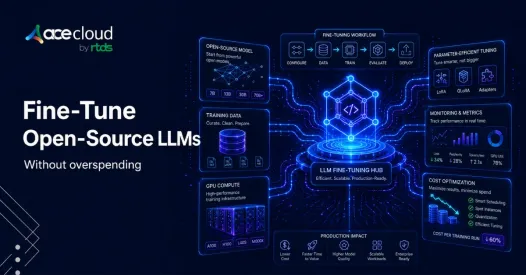
Fine-tuning has never been more accessible. Open-source and open-weight models from Mistral, Meta, Qwen, and others have put serious model quality within reach of small teams. But accessible does not mean cheap by default. The costs can still spiral quickly if you make a few common mistakes.
Most teams overspend not because GPUs are expensive, but because they
- Choose models that are too large
- Train on messy data
- Skip baseline testing
- Run experiments without a clear stopping condition
- Ignore what deployment will eventually cost.
The bill grows before anyone notices it.
The goal here is not to find the cheapest GPU. The goal is to build the smallest, best-evaluated model that solves your specific task and stays affordable once it is running in production. That requires making the right decisions in the right order.
There is one more thing worth noting upfront.
Many models referred to as open-source LLMs are technically open-weight models. Most well-known models like Llama, Mistral, Qwen, Gemma are open-weight. The weights are public, but the training data isn’t, and each license has its own conditions. Three clauses matter most when you are reading the license:
- Commercial use restrictions (Llama’s 700M MAU cap is the famous one)
- Acceptable-use policies that may exclude your industry, and
- Rules governing fine-tuned derivatives.
These are the ones that surface in legal review six months into a build.
Let’s dive in.
1. Do Not Fine-Tune Until You Know it is the Cheapest Fix
Fine-tuning costs money. Before you spend it, make sure there is no cheaper path.
- Prompt engineering works when the model already understands your task but needs clearer instructions. A well-structured system prompt, a few examples, and explicit formatting guidance can get you most of the way there for zero training cost.
- Retrieval-augmented generation (RAG) is better when the problem is knowledge access, not behavior. If your model gives wrong answers because it lacks access to your internal docs, a product database, or anything that changes frequently, connecting it to that knowledge is usually faster and cheaper than training it. RAG avoids modifying the underlying model entirely. Fine-tuning adjusts model weights and parameters.
- Fine-tuning makes sense when the problem is persistent behavior. You need a consistent output format. You need a specific tone or response pattern. You need the model to follow a domain-specific workflow reliably. These are things a model learns through training, not through prompts alone.
- Continued pretraining is a step further. It makes sense when your domain has its own language and the base model genuinely lacks familiarity with it. But it is expensive and usually unnecessary for most task-specific use cases.
- Training from scratch is almost always the most expensive option and is rarely justified for teams trying to fine-tune on a budget.
Prompting vs RAG vs Fine-Tuning: What should you choose?
Start with prompting. If quality is close but inconsistent, add few-shot prompting. If the model lacks knowledge it cannot be expected to have, consider RAG. If the problem is behavior, formatting, or task-specific patterns that prompts cannot fix reliably, then fine-tune.
Remember, each step costs more than the last.
2. Choose the Smallest Model that Can Pass Evaluation
Model size is one of the biggest cost decisions you will make. Bigger models cost more to train, more to run, and more to maintain. They are also slower.
- Start with smaller models before moving to 70B-class ones. A 7B or 8B model on a well-prepared dataset often outperforms a larger model fine-tuned on messy data. The difference in quality between model sizes narrows significantly once fine-tuning is involved.
- Match the base model to the task. If you need multilingual support, check language coverage. If you need long context, check the model’s context window. If your task is narrow and well-defined, a smaller model is almost always the better starting point.
- Consider whether to use a base model or an instruction-tuned variant. Instruction-tuned models are pre-aligned for task behavior and tend to fine-tune faster on supervised data. Base models give you more control but require more data to produce good results.
- Check the license. Some models restrict commercial use. Some require attribution. Some permit fine-tuning but restrict redistribution of the fine-tuned weights. Read the license before you build anything around the model.
Why a 7B or 8B Model is Often the Right Starting Point
A 7B or 8B model fits on a single consumer or cloud GPU with QLoRA. It is fast to experiment with, cheap to iterate on, and often accurate enough for narrow tasks. If it cannot pass your evaluation after a clean fine-tune, you have learned something useful before spending money on a larger model.
3. Spend More Time on Data than Compute
Data quality is the biggest budget lever in fine-tuning, and it is the one most teams underinvest in.
A messy dataset causes expensive reruns. You train, the model fails, you cannot tell why, and you run it again. Clean data removes that ambiguity.
Here’s what you should do.
- Start with a small, high-quality dataset. Use real production examples when you have them. Real inputs and real outputs are almost always better than synthetic data for training a model on task behavior.
- Before training, remove duplicates, malformed examples, contradictions, and low-value synthetic outputs. Keep a clear train, validation, and test split. Make sure you are formatting the data using the chat template the base model expects.
Expand the dataset only after error analysis tells you what is missing. Do not add more data hoping the model improves on its own.
The 1,000-Example Rule: Start Small on Purpose
Your first dataset does not need to cover every edge case. It needs to prove that the task is learnable. So, start with 100 to 300 examples for a smoke test. For a more serious first run, 500 to 2,000 clean examples is usually enough to show whether fine-tuning is moving in the right direction.
Quality matters more than volume.
Here is what clean chat-format training data looks like:
{
  "messages": [
    {
      "role": "system",
      "content": "You are a support assistant that answers in a concise, helpful tone."
    },
    {
      "role": "user",
      "content": "How do I reset my password?"
    },
    {
      "role": "assistant",
      "content": "Go to Settings, then Account, then Reset Password. You will receive a reset link by email."
    }
  ]
}
Every example should follow this structure before you spend money on compute.
4. Use LoRA or QLoRA Before Full Fine-Tuning
This is the biggest technical cost-saving decision you will make.
Full fine-tuning updates every parameter in the model. For a 7B model, that is billions of weights. It requires significant VRAM, produces large checkpoint files, and takes longer to run. It is usually not necessary for task adaptation.
LoRA (Low-Rank Adaptation) freezes most of the model and trains small adapter matrices on top of specific layers. The number of trainable parameters drops dramatically. Training is faster. Memory use is lower. The adapter is small enough to save and swap independently.
QLoRA goes further by loading the base model in 4-bit quantized form. This reduces memory requirements significantly, making it possible to fine-tune a 7B model on a single GPU with 24GB of VRAM. Hugging Face describes LoRA as a method that accelerates fine-tuning while consuming less memory, and QLoRA combines 4-bit quantization with LoRA to reduce memory requirements further.
- When to use LoRA: Your GPU has enough VRAM for the full model in standard precision and you want fast, reproducible adapter training.
- When to use QLoRA: You are working with limited VRAM, training on a single consumer or mid-range cloud GPU, or want to fit a larger base model into a smaller training setup.
- When full fine-tuning may be justified: You have already validated the task with LoRA or QLoRA, evaluation shows a meaningful quality gap, and you have the budget to close it. But this should come after lightweight methods have been tested.
For most budget-conscious teams, LoRA or QLoRA should be the default. Full fine-tuning should be a deliberate upgrade, not a starting point.
LoRA vs QLoRA vs Full Fine-Tuning: Which One Saves the Most?
For a 7B model, full fine-tuning might require 80GB or more of VRAM across multiple GPUs. LoRA can bring that down to under 40GB. QLoRA can bring it down further, often to 16 to 24GB on a single GPU. The quality difference is usually small for narrow task fine-tuning. The cost difference is large.
5. Keep the Training Stack Simple
A complicated setup is an expensive setup. More dependencies mean more debugging time, more failed runs, and more infrastructure cost.
Here is what you actually need:
- Hugging Face Transformers for model loading and training
- Datasets for data preparation and formatting
- PEFT for LoRA and adapter-based methods
- TRL for supervised fine-tuning workflows
- bitsandbytes for 4-bit and 8-bit quantization
Databricks describes Transformers, Trainer, PEFT, and TRL as the dominant open-source tools for custom fine-tuning jobs. This is the stack most serious fine-tuning work uses.
If you want more convenience and repeatability, Axolotl and Unsloth are both worth looking at. They wrap the core stack into simpler configuration-driven workflows and can reduce setup time significantly.
Ideally, you do not need a distributed training system for your first budget fine-tune.
A Minimal Fine-Tuning Stack for Your First Run
Here is a minimal QLoRA training setup using this stack:
from datasets import load_dataset
from transformers import AutoModelForCausalLM, AutoTokenizer, BitsAndBytesConfig
from peft import LoraConfig
from trl import SFTTrainer, SFTConfig
import torch

model_name = "Qwen/Qwen2.5-7B-Instruct"

bnb_config = BitsAndBytesConfig(
    load_in_4bit=True,
    bnb_4bit_quant_type="nf4",
    bnb_4bit_compute_dtype=torch.bfloat16
)

tokenizer = AutoTokenizer.from_pretrained(model_name)

model = AutoModelForCausalLM.from_pretrained(
    model_name,
    quantization_config=bnb_config,
    device_map="auto"
)

lora_config = LoraConfig(
    r=16,
    lora_alpha=32,
    lora_dropout=0.05,
    target_modules=["q_proj", "v_proj"],
    task_type="CAUSAL_LM"
)

dataset = load_dataset("json", data_files="train.jsonl")["train"]

training_args = SFTConfig(
    output_dir="./budget-qlora-run",
    per_device_train_batch_size=2,
    gradient_accumulation_steps=8,
    learning_rate=2e-4,
    num_train_epochs=1,
    max_seq_length=1024,
    save_total_limit=1,
    logging_steps=10
)

trainer = SFTTrainer(
    model=model,
    train_dataset=dataset,
    peft_config=lora_config,
    args=training_args
)

trainer.train()
Every setting here is a budget decision: 4-bit loading, LoRA adapters, small batch size, gradient accumulation, one epoch, limited sequence length, one saved checkpoint. None of this is accidental.
6. Run Small Experiments and Let Evaluation Control Spending
The most expensive fine-tuning mistake is running large experiments before small ones have validated the approach.
Start with a smoke test. Load the model, run one batch, and confirm that the setup works before committing to a full training run. Use conservative defaults. Train for one to three epochs initially. Keep sequence length as short as your task allows. Use gradient accumulation instead of large batches.
Save only the checkpoints you need. Extra checkpoints add storage costs and do not help you iterate faster.
Most importantly, compare your fine-tuned model against the base model before deciding what to do next. If fine-tuning did not beat the prompted baseline, do not immediately reach for a bigger model or a longer training run.
Before You Train Again, Find Out Why the Model Failed
Run this kind of analysis before spending on another training job:
results = {
    "base_model_score": evaluate(base_model, test_set),
    "prompted_model_score": evaluate(prompted_model, test_set),
    "fine_tuned_model_score": evaluate(fine_tuned_model, test_set),
    "cost_per_run": gpu_hours * hourly_gpu_price
}

if results["fine_tuned_model_score"] <= results["prompted_model_score"]:
    print("Do not spend on a larger model yet. Improve data or prompts first.")
else:
    print("Fine-tuning improved quality. Check latency and serving cost next.")
If fine-tuning is not beating the prompted base model, the problem is almost never model size. It is usually data quality, task mismatch, prompt design, or retrieval. Fix the underlying problem before spending more on compute.
7. Watch the Hidden Costs: GPUs, Checkpoints, and Sequence Length
Budget surprises in fine-tuning tend to come from a few specific places.
- GPU selection: Choose based on VRAM requirements, not marketing. A single A100 or H100 is expensive and often unnecessary for a 7B model with QLoRA. A 24GB GPU, whether an RTX 4090, A10G, or a similar cloud instance, is a practical starting point. MLflow demonstrates fine-tuning Mistral 7B with QLoRA on a single 24GB VRAM GPU, which shows how much is possible before scaling to larger infrastructure.
- Checkpointing: Saving every checkpoint from every run is a fast way to accumulate storage costs. Set a limit and stick to it. Save the best checkpoint and the final one.
- Multi-GPU setups: Avoid them until single-GPU experiments have proven the approach works and you have a specific reason to scale.
- Gradient checkpointing: If you are running out of memory, enable gradient checkpointing. It trades compute time for memory and is usually worth the tradeoff.
Understand the Sequence Length Trap
Training with unnecessarily long examples is one of the most common hidden costs in fine-tuning. Memory use scales with sequence length, and so does training time. If your task only requires 512 tokens, do not train with a max sequence length of 4096. Cap it at what the task actually needs.
8. Do Not Let Inference Costs Erase your Training Savings
Training is usually a one-time cost. Inference is recurring. A model that costs $50 to fine-tune but $300 per month to serve may not be a win.
- Quantize the final model when possible. A quantized 7B model is faster, cheaper to serve, and often loses very little quality on narrow tasks.
- Keep LoRA adapters separate if you need multiple task-specific variants. You can load the same base model and swap adapters depending on the request, rather than running separate full-model deployments.
- Use batching and caching. These are the fastest ways to reduce cost per request without changing the model.
- Track latency and cost per request from the start. A fine-tuned model that doubles your response time may not be acceptable even if it improves quality.
- Pick the right serving tool for your setup. vLLM is fast and efficient for high-throughput API serving. TGI works well for production deployments. llama.cpp is useful for running quantized models on CPU or consumer hardware. The right tool depends on your traffic and infrastructure.
Here is a basic inference test to run after fine-tuning:
from transformers import AutoModelForCausalLM, AutoTokenizer

model_path = "./budget-qlora-run"

tokenizer = AutoTokenizer.from_pretrained(model_path)
model = AutoModelForCausalLM.from_pretrained(
    model_path,
    device_map="auto"
)

prompt = "Summarize this refund request in one sentence."

inputs = tokenizer(prompt, return_tensors="pt").to(model.device)
outputs = model.generate(
    **inputs,
    max_new_tokens=80
)

print(tokenizer.decode(outputs[0], skip_special_tokens=True))
Run this before you commit to a serving setup. Check latency. Check output quality. Then decide what infrastructure your model actually needs.
9. Budget Fine-Tuning Checklist
Here’s your complete checklist for fine-tuning open-source LLMs without overspending.

Before Training
- Have you tried prompting first?
- Have you considered RAG if the issue is knowledge access?
- Do you have a baseline score from the prompted model?
- Are the model license terms acceptable for your use case?
- Did you choose the smallest model that could plausibly work?
- Is the dataset clean and deduplicated?
- Do you have separate validation and test splits?
During Training
- Are you using LoRA or QLoRA instead of full fine-tuning?
- Is sequence length capped at what the task actually needs?
- Are you tracking GPU-hours per run?
- Is checkpointing configured to save only what you need?
- Are you saving adapters instead of full model copies where possible?
- Are you changing one major variable per experiment?
After Training
- Did the fine-tuned model beat the prompted base model?
- Did it beat RAG, if RAG was relevant?
- Did latency or serving cost increase?
- Can you quantize without unacceptable quality loss?
- Do you know your cost per 1,000 requests?
- Do you have monitoring and a rollback plan?
Benchmark LoRA, QLoRA, training and inference workloads on AceCloud GPU infrastructure built for cost-efficient AI experimentation and production deployment.
Choose to Fine-Tune for ROI, Not for GPU Usage
Most teams that overspend on fine-tuning do not fail at the GPU selection step. They fail earlier. They skip prompt testing. They train on data that was never cleaned. They choose a model that is twice the size they needed. They run three more training jobs after the first one failed without figuring out why.
The teams that keep costs under control work differently. They test the cheapest approach first. They treat data cleaning as the most important part of the job. They start with a small model and small experiments. They let evaluation tell them when to spend more.
The cheapest fine-tune is not the run with the lowest GPU bill. It is the smallest, best-evaluated model that solves the real task and stays affordable in production. Build toward that, and the budget usually takes care of itself.
Need to know how we help AI/ML teams ensure a low GPU cost? Book a free consultation with our cloud GPU experts and unlock the endless possibilities of low-cost training and inference.
Frequently Asked Questions
Fine-tuning means taking a pretrained model and continuing to train it on a smaller, task-specific dataset so it performs better for a particular task, domain, tone, or output format. Worth noting: many models called open-source LLMs are technically open-weight models with specific license terms. Check the license before commercial use.
Not always. RAG is better when the model needs access to external, private, or frequently changing knowledge. Fine-tuning is better when you need consistent behavior, formatting, tone, or task performance. IBM and Red Hat both describe RAG as retrieval-based customization and fine-tuning as model-parameter adaptation. The choice depends on what problem you are actually solving.
It can expose the model to new information, but it is usually not the best method for maintaining factual knowledge. If the facts change frequently, RAG is cheaper and easier to keep current.
There is no universal number. For a narrow task, start with a small, high-quality dataset and expand only after evaluation. Try 100 to 300 examples for a smoke test and 500 to 2,000 clean examples for a stronger first run. Quality matters more than volume.
Choose a small model, clean the dataset, use LoRA or QLoRA, run a short experiment, evaluate against the base model, and scale only if the result improves. That is the cheapest practical path for most teams.
LoRA trains small adapter weights while most of the base model stays frozen. QLoRA goes further by loading the base model in 4-bit precision, which reduces memory requirements significantly. Both are much cheaper than full fine-tuning for most tasks.
Yes, depending on model size, sequence length, and fine-tuning method. A common starting point is a 7B model with QLoRA on a 24GB GPU. MLflow demonstrates this exact setup with Mistral 7B, showing it is a practical option before scaling to larger infrastructure.
Start with the smallest model that can plausibly pass your evaluation. For early experiments, that might be a 1B to 3B model. For a more serious first run, most teams start in the 7B to 8B range, depending on task complexity, context length requirements, language support, license terms, and deployment budget.
Usually, no. Full fine-tuning updates all model weights and is expensive. Budget-conscious teams should start with LoRA or QLoRA, which train a much smaller set of adapter parameters and often achieve comparable results on narrow tasks.
Compare the fine-tuned model against the base model, a prompted baseline, and RAG if relevant. Use a held-out test set and track both quality and cost. If fine-tuning does not outperform cheaper alternatives, improve the data or task design before spending on a larger model.

