
Quick Answer
DGX Spark suits AI teams that need a dedicated Linux system for local inference, fine-tuning, agent development, and multi-system experimentation. RTX Spark suits Windows-based workflows that combine local AI with creator tools, business applications, and RTX graphics. Both offer up to 128GB unified memory, but software environment, scaling, power, and workload type should drive the choice.
An AI team testing a 70B model locally can quickly hit workstation limits once model weights, KV cache, longer context windows, and runtime overhead begin competing for available GPU memory. That is where systems such as NVIDIA DGX Spark and RTX Spark become relevant for local AI development.
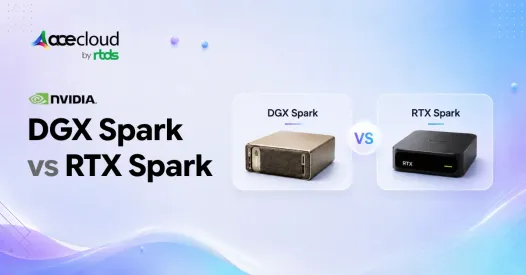
Both platforms can offer up to 128GB of unified memory and 1 PFLOP of FP4 AI performance, but they are built for different environments. DGX Spark focuses on Linux-based AI development, fine-tuning, agents, and multi-system experimentation, while RTX Spark brings high-memory local AI to Windows 11 PCs alongside creator and RTX workloads.
For CTOs, AI engineers, and infrastructure teams, the real question is not which Spark looks faster on paper. It is which platform best matches your model size, software stack, local workflow, and path to production.
TL;DR
- DGX Spark is a Linux-first personal AI system for local AI development, inference, fine-tuning, agents, and NVIDIA AI workflows.
- RTX Spark is a Windows 11 AI PC platform designed for local AI agents, development, creator applications, and RTX workloads.
- Both platforms offer up to 1 PFLOP of FP4 AI performance and 128GB of unified memory, although RTX Spark specifications vary by system.
- DGX Spark supports models up to 200B parameters on one system. NVIDIA now says up to four DGX Spark systems can work with models up to 700B parameters.
- NVIDIA positions RTX Spark for local 120B-parameter LLM workloads with context lengths up to 1 million tokens on supported systems.
- Model capacity does not equal model speed. Quantization, context length, memory bandwidth, runtime overhead, power, cooling, and software optimization affect actual performance.
- For large-scale training, multi-GPU workloads, shared infrastructure, or production inference, cloud GPUs remain a different class of compute.
What is NVIDIA DGX Spark?
NVIDIA DGX Spark is a compact personal AI system powered by the GB10 Grace Blackwell Superchip. It combines a 20-core Arm CPU, Blackwell GPU, 128GB LPDDR5X coherent unified memory, and up to 1 PFLOP FP4 AI performance.
Its unified memory provides 273 GB/s bandwidth, while connectivity includes 10GbE, Wi-Fi 7, and ConnectX-7 networking. NVIDIA lists the GB10 SoC at 140W TDP.
DGX Spark now goes beyond traditional model development. NVIDIA also positions it as a desktop agent computer for autonomous agent workloads.
A single system is positioned for inference with models up to 200B parameters. NVIDIA separately provides fine-tuning workflows for models up to 70B parameters, including LoRA and QLoRA approaches.
The biggest recent update is scaling. NVIDIA’s current product page says up to four DGX Spark systems can work with models up to 700B parameters.
That gives developers a path from one local AI system to a small development cluster before moving workloads to larger infrastructure.
What is RTX Spark?
NVIDIA RTX Spark is a Windows 11 AI PC platform for local AI agents, development, creator applications, RTX graphics, and gaming.
At the high end, RTX Spark configurations can include a 6,144-core Blackwell RTX GPU, 20-core Grace CPU, up to 128GB LPDDR5X unified memory, and up to 1 PFLOP FP4 AI performance.
RTX Spark is not one fixed system. NVIDIA lists multiple configurations, including 5,120 or 6,144 GPU cores, 18-core or 20-core CPUs, and up to 64GB or 128GB unified memory.
Power also varies by form factor. NVIDIA lists laptop configurations at 45 to 80W TDP and the higher-end desktop N1X configuration at 140W.
For AI workloads, NVIDIA says RTX Spark can run 120B-parameter LLMs with context lengths up to 1 million tokens locally.
For a closer look at how RTX Spark compares with a discrete GPU option, see our guide on RTX Spark vs RTX 5070 for AI workloads.
Because RTX Spark runs Windows 11, users can combine AI development with Windows applications, creator tools, RTX graphics, DLSS, gaming, and development environments such as WSL.
Microsoft’s Surface RTX Spark Dev Box is one example of how the platform can be packaged for developers.
DGX Spark vs RTX Spark: At a Glance
Below is the side-by-side comparison table of DGX Spark vs RTX Spark across the factors that matter most:
| Factor | DGX Spark | RTX Spark |
|---|---|---|
| Product type | Personal AI supercomputer | Windows AI PC platform |
| OS | NVIDIA DGX OS | Windows 11 |
| CPU | 20-core Arm CPU | Up to 20-core Grace CPU |
| AI performance | Up to 1 PFLOP FP4 | Up to 1 PFLOP FP4 |
| Unified memory | 128GB LPDDR5X | Up to 128GB LPDDR5X |
| Memory bandwidth | 273 GB/s | Up to 300 GB/s, configuration dependent |
| Model support | Up to 200B parameters on one system | Up to 120B-parameter LLMs |
| Fine-tuning | Up to 70B models | Depends on workload and configuration |
| Multi-system scaling | Up to 4 systems for models up to 700B | No equivalent published multi-system model scaling claim |
| Power | 140W GB10 SoC | 45–80W laptops, up to 140W desktop |
| Form factor | Compact desktop | Laptops and compact desktops |
| AI agents | Supported | Supported |
| Creator and gaming use | Secondary use case | Core use case |
Key Takeaway:
- DGX Spark prioritizes Linux-based AI development, NVIDIA software, local model experimentation, and multi-system networking.
- RTX Spark brings high-memory AI computing into a broader Windows PC environment.
When DGX Spark Wins
DGX Spark is a stronger fit when your workflow is technical, AI-focused, and primarily Linux-based. Consider it when you:
- Run local LLM inference frequently
- Fine-tune or adapt models locally
- Use Linux-first AI frameworks and CUDA workflows
- Develop or test autonomous agents
- Work on RAG, robotics, data science, or model validation
- Need a dedicated Linux AI environment rather than a general-purpose PC
- Want ConnectX networking for multi-system experiments
- Prototype locally before scaling to cloud GPUs
Its biggest advantage is not simply model capacity. It gives AI teams a dedicated development environment built around NVIDIA’s AI stack.
When RTX Spark Wins
RTX Spark is a stronger fit when AI development needs to coexist with a Windows desktop environment. Consider it when you:
- Build local agents that interact with Windows applications
- Run local LLMs or private AI assistants
- Develop Windows AI applications
- Use video editing, 3D rendering, or generative AI tools
- Need RTX graphics, DLSS, and gaming
- Prefer a laptop or compact Windows desktop
- Want CUDA development without leaving Windows
RTX Spark is especially relevant for developers and creators who want one system for AI and everyday PC workflows.
How Large a Model Can DGX Spark and RTX Spark Run?
Model capacity is one of the clearest differences in NVIDIA’s current positioning.
- DGX Spark:One system is positioned for inference with models up to 200B parameters. NVIDIA now says up to four connected systems can work with models up to 700B parameters.
- RTX Spark:NVIDIA positions supported systems for 120B-parameter LLMs with context lengths up to 1 million tokens.
These numbers describe model capacity, not guaranteed throughput.
A model fitting into memory does not mean it will generate tokens quickly or support many concurrent users. Quantization, context length, KV cache, memory bandwidth, batch size, power, and software optimization all influence real performance.
What Does 128GB of Unified Memory Actually Mean?
Both platforms can offer 128GB of unified memory, but that does not mean all 128GB is available for model weights.
The CPU and GPU share the same memory pool. The operating system, runtime, KV cache, context window, model state, and other processes also consume memory.
Model precision and quantization also change how much memory the model weights require, so parameter count alone is not enough to determine whether a workload will fit.
Longer context windows and higher concurrency can therefore increase memory requirements even when model weights stay unchanged.
For a broader framework on sizing local AI hardware, see our guide on GPU requirements for a deep learning workstation.
For AI teams, two questions matter more than parameter count alone:
- Will the complete workload fit?
- Will it run at the latency and throughput the application requires?
DGX Spark vs RTX Spark for AI Agents
AI agents are supported on both platforms, but the operating environment differs.
- NVIDIA positions DGX Spark as a desktop agent computer for building and running autonomous agents inside its Linux-based AI ecosystem.
- RTX Spark brings local agents into Windows 11, where they can work alongside Windows applications, developer tools, and desktop workflows.
The important question is therefore not whether either platform can run agents. It is which operating environment your agents need to work in.
Performance and Platform Caveats
Before comparing specifications, keep four limitations in mind.
- Model fit is not throughput: A 120B or 200B model fitting in memory does not guarantee high token generation speed.
- Power matters: RTX Spark laptops operate at much lower power than desktop configurations, so similar headline specifications may not deliver identical sustained performance.
- OEM design matters: RTX Spark results can vary by cooling, chassis design, memory, and power limits.
- Software matters: DGX Spark centers on DGX OS and NVIDIA’s Linux AI stack. RTX Spark adds Windows-native development, WSL, RTX applications, and broader desktop integration.
- Arm compatibility matters: Both DGX Spark and RTX Spark use Arm-based CPUs. Many mainstream AI frameworks support Arm, but existing x86/x86_64 binaries, containers, native libraries, Python dependencies, or custom extensions may require Arm-compatible builds, recompilation, or emulation. NVIDIA provides dedicated DGX Spark porting guidance for these cases.
Local inference can also improve data control, but local does not automatically mean private. Connected apps, cloud sync, telemetry, and external agent tools can still move data outside the system.
For a deeper look at when local Spark hardware stops being enough, see our comparison of RTX Spark vs cloud GPUs.
Which Platform Fits Your Workload?
A practical architecture can also combine both approaches: use local Spark systems for development and validation, then move workloads to cloud or data center GPUs when they require higher throughput, distributed training, or shared team access.
When that migration point arrives, see our breakdown of best cloud GPUs for Qwen, Llama, and Mistral-class models for hardware sizing.
| User or Workload | Typical Fit | Why |
|---|---|---|
| AI Developer | DGX Spark | Linux AI tools and local model development |
| Agent Developer | DGX Spark or RTX Spark | Depends on Linux or Windows workflow |
| ML Researcher | DGX Spark + Cloud | Local experimentation with scalable cloud compute |
| Windows Developer | RTX Spark | Windows-native AI development and applications |
| Creator | RTX Spark | AI acceleration with creator tools |
| Gaming + AI User | RTX Spark | RTX graphics, gaming, and local AI workloads |
| AI Team Training Large Models | Cloud GPUs | Multi-GPU scaling and team access |
| Production AI Team | Cloud GPUs | Higher throughput and scalable inference |
Choose the Right AI Platform, Then Scale When Needed
DGX Spark and RTX Spark solve different local AI needs. DGX Spark is better suited to Linux-based inference, fine-tuning, agents, and multi-system experimentation, while RTX Spark fits Windows workflows that combine AI development with creator tools and RTX applications. The better choice depends on model size, software compatibility, memory requirements, power limits, and how far the workload needs to scale.
For production AI, large-model training, higher concurrency, or shared GPU access, local systems may eventually become a constraint. AceCloud helps teams extend beyond workstation-class infrastructure with scalable NVIDIA Cloud GPUs for training, inference, and production workloads.
If you are evaluating local AI versus cloud GPU infrastructure, book a free consultation with AceCloud to plan the right path from development to production.
Frequently Asked Questions
No. They use related Grace Blackwell technologies, but they are different platforms. DGX Spark is a dedicated Linux-based AI system with DGX OS and ConnectX networking. RTX Spark is a Windows 11 AI PC platform available across laptop and desktop configurations.
The main difference is the computing environment. DGX Spark focuses on Linux AI development and NVIDIA AI workflows. RTX Spark integrates local AI with Windows applications, creator software, RTX graphics, and gaming.
NVIDIA positions a single DGX Spark for inference with models up to 200B parameters. Its current product page says up to four systems can work with models up to 700B parameters.
Yes. NVIDIA provides DGX Spark fine-tuning workflows for models up to 70B parameters, including LoRA and QLoRA approaches.
NVIDIA says RTX Spark can run 120B-parameter LLMs with context lengths up to 1 million tokens on supported systems.
Not always without changes. Both platforms use Arm-based CPUs. Many modern AI frameworks support Arm, but some x86/x86_64 binaries, containers, libraries, or custom extensions may need Arm-compatible builds, recompilation, or emulation. Teams should verify critical dependencies before choosing either platform.
Not completely. Local Spark systems are useful for development, testing, private inference, and agent workloads. Cloud GPUs remain better suited to distributed training, multi-GPU workloads, production inference, shared infrastructure, and burst capacity.

