

Quick Answer
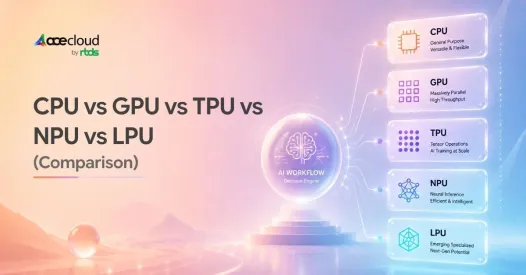
There is no single best processor for every AI workload. CPUs handle control-heavy work, data processing, orchestration, and increasingly AI-factory workloads. GPUs offer the broadest platform for training and scalable inference, TPUs specialize in large tensor workloads within supported ecosystems, NPUs bring power-efficient AI to devices and the edge, and LPU architectures focus on predictable, low-latency inference. The best choice depends on workload type, latency target, model memory, software ecosystem, deployment environment, and total cost.
2 years ago, the processor decision for most AI workloads was GPU, probably NVIDIA/ H100. In 2026, it’s CPU, GPU, TPU, NPU, LPU. Each built for a different job, each comes with a different cost model and each capable of being the wrong answer for a workloads that look identical on paper.
CPUs may handle application logic and orchestration, while GPUs or TPUs take on compute-intensive training. Meanwhile, NPUs are optimized for power-efficient on-device AI, and Groq’s LPU architecture targets latency-sensitive language-model inference. Therefore, choosing AI hardware is not about finding the fastest processor. It is about matching architecture to workload.
This guide compares CPU, GPU, TPU, NPU, and LPU across training, inference, memory, scalability, efficiency, deployment, and cost.
How Do CPU, GPU, TPU, NPU, and LPU Compare?
Use this side-by-side comparison to see how each processor performs across AI training, inference, efficiency, flexibility, and deployment, and where each architecture fits best.
| Decision Factors | CPU | GPU | TPU | NPU | LPU |
|---|---|---|---|---|---|
| General-purpose flexibility | Excellent | High | Moderate | Low | Low |
| Parallel AI compute | Limited | Excellent | Excellent | Specialized | Specialized |
| Large-model training | Limited | Excellent | Excellent for supported workloads | Not primary use | Not primary use |
| LLM inference | Light workloads | Excellent | Strong | Local/smaller models | Strong for supported latency-sensitive workloads |
| On-device AI | Good for lightweight AI | Possible | Limited | Excellent | Not primary focus |
| Primary optimization | Flexibility/control | Parallel throughput | Tensor throughput/scale | Performance per watt | Predictable low-latency inference |
| Software flexibility | Highest | Very high | Ecosystem-specific | Platform-dependent | Specialized inference stack |
| Typical environment | Broad | Cloud/data center/workstation | Google Cloud | PC/mobile/edge | Specialized inference infrastructure |
| Primary limitation | Parallel AI throughput | Cost/power | Ecosystem constraints | Model/workload flexibility | Narrower workload and software scope |
Note: Do not compare TOPS, FLOPS, TFLOPS, and tokens per second directly. They measure different aspects of performance, and their significance depends on workload, precision, batch size, context length, software stack, and test conditions.
What is the Difference Between CPU, GPU, TPU, NPU, and LPU?
The fundamental difference is where each processor places its architectural priority: general-purpose execution, massive parallelism, tensor computation, power-efficient neural processing, or deterministic inference.
What is a CPU?
A CPU is designed to execute diverse instructions while handling branching, operating-system tasks, preprocessing, scheduling, storage and network I/O, application logic, and accelerator orchestration.
CPUs can also run AI models directly. For small models, low-volume inference, data preprocessing, or control-heavy AI applications, they may be sufficient without a dedicated accelerator.
However, large neural-network workloads generally benefit from GPUs or other accelerators because those workloads contain far more parallel matrix computation.
NVIDIA Vera is a useful example. NVIDIA designed Vera as a data-center CPU for AI factories and agentic workloads rather than treating the CPU simply as a host attached to GPUs. Vera uses 88 custom Olympus cores, supports Armv9.2, and connects to NVIDIA GPUs through NVLink-C2C. NVIDIA states that the interconnect can provide up to 1.8 TB/s of coherent CPU-GPU bandwidth.
Within NVIDIA Vera Rubin systems, the CPU can support workloads such as:
- ETL and data processing
- Accelerator orchestration
- Agentic and reinforcement-learning workflows
- Feeding GPUs with data
- CPU-heavy application and system services
- Host-side memory management, runtime services, data movement and possible KV-cache offload support where the platform and serving stack are designed for it.
NVIDIA describes Vera as the host CPU for both Vera Rubin NVL72 and HGX Vera Rubin NVL8 platforms.
What is a GPU?
A GPU executes large numbers of similar calculations in parallel. This suits neural networks because training and inference rely heavily on matrix and tensor operations.
Modern GPUs combine parallel compute, large accelerator memory, high memory bandwidth, and specialized tensor acceleration. NVIDIA documents Tensor Cores for accelerating matrix operations commonly used in deep learning.
GPUs are therefore widely used across model training, fine-tuning, multimodal AI, high-throughput inference, scientific computing, and other workloads where large amounts of parallel computation are required.
What is a TPU?
A TPU is Google’s purpose-built tensor accelerator for AI training and inference.
Google Cloud TPU infrastructure is designed around high-throughput tensor computation and supports modern JAX and PyTorch workflows. TPUs can be particularly attractive for large distributed workloads already designed around the Google Cloud ecosystem.
Their trade-off is portability: compared with general-purpose GPU ecosystems, architecture, tooling, and deployment choices can be more platform-specific.
What is an NPU?
An NPU specializes in neural-network execution under tight power and thermal constraints.
This makes NPUs particularly useful in laptops, smartphones, embedded systems, industrial devices, and other edge environments where sending every AI request to a data center would add latency, connectivity dependence, privacy concerns, or energy cost.
However, NPU is not one standardized architecture. Operator support, model formats, runtimes, memory behavior, precision support, and performance can vary significantly between vendors and devices.
What is an LPU?
A Language Processing Unit, or LPU, should be described primarily as Groq’s specialized inference architecture for predictable low-latency LLM serving. Do not claim the category extends beyond Groq unless specific non-Groq LPU products or licensed implementations are publicly announced.
On December 24, 2025, Groq signed a non-exclusive inference-technology licensing deal with NVIDIA; Jonathan Ross and key team members joined NVIDIA, while Groq remained independent.
The deal was reportedly worth about $20 billion, though terms were undisclosed. LPUs remain focused on latency-sensitive inference, not general-purpose training.
How Does Processor Architecture Affect AI Performance?
AI performance depends on three major bottlenecks including compute, memory, and communication.
CPUs handle irregular control flow, application logic, and system-level operations well. GPUs excel when thousands of similar operations can execute in parallel. TPUs specialize further around tensor computation, while NPUs optimize neural operations for power-efficient execution.
LPUs approach inference differently by emphasizing predictable execution for sequential inference workloads.
Modern systems also show why the processor categories cannot be evaluated independently. NVIDIA Vera, for example, is designed to work closely with Rubin GPUs through high-bandwidth coherent connectivity, illustrating how CPU-to-accelerator data movement can itself become an architectural performance consideration.
For large AI models, GPU memory requirements often become as important as raw compute. Specifically, relevant factors include:
- Accelerator memory capacity
- HBM bandwidth
- Cache and on-chip SRAM
- KV cache requirements
- Data-transfer overhead
In distributed training, communication also becomes critical. Gradient synchronization and model-state transfers can reduce scaling efficiency; consequently, adding more accelerators does not guarantee linear speedup.
MLCommons includes DeepSeek V3, a 671-billion-parameter Mixture-of-Experts model with 37 billion parameters activated per token.
MoE workloads can also require expert-parallel communication, making accelerator placement, network topology, and interconnect bandwidth increasingly important.
Decision: Do not select AI hardware from peak compute figures alone. First determine whether the workload is primarily compute-bound, memory-bound, communication-bound, or control/data-processing-bound.
Which Processor is Best for AI Training?
For most organizations, GPU is the most flexible option for deep-learning training, whereas TPU is a strong alternative when workloads align closely with Google Cloud.
Choose GPU When
Choose GPUs when you need,
- Broad framework support
- Transformer training or fine-tuning
- High-bandwidth memory
- Multi-accelerator scaling
- One accelerator stack across training and inference
Modern training commonly uses FP16, BF16 and FP8 where supported to improve throughput and reduce some memory pressure. However, FP16 and BF16 are both 16-bit formats, so BF16 does not halve memory versus FP16; FP8 can reduce memory further but requires hardware/software support and stability validation.
Large-scale training is increasingly distributed. MLCommons reported that 60% of MLPerf Training v6.0 systems were multi-node.
At larger scales, teams must also consider data, tensor, pipeline, context, expert, or sharded parallelism because each strategy changes memory and interconnect requirements.
Choose TPU When
TPUs make sense when:
- Your stack already runs on Google Cloud
- Your model maps well to TPU execution
- You use JAX or supported PyTorch workflows
- Large distributed tensor workloads dominate
Decision: Compare GPU and TPU using time-to-target-quality, memory fit, scaling efficiency, software compatibility, and total training cost, rather than peak TFLOPS alone.
If GPU is the likely fit, the next decision is not simply ‘H100 or H200.’ Model size, precision, optimizer state, batch size, parallelism strategy, and required training time determine whether a lower-cost GPU or a high-memory accelerator produces the better result.
AceCloud currently provides multiple NVIDIA GPU classes, including H200, H100, A100, L40S, L4, A30, and other configurations, allowing teams to test different memory and performance tiers rather than sizing infrastructure from specification sheets alone.
Talk to an Expert to map model memory, training time, and scaling requirements to an appropriate GPU configuration.
Which Processor is Best for AI Inference?
Inference decisions should start with latency, throughput, concurrency, model size, memory requirements, and utilization.
Choose CPU When
Use CPU inference for small models, low request volumes, moderate latency requirements, or environments where accelerator utilization would be poor. Therefore, CPUs can remain cost-effective when throughput requirements are modest.
Choose GPU When
Use GPUs for large-model inference, high concurrency, batching, multimodal workloads, broad model support, and high aggregate throughput.
Choose NPU When
Use an NPU when inference must run locally under strict power or thermal constraints. Accordingly, NPUs fit PCs, phones, and edge devices particularly well.
Consider LPU When
Consider LPU-based inference when a supported model needs predictable, low response latency and rapid sequential token generation more than broad accelerator flexibility. LPUs are therefore more relevant to specialized inference than to general training infrastructure.
Inference systems are also scaling out. MLCommons reported a 30% increase in multi-node submissions in MLPerf Inference v6.0, with the largest submitted system using 72 nodes and 288 accelerators. Thus, production inference increasingly requires system-level rather than chip-level evaluation.
Which Processor is Best for LLMs and Generative AI?
LLM infrastructure should be evaluated separately for training, prefill, and decode.
- For training, GPUs and TPUs are the strongest fits because large models require high compute throughput, large memory pools, and fast interconnects.
- During prefill, the system processes the input context and builds the KV cache. Consequently, long context windows increase both compute and memory pressure.
- During decode, tokens are produced sequentially. This phase can become strongly memory-bandwidth-sensitive because model weights are repeatedly accessed. Therefore, theoretical FLOPS alone cannot predict LLM serving performance.
For LLM serving, track:
- Time to first token
- Inter-token latency
- Tokens per second
- Requests per second
- P95/P99 latency
- Concurrent sessions
- KV cache usage
- Cost per million tokens
Hardware is only one part of serving performance. The LLM serving stack can also materially affect KV-cache management, batching, scheduling, throughput, and latency.
Some modern serving architectures can also separate prefills and decode across workers, allowing infrastructure to be tuned differently for time-to-first-token and inter-token latency.
Decision: When comparing GPU, TPU, and LPU-based inference, benchmark the same model, precision, context length, batch policy, concurrency, and latency target. A tokens-per-second result without matching serving conditions is not a meaningful architecture comparison.
Which Processor is Best for Edge and On-Device AI?
For edge AI, power efficiency, thermals, local latency, privacy, and offline operation can matter more than maximum throughput.
NPUs are purpose-built for these constraints and commonly accelerate local copilots, speech recognition, image enhancement, computer vision, and background AI tasks.
CPUs can still handle lighter inference, while GPUs may support heavier local models. In practice, many deployments are hybrid. NPUs execute latency-sensitive local tasks while cloud GPUs handle training, fine-tuning, or larger inference workloads.
Decision:Treat runtime and operator compatibility as a first-class requirement, not an afterthought when evaluating NPUs.
How Should You Compare AI Processor Cost and Efficiency?
Hourly processor price does not indicate whether an architecture is cost-effective.
For training, compare:
- GPU utilization and productive efficiency
- Cost per completed run
- Time-to-train
- Memory efficiency
- Multi-node scaling efficiency
For inference, compare:
- Cost per request or token
- Throughput at target SLA
- P95/P99 latency
- Accelerator utilization
- Memory consumption
For cloud deployments, also consider idle capacity, storage, networking, data movement, availability, quotas, and on-demand versus reserved or Spot GPU capacity.
For owned infrastructure, TCO additionally includes servers, networking, storage, power, cooling, utilization, and operations.
Decision:Evaluate cost to complete the workload at the required SLA, not simply cost per processor-hour.
Which Processor Should You Choose for Each AI Workload?
| Workload | Best Fit |
|---|---|
| Application logic/orchestration | CPU |
| Deep-learning training | GPU / TPU |
| LLM pretraining | GPU / TPU |
| LLM fine-tuning | GPU / TPU |
| High-throughput LLM inference | GPU |
| Latency-sensitive supported LLM inference | LPU |
| On-device AI | NPU |
| Edge inference | NPU / GPU |
| HPC + AI | GPU |
| Hybrid production AI | CPU + accelerator |
Choose the Right AI Compute with AceCloud
The right AI processor is not the one with the highest headline benchmark. It is the architecture that best meets your model-memory requirement, latency target, throughput, software stack, scalability requirement, SLA, and budget.
Instead of committing to infrastructure from specifications alone, benchmark the actual workload first. AceCloud currently provides on-demand NVIDIA GPU options including H200, H100, A100, L40S, L4, and A30 for training, inference, and accelerated workloads.
Teams can start with the GPU class that fits model memory, measure training time or inference latency, and then scale based on observed utilization and workload demand.
Book a Free Consultation with AceCloud to assess memory fit, performance targets, scalability, and workload economics before selecting GPU infrastructure.
Frequently Asked Questions
No. GPUs are better suited to large parallel neural-network workloads, while CPUs remain important for control logic, preprocessing, orchestration, and lighter inference.
GPUs provide broader software and deployment flexibility. TPUs can be highly effective for supported tensor-heavy workloads in Google Cloud.
Usually not for large-scale training or data-center inference. NPUs primarily target power-efficient on-device AI.
It depends on the model, serving conditions, batch strategy, context length, and latency target. LPU architectures are designed around predictable, latency-sensitive inference, while GPUs offer broader model support, mature software ecosystems, batching flexibility, large memory configurations, and deployment options.
GPUs are the most versatile across training, fine-tuning, and inference. TPUs suit some large-scale workloads, while LPUs specialize in latency-sensitive serving.
Yes. CPUs still handle operating systems, application logic, I/O, preprocessing, scheduling, and accelerator orchestration.

