
Quick Answer
HGX B300 is worth considering if your AI workloads involve very large models, long context windows, high concurrency, or memory-intensive training. But if B200 or H200 already meet your latency, throughput, and model-size needs, B300 may be an overkill. The right choice depends on workload economics, not peak specifications alone.
Your production reasoning model is handling longer contexts and more concurrent requests. KV-cache demand is rising, GPU memory is tightening, and additional model sharding is starting to increase latency and communication overhead. NVIDIA HGX B300 looks like the obvious upgrade, with 288 GB of HBM3e per GPU and 2.3 TB across an eight-GPU system.
But upgrading is not just a performance decision. It can also mean higher infrastructure, power, networking, and utilization costs. So, the real question is not whether NVIDIA HGX B300 is powerful. It clearly is. The question is whether your workload can turn that power into lower cost per token, faster training, or better user experience.
This guide helps you decide when B300 is worth it, when to benchmark it, and when it may be overkill.
What Makes NVIDIA HGX B300 Technically Different?
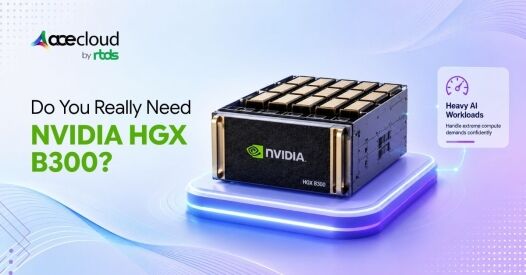
NVIDIA HGX B300 is an eight-GPU platform based on NVIDIA Blackwell Ultra SXM GPUs. The GPUs communicate through fifth-generation NVLink and NVSwitch, creating a tightly coupled scale-up domain rather than behaving like eight isolated PCIe accelerators.
Key specifications:
- 288 GB HBM3e per B300 GPU
- Up to 8 TB/s HBM bandwidth per GPU
- Up to 1.8TB/s NVLink bandwidth per GPU
- 14.4TB/s aggregate NVLink bandwidth across the eight-GPU HGX/DGX B300 node
These capabilities address different workload problems.
For example, the 288 GB of HBM helps when the challenge is fitting more model state or runtime data on each accelerator. Meanwhile, NVLink becomes important when workloads span multiple GPUs and require frequent GPU-to-GPU communication, including tensor, context, pipeline or expert parallelism.
Similarly, Blackwell Ultra’s low-precision Tensor Core capabilities become useful when the workload can safely trade numerical precision for greater throughput and lower memory consumption.
What is actually different from B200?
An important distinction is that fifth-generation NVLink itself is not unique to B300. Therefore, one of B300’s more meaningful advantages over B200 is its additional HBM capacity. For a deeper platform-level comparison, see how HGX B300 compares with HGX B200 across memory, compute and communication-bound workloads.
Therefore, one of B300’s more meaningful advantages over B200 is its additional HBM capacity. Memory capacity is not the only difference, though. NVIDIA also positions Blackwell Ultra with higher low-precision compute performance and up to 2× faster attention-layer compute than Blackwell, which can matter for optimized inference and training workloads.
NVIDIA specifies 180 GB of HBM3e for B200 versus 288 GB for B300, yet both are listed at up to 8 TB/s of memory bandwidth per GPU. Consequently, B300 provides 60% more memory capacity, but not 60% more memory bandwidth.
That distinction is important. A workload constrained by memory capacity can benefit significantly from B300. In contrast, a workload already limited by memory bandwidth, CPU orchestration, networking, or software efficiency may see a much smaller gain.
Is HGX B300 Worth It for AI Inference?
B300 makes the strongest inference case when the workload is starting to run into the combined effects of large models, long contexts, KV-cache growth, and high concurrency. To understand why, however, it helps to separate LLM inference into two phases: prefill and decode.
Why do prefill and decode behave differently?
During prefill, the GPU processes the input prompt and computes attention states across many tokens in parallel. As a result, this phase tends to be compute-intensive. Decode behaves differently. Tokens are generated autoregressively, generally one step at a time. At each step, the GPU needs to access model weights and cached attention information. Consequently, decode is far more dependent on memory movement.
NVIDIA describes prefill as primarily compute-intensive and decode as typically memory-bandwidth-bound. This distinction has a practical consequence. If your workload spends a large proportion of time in decode, simply adding more theoretical Tensor Core performance may not translate into an equivalent increase in tokens per second.
Therefore, B300 becomes more interesting when its compute advantage is combined with another constraint it can address, such as memory capacity or larger inference batches.
Why does 288 GB of HBM matter?
LLM inference consumes GPU memory for far more than model weights. NVIDIA’s TensorRT-LLM documentation identifies model weights, activations, I/O tensors, and particularly the KV cache as major GPU-memory consumers. Moreover, KV-cache requirements grow as context lengths and concurrent sequences increase.
Consequently, a chatbot serving short prompts to a handful of users may have very different GPU requirements from an agentic or reasoning workload processing large documents across hundreds or thousands of simultaneous sessions.
A simplified example illustrates the issue. A 70-billion-parameter model stored at 16-bit precision requires roughly 140 GB for raw weights alone. That leaves almost no practical headroom on a 141 GB H200 before accounting for KV cache, runtime buffers, activations, and serving overhead.
By contrast, the same model on a 288 GB B300 leaves substantially more memory available for inference state. This does not automatically make B300 faster. Nevertheless, it can make a workload operationally easier by enabling:
- Longer context windows
- Larger KV caches
- More concurrent sequences
- Larger inference batches
- Less aggressive model sharding
- More room for runtime overhead
Therefore, the additional HBM creates real value when memory headroom directly affects serving scale or model placement.
Where does NVFP4 fit?
Blackwell Ultra also supports NVIDIA’s NVFP4 4-bit floating-point format. NVFP4 itself is not exclusive to B300, since B200 also supports the format. B300’s advantage is the higher Blackwell Ultra compute capability available when workloads can effectively use NVFP4. Lower-precision inference can reduce model-memory requirements and data movement. Consequently, it may improve throughput while allowing larger models or larger batches to fit on the GPU.
NVIDIA reports substantial memory-footprint reductions with NVFP4 compared with FP8 and FP16 in its evaluated workloads. However, these are vendor-published results and should always be validated on the actual model and application. Ultimately, B300 becomes most compelling when several conditions occur together:
large model + long context + high concurrency + optimized low-precision serving.
If your model already fits comfortably on B200 or H200 and meets its latency target, however, much of B300’s additional capacity may remain unused.
Talk to an expert before paying for inference capacity that your production workload may not consume.
Is HGX B300 Worth it for AI Training?
Training creates a different GPU-memory problem from inference. During inference, the GPU primarily needs model state, KV cache, runtime buffers, and activations. Training, however, additionally requires memory for gradients, optimizer states, communication buffers, and intermediate activations. As models grow, HBM capacity can therefore become a bottleneck before compute resources are fully utilized.
For reference, NVIDIA’s DGX B300 reference system provides 8× B300 GPUs, 2.3TB total HBM3e, 72 PFLOPS FP8 training and 144 PFLOPS FP4 inference.
When Does Additional HBM Reduce Training Overhead?
When training state no longer fits efficiently within available memory, ML teams may rely more heavily on:
- Tensor parallelism
- Pipeline parallelism
- Context parallelism
- Expert parallelism
- Activation recomputation
- Optimizer-state sharding
- Host offloading
NVIDIA’s Megatron Core Parallelism Guide describes combining these techniques according to model architecture, size, and cluster topology.
However, each technique introduces tradeoffs. Tensor parallelism increases communication between accelerators. Pipeline parallelism can introduce pipeline bubbles. Activation recomputation saves HBM but increases compute.
Consequently, more local HBM can sometimes reduce how aggressively a workload must shard, recompute, or offload its state. That can improve achieved training efficiency.
When Is B300 Unnecessary for Fine-Tuning?
Not every training workload needs that scale. Parameter-efficient methods such as LoRA typically keep the base model weights frozen while training a much smaller set of adapter parameters, reducing training memory and compute requirements. Therefore, smaller models and occasional fine-tuning jobs may be economical on less expensive GPUs.
The practical training question should be:
Does B300 reduce time-to-train, communication overhead, or training complexity enough to justify its premium?
If the answer has not been measured, benchmark first.
When Do NVLink and Scale-Out Networking Actually Matter?
Once multi-GPU LLM training spans multiple nodes, network architecture becomes part of the performance equation. Within HGX B300, NVIDIA specifies 1.8 TB/s of GPU-to-GPU NVLink bandwidth and 14.4 TB/s of aggregate NVLink bandwidth. This scale-up bandwidth becomes important for workloads using tensor, context, pipeline, or expert parallelism.
At the scale-out level, NVIDIA’s reference architecture supports ConnectX-8 networking at up to 800 Gb/s per GPU interface. However, not every deployment needs the maximum fabric.
NVIDIA notes that a dedicated compute network may not be required for some pure-inference deployments. It also documents a 400 Gb/s per-GPU single-plane configuration for workloads that do not require the full dual-plane throughput.
Therefore:
Multi-node training and communication-heavy workloads: network performance can strongly affect scaling efficiency.
Single-node or modest inference workloads: the highest-bandwidth network may be unnecessary.
The network should follow the workload’s communication pattern, not simply the maximum capability of the GPU platform.
When is HGX B300 an Overkill?
NVIDIA HGX B300 is likely overprovisioned when the workload does not meaningfully benefit from its additional memory, compute, or communication capability.
Common signs include:
- Models comfortably fit on H200 or B200.
- Long context is not an important requirement.
- KV-cache capacity is not limiting concurrency.
- Inference volume is low or irregular.
- Existing GPUs already meet latency targets.
- GPU utilization remains low.
- Fine-tuning mainly uses parameter-efficient techniques.
- Workloads rarely require multiple GPUs.
There is also an infrastructure implication.
NVIDIA specifies a 10-RU chassis, approximately 14.5 kW of system power consumption, and maximum heat output of about 49,476 BTU/hour for DGX B300. At one system, those figures may be manageable. Across dozens or hundreds of nodes, however, they translate into significant requirements for rack space, power delivery, cooling, networking, and facility capacity.
Therefore, futureproofing can become an expensive justification for premium GPU infrastructure. Unused performance does not create value simply because it may become useful later.
Is HGX B300 Really Lower Cost per Token?
Only if the workload can convert B300’s extra resources into useful production output.
A better economic model is:
Cost per useful token = Total serving cost ÷ SLO-compliant tokens delivered
Where total cost includes GPU rental/purchase, idle headroom, storage, networking/egress, orchestration, monitoring, support, failed/retried requests and engineering effort. State whether tokens include input, output, or both.
The numerator should include more than GPU rental or purchase cost. It should also account for hidden cloud GPU costs such as storage I/O, networking, data transfer, orchestration and idle capacity. Meanwhile, the denominator should account for output delivered within acceptable latency.
In practice, teams should measure production GPU utilization alongside TTFT, tail latency and useful throughput rather than treating peak GPU utilization as the goal.
| Metric | Why It Matters |
|---|---|
| TTFT | Shows prompt-processing responsiveness |
| TPOT | Shows decode responsiveness |
| P95/P99 latency | Exposes tail-latency problems |
| Tokens/sec/GPU | Measures throughput density |
| Concurrent sequences | Shows serving capacity |
| HBM utilization | Reveals memory pressure |
| GPU utilization | Reveals unused compute |
| Cost per 1M useful tokens | Connects performance to economics |
Software also changes the result. Choosing the right LLM serving stack can materially affect GPU memory use, throughput, latency and ultimately cost per token.
TensorRT-LLM supports optimizations such as paged KV-cache management, quantization, chunked prefill, cache reuse, and speculative decoding. Therefore, a poorly optimized B300 deployment can produce worse economics than a well-optimized B200 environment.
B300 vs B200 vs H200: Which GPU Fits Your Workload?
| Specifications | H200 | B200 | B300 |
|---|---|---|---|
| HBM per GPU | 141 GB | 180 GB | 288 GB |
| HBM per 8 GPUs | 1.1 TB | 1.44 TB | 2.30 TB |
| Memory bandwidth | 4.8 TB/s | Up to 8 TB/s | Up to 8 TB/s |
| Likely fit | Mature memory-heavy AI | High-performance Blackwell workloads | Largest memory-intensive workloads |
Key Takeaways:
- Choose H200 when Hopper already delivers enough memory capacity and performance for the workload.
- Choose B200 when you need Blackwell capabilities and higher memory bandwidth, but 180 GB of HBM is sufficient.
- Choose B300 when the jump to 288 GB HBM per GPU, higher Blackwell Ultra compute capability, improved attention performance, or larger multi-GPU working sets solve a measurable production or training constraint.
Ready to Choose the Right GPU?
HGX B300 can be the right move when larger models, longer contexts, higher concurrency, or memory-intensive training are already creating measurable bottlenecks. However, if H200 or B200 can meet your latency, throughput, and model-fit targets, paying for additional capacity may weaken your economics.
AceCloud helps teams evaluate GPU choices against workload behavior, including memory pressure, scaling efficiency, utilization, networking, and cost per useful token. Before you commit to premium infrastructure, validate what your workloads need.
Book a free consultation with AceCloud to compare your options and build a GPU strategy that delivers the performance you need without unnecessary overprovisioning.
Frequently Asked Questions
B300 provides 288 GB HBM3e compared with 180 GB on B200, giving it significantly more capacity for large models, long contexts, KV caches, and concurrency. However, NVIDIA specifies up to 8 TB/s HBM bandwidth for both GPUs, so the 60% increase in memory capacity does not imply a 60% speed improvement.
NVIDIA specifies 288 GB HBM3e per B300 SXM GPU and 2.30 TB across an eight-GPU HGX B300 node.
A simplified 70B model requires roughly 140 GB for raw weights at 16-bit precision, 70 GB at 8-bit, or 35 GB at 4-bit. Real deployments require additional memory for KV cache, activations, buffers, and runtime overhead, so actual model fit depends on the serving stack and context length.
Usually not for parameter-efficient fine-tuning. B300 becomes more attractive when model size, full-parameter training, memory pressure, training frequency, or time-to-train creates a measurable hardware bottleneck.
For inference, compare TTFT, TPOT, throughput within your latency SLA, concurrency, HBM usage, utilization, and cost per useful token. For training, compare memory pressure, communication overhead, scaling efficiency, and time-to-train.

