

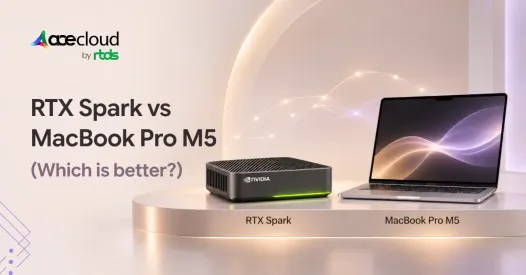
Quick Answer
Yes, NVIDIA RTX Spark can replace a MacBook Pro M5 for CUDA-based AI development and certain local LLM workloads. In 2026 benchmarks, RTX Spark outperformed M5 Pro in selected AI-agent tasks, while M5 Max led in CPU and graphics performance. Choose RTX Spark for NVIDIA-focused AI workflows, but MacBook Pro for longer battery life and macOS productivity.
Every extra minute spent waiting for a local AI agent slows testing, debugging, and model iteration.
In an October 2026 Artificial Analysis benchmark, NVIDIA RTX Spark completed a recorded AI agent workload in 18.7 minutes versus 37.6 minutes on a MacBook Pro M5 Pro. That’s nearly half the inference time, although the tested systems used different memory configurations and optimized runtimes.
So, can RTX Spark replace a MacBook Pro M5? Yes, for certain CUDA-based AI workflows, but not as a universal upgrade.
For AI developers, ML engineers, and tech teams, the real decision depends on framework compatibility, model size, sustained performance, battery life, and total cost of ownership.
Which Laptop is Best for Your Workload?
Before comparing individual specifications, identify what you need your laptop to accomplish.
| Primary requirement | Laptop worth considering | Main reason |
|---|---|---|
| CUDA-based AI development | NVIDIA RTX Spark | NVIDIA acceleration and high unified memory |
| macOS development and productivity | MacBook Pro M5 Max | Apple-native tools and efficiency |
| GPU-intensive gaming | ASUS ROG Zephyrus G16 | GeForce RTX 5090 option |
| Large local LLMs | RTX Spark or HP ZBook Ultra G1a | High-capacity shared memory |
| Professional CAD and visualization | Dell Pro Max 18 Plus | RTX PRO workstation graphics |
| Long battery life | MacBook Pro M5 Max | Strong independent battery results |
| Local AI prototyping | RTX Spark or MacBook Pro | Convenient development and experimentation |
| Production AI inference and large-scale training | Cloud GPUs | Scalable compute and shared infrastructure |
Note: The table provides a starting point, not a universal performance ranking. Actual software compatibility, memory requirements, and benchmark results should guide the final decision.
Which High-End Laptops are Worth Comparing in 2026?
The following six laptops represent different approaches to premium computing.

1. Microsoft Surface Laptop Ultra 15-inch
- Processor: NVIDIA RTX Spark N1X, 18-core configuration
- Graphics: Blackwell RTX GPU, 5,120 cores
- Memory: 24GB unified
- Storage: 512GB SSD
- Best for: Portable development and Windows productivity
- Source: Microsoft official configuration
2. ASUS ProArt P16 with RTX Spark
- Processor: RTX Spark N1X, up to 20 cores
- Graphics: Up to 6,144 Blackwell GPU cores
- Memory: Up to 128GB unified
- Storage: Up to 2TB SSD
- Best for: Local AI, content creation, and CUDA development
- Source: ASUS official specifications
3. Apple MacBook Pro 16-inch with M5 Max
- Processor: 18-core Apple M5 Max
- Graphics: Up to 40-core Apple GPU
- Memory: Up to 128GB unified
- Memory bandwidth: Up to 614GB/s
- Best for: macOS development, creative applications, and battery-conscious professionals
- Source: Apple official specifications
4. ASUS ROG Zephyrus G16 (2026)
- Processor: Intel Core Ultra platform
- Graphics: Up to NVIDIA GeForce RTX 5090 Laptop GPU
- GPU memory: 24GB dedicated GDDR7 with RTX 5090
- Best for: Gaming, GPU rendering, and CUDA workloads
- Source: ASUS official specifications
5. HP ZBook Ultra G1a
- Processor: AMD Ryzen AI Max+ PRO 395
- Graphics: AMD Radeon 8060S
- Memory: Up to 128GB shared system memory
- Best for: Large local models and professional workstation tasks
- Source: HP official configuration
6. Dell Pro Max 18 Plus
- Processor: Intel Core Ultra workstation configurations
- Graphics: Up to NVIDIA RTX PRO 5000 Blackwell
- GPU memory: Up to 24GB dedicated GDDR7
- System RAM: Up to 128GB
- Best for: CAD, professional visualization, and specialized GPU applications
- Source: Dell official specifications
What Should You Check Before Buying an RTX Spark Laptop?
Four questions can help narrow your decision.
1. Does Your Software Require CUDA?
CUDA is important for many NVIDIA-optimized machine learning applications. RTX Spark and conventional GeForce RTX laptops support NVIDIA GPU acceleration, while Apple and AMD offer different computing ecosystems.Before switching, verify the exact frameworks and runtimes you use, including PyTorch, llama.cpp, Ollama, and relevant CUDA extensions. NVIDIA has expanded RTX Spark development support for Windows on Arm, but not every third-party dependency is guaranteed to work without modification.
2. How Much GPU-Accessible Memory Do You Need?
Memory capacity can determine which AI models you can run locally. An RTX 5090 Laptop GPU includes 24GB dedicated graphics memory. High-end RTX Spark and M5 Max configurations support up to 128GB unified memory.Model weights are only part of the requirement. Developers must also account for KV cache, context length, operating-system usage, and inference runtime overhead. A model fitting into memory does not necessarily mean it will achieve acceptable inference performance.
3. Will Your Applications Run Natively?
RTX Spark uses Windows on Arm rather than the traditional x86 Windows architecture. Some applications work natively, while others may require translation or compatible software builds.Before switching, check Python packages, native libraries, container tooling, professional applications, and game compatibility.
4. Are You Comparing Real Benchmarks?
Theoretical GPU performance, core counts, and memory capacity cannot predict every real-world workload. For AI development, prioritize measured tokens per second, time to complete inference tasks, sustained throughput, and memory utilization rather than relying only on synthetic GPU scores.
How Does RTX Spark Compare with Apple Silicon, GeForce RTX, and AMD Architectures?
RTX Spark vs MacBook Pro M5 Max
RTX Spark combines an NVIDIA Grace CPU with Blackwell graphics and unified memory. The highest RTX Spark N1X configuration offers a 20-core CPU, 6,144-core GPU, and up to 128GB LPDDR5X memory.
Apple’s M5 Max combines an 18-core CPU, up to 40 GPU cores, Neural Accelerators, and up to 128GB unified memory. Both systems share memory between processing components, but their software ecosystems differ.
RTX Spark uses CUDA. Apple provides Metal and MLX. Memory bandwidth is another distinction.
| Platform | Maximum unified memory | Memory bandwidth |
|---|---|---|
| RTX Spark N1X | 128GB | 300GB/s |
| Apple M5 Pro | 64GB | 307GB/s |
| Apple M5 Max, top configuration | 128GB | 614GB/s |
M5 Max provides approximately twice RTX Spark’s reported memory bandwidth, but higher bandwidth alone does not guarantee faster AI inference. Model architecture, GPU optimization, and execution efficiency also matter.
RTX Spark vs RTX 5090 Laptop
Traditional GeForce RTX laptops use a discrete GPU with dedicated graphics memory. According to NVIDIA’s RTX 50-series specifications, the RTX 5090 Laptop GPU provides 10,496 CUDA cores, 24GB GDDR7 memory, and 896GB/s memory bandwidth.
This can be advantageous for GPU-intensive tasks whose working data fits in dedicated VRAM. RTX Spark takes a different approach, offering much larger unified-memory configurations.
For developers running large models, that additional capacity can be more useful than faster dedicated graphics memory.
AMD Ryzen AI Max+
AMD’s Ryzen AI Max+ architecture also combines integrated graphics with a high-capacity shared-memory design. The HP ZBook Ultra G1a supports 128GB configurations using the Ryzen AI Max+ PRO 395 and Radeon 8060S graphics.
It offers another option for local AI experimentation, particularly when large model weights need to fit within system memory. However, AMD and NVIDIA use different GPU acceleration ecosystems. Developers should evaluate software compatibility before choosing between them.
Which Laptop Wins the 2026 CPU and Graphics Benchmarks?
Notebookcheck’s October 2026 tests show why the answer changes with the benchmark.
How Does RTX Spark Compare with M5 Max in CPU Performance?
| Geekbench 6.7 | RTX Spark N1X ProArt P16 | MacBook Pro M5 Max |
|---|---|---|
| Single-core | 3,092 | 4,336 |
| Multi-core | 20,296 | 30,057 |
The M5 Max scores approximately 40% higher in single-core and 48% higher in multi-core performance. These are synthetic CPU results, not guaranteed performance improvements for every application.
Which Laptop Has Better Graphics Performance?
| Tested system | 3DMark Steel Nomad |
|---|---|
| ASUS ProArt P16, RTX 5090 Laptop GPU | 4,959 |
| MacBook Pro M5 Max, 40-core GPU | 4,386 |
| ASUS ProArt P16, RTX Spark N1X | 3,134 |
| MacBook Pro M5 Pro, 20-core GPU | 2,323 |
The RTX 5090-equipped ProArt P16 scores approximately 58% higher than the RTX Spark ProArt P16. RTX Spark, in turn, scores above the M5 Pro and the tested Radeon 8060S.
These findings describe specific test machines. They are not measurements of the Zephyrus G16, or HP ZBook configurations listed earlier.
The takeaway: RTX Spark’s distinctive strength isn’t winning every graphics benchmark. It’s combining CUDA with substantial unified memory.
Is RTX Spark Better for Local LLMs and AI Agents?
Real AI workloads offer more useful evidence than theoretical GPU throughput.
Artificial Analysis compared a 128GB RTX Spark Surface Laptop Ultra prototype with a 64GB M5 Pro MacBook Pro using AA-AgentPerf-Local. The benchmark replays recorded agent conversations and measures how long each system takes to generate the required output.
| Local agent workload | RTX Spark | M5 Pro |
|---|---|---|
| Qwen3.8 27B | 18.7 minutes | 37.6 minutes |
| Qwen3.6 35B A3B | 7.6 minutes | 11.9 minutes |
RTX Spark completed these workloads approximately 2.0 times and 1.6 times faster, respectively. However, the test compared RTX Spark with M5 Pro, not M5 Max, and used different optimized inference configurations.
The benchmark replays recorded AI agent interactions and measures model-serving completion time. It does not include actual tool execution time or represent the total time saved across an entire development project. These results demonstrate an advantage for the tested workloads, not a universal AI performance ranking.
Can an RTX 5090 Laptop Be Faster with Smaller Models?
Yes. In Notebookcheck’s MLPerf Client 2.0 Llama 3.1 8B test, a Lenovo Legion 9 with an RTX 5090 Laptop GPU generated 123.7 tokens per second, compared with 55.8 on the RTX Spark ProArt P16.
When a model fits dedicated VRAM, a fast discrete GPU can perform better. This Lenovo result should not be presented as a direct measurement of the ASUS Zephyrus G16 listed earlier.
Can Unified Memory Run Models That Don’t Fit in VRAM?
Artificial Analysis tested Ling 3.0 Flash, a 124-billion-parameter mixture-of-experts model with approximately 77GB of quantized weights. The 128GB RTX Spark completed the agent workload in 15.3 minutes.
The tested 64GB M5 Pro and desktop RTX 5090 with 32GB VRAM could not fit those weights within their available accelerator memory. This doesn’t rule out a 128GB M5 Max or suitably configured AMD workstation.
Running a large quantized model for inference should also not be confused with training or full fine-tuning. Training generally requires additional memory for gradients, optimizer states, and intermediate activations.
For sustained training or larger fine-tuning jobs, developers may need to consider higher-capacity GPUs or remote computing infrastructure.
Which Laptop is Better for Gaming, Creative Work, and Battery Life?
For gaming, a conventional x86 RTX laptop such as the Zephyrus G16 may be more practical because of its dedicated graphics performance and established Windows compatibility. RTX Spark supports ray tracing and DLSS, but individual games, launchers, and anti-cheat systems may have Windows on Arm limitations.
For creative work, Apple’s dedicated media engines accelerate supported formats such as ProRes, while NVIDIA GPUs accelerate compatible video editing and rendering applications. Performance depends on the actual software, codecs, and project requirements.
Battery life is clearer in one independent comparison:
| Wi-Fi browsing test | Runtime |
|---|---|
| MacBook Pro 16-inch M5 Max | 18.5 hours |
| ASUS ProArt P16 RTX Spark | 9.5 hours |
| ASUS ProArt P16 RTX 5090 | 8.4 hours |
These results favor the tested MacBook for unplugged browsing. Different power profiles, displays, and intensive GPU workloads can change actual runtime.
Which Laptop Offers Better Value for Money in 2026?
NVIDIA announced RTX Spark laptops starting at $2,599 in the US in October 2026. Apple’s March 2026 launch prices included:
| Laptop | US starting price |
|---|---|
| NVIDIA RTX Spark laptop | $2,599 |
| MacBook Pro 14-inch M5 Pro | $2,199 |
| MacBook Pro 14-inch M5 Max | $3,599 |
| MacBook Pro 16-inch M5 Max | $3,899 |
These figures are starting prices, not matched-configuration comparisons. For perspective, Artificial Analysis listed its tested 128GB RTX Spark Surface Laptop Ultra prototype at $5,899.99 in October 2026.
For AI teams, purchase price is only one part of the decision. Hardware utilization, maintenance, software compatibility, and the cost of completing individual workloads also affect long-term value.
How Should You Compare Local Hardware and Cloud GPU Costs?
A practical comparison should consider the cost of running the same workload on both platforms. For cloud infrastructure:
Cloud workload cost = GPU hourly rate × execution time + storage, data transfer, and other charges
For locally owned hardware, consider purchase cost distributed across expected use, electricity, maintenance, and operational overhead.
Compare costs per completed training job or per inference workload, not just device prices versus monthly cloud charges. Performance differences can significantly change the final economics.
When Should You Choose Cloud GPUs Instead of a Premium Laptop?
RTX Spark, MacBook Pro M5 Max, GeForce RTX laptops, and AMD workstations all have advantages for local computing. But intensive AI projects can eventually exceed the practical capabilities of a personal laptop.
Large-scale training, sustained inference, concurrent workloads, and shared development environments can require considerably more computing power. Cloud GPUs offer a complementary approach.
Developers can write code, test smaller models, and troubleshoot applications locally before moving heavier workloads to suitable remote infrastructure.
For example, AceCloud offers NVIDIA GPU infrastructure including H100, A100, and other accelerators for training, inference, and related compute workloads. This approach can help teams avoid selecting a laptop solely around occasional peak computing requirements.
Of course, cloud infrastructure isn’t automatically less expensive. Costs depend on GPU utilization, hourly rates, job duration, storage, networking, and operational needs.
Planning a demanding AI workload? Book a Free Consultation with AceCloud to evaluate appropriate GPU configurations, scalability, and infrastructure costs.
Which Laptop Should You Ultimately Choose?
The final decision becomes easier when matched to your primary workload.
- Choose NVIDIA RTX Spark if CUDA development, NVIDIA-optimized local AI tools, and large shared-memory configurations are central to your work.
- Choose MacBook Pro M5 Max if macOS applications, CPU performance, professional media workflows, and battery life matter most.
- Choose a GeForce RTX 5090 laptop if gaming, GPU rendering, and acceleration for models that fit in dedicated VRAM are your priorities.
- Choose an AMD Ryzen AI Max+ workstation if you need substantial shared memory and your applications are compatible with AMD acceleration.
- Choose a Dell RTX PRO workstation if your projects depend on professional GPU applications and workstation-specific hardware support.
For computing needs beyond an individual workstation, consider combining your preferred laptop with cloud GPU infrastructure.
Ready to Scale Beyond Laptop GPUs?
NVIDIA RTX Spark offers compelling CUDA capabilities for local AI development, while MacBook Pro M5 Max and other high-end laptops excel in different workloads. However, no single laptop can meet every AI computing requirement.
As projects grow, large-model fine-tuning, sustained training, and concurrent inference demand greater GPU memory, processing power, and scalability.
That’s where AceCloud comes in. With on-demand NVIDIA cloud GPUs, AI developers, ML engineers, and growing teams can scale demanding workloads without investing in expensive local hardware.
Book a Free Consultation with AceCloud to evaluate your AI workload, identify suitable GPU configurations, and optimize infrastructure costs for training, inference, and production deployment.
Frequently Asked Questions
Not universally. RTX Spark beat M5 Pro in selected local agent tests, while M5 Max led RTX Spark in the cited CPU and graphics benchmarks.
A 128GB configuration ran quantized Ling 3.0 Flash in Artificial Analysis testing. Capacity depends on weight format and runtime overhead.
Yes, with NVIDIA-supported Windows on Arm tooling. Check individual Python packages and native extensions before migrating.
Not for every workload. The tested RTX 5090 laptop led in smaller-model inference and graphics, while RTX Spark offers greater potential model capacity.
No. Unified memory is shared across processing components. Discrete GPU VRAM is separate, with different bandwidth and access characteristics.
RTX Spark, high-memory M5 Max configurations, and AMD Ryzen AI Max+ workstations are all relevant. Compare actual memory, model formats, runtimes, and measured speed.
Use a laptop for everyday development. Evaluate cloud GPUs for demanding, scalable, shared, or intermittent computing workloads.

