
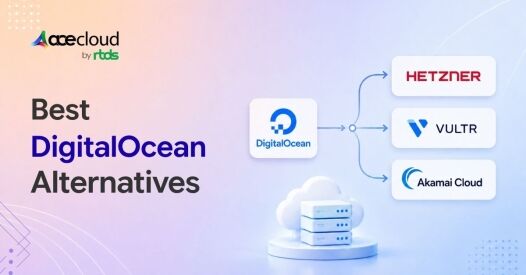
Quick Answer: The closest general-purpose DigitalOcean alternative is Vultr. Hetzner is usually the strongest price-led option for self-managed Linux infrastructure, while Akamai Cloud is attractive for bandwidth-heavy applications. Indian GPU buyers should compare AceCloud and E2E Networks. Render is better suited to App Platform users, and RunPod fits bursty GPU workloads.
Three things send people looking for a DigitalOcean alternative.
The bandwidth line on the invoice stopped being a rounding error. The region you need isn’t on the list. Or someone tried to create a GPU Droplet, opened the region selector and discovered there was no GPU capacity in India.
Different problems need different alternatives. So, work out which of the three you hit before choosing from the list.
The providers below are ordered by how closely they resemble DigitalOcean’s model. The list begins with full-cloud replacements and ends with specialist platforms. It is not a ranking, and the best fit may not be number one.
What DigitalOcean Provides?
DigitalOcean started in New York in 2011, five founders, one idea: a $5 Linux box you could launch in a minute. It is listed in 2021 and now runs out of Broomfield, Colorado. Its Q4 2025 revenue was $242.4 million, up 18.3%, with $25.7 million net income.
It bought Cloudways for $350 million in 2022 to get into managed hosting, then Paperspace for $111 million in 2023 to get into GPUs and signed a strategic partnership with AMD in 2025.
What you get:
- Droplets across Basic, General Purpose, CPU, Memory and Storage Optimized
- GPU Droplets and bare metal GPUs
- App Platform for Git-based deploys
- DOKS managed Kubernetes, with a free control plane
- Managed Postgres, MySQL, Valkey, MongoDB, Kafka and OpenSearch
- Spaces object storage, block storage, network file storage
- Load balancers, cloud firewalls, VPC, DNS, floating IPs
- Functions, container registry, uptime monitoring, IAM, CSPM
- Gradient AI stack: inference engine, model library, knowledge bases, evaluations
- Marketplace one-click apps, and the best tutorial library in the industry
That is a genuinely broad catalogue. Nobody else on this page matches it, and the documentation alone keeps a lot of people from leaving.
The GPU side is different, because it’s newer and partly built on partner capacity. In March 2025, DigitalOcean partnered with Flexential to deploy high-density GPU servers at Flexential’s Atlanta-Douglasville facility. That’s the ATL1 in their GPU region list.
So, GPU capacity is going where the colocation partners and the paying AI customers are. North America. Not a conspiracy, just capital allocation.
1. Vultr

Vultr is an American cloud provider that competes closely with DigitalOcean across compute, storage, networking, Kubernetes and GPU infrastructure, while offering a significantly broader geographic footprint across 33 data centre regions.
Founded by David Aninowsky in 2014 and now led by J.J. Kardwell, Vultr operated profitably without external funding for about a decade. In 2024, it raised $333 million from investors led by AMD Ventures and LuminArx at a $3.5 billion valuation. The company is now investing more than $1 billion in a 50-megawatt AMD-powered AI cluster in Ohio.
What you get:
- Cloud Compute in Regular, High Performance, High Frequency and Optimized tiers
- Bare metal servers, single-tenant
- Cloud GPU across NVIDIA and AMD hardware
- VKE managed Kubernetes
- Managed Postgres, MySQL, Valkey and Kafka
- Object storage and block storage
- Load balancers, firewalls, VPC, DNS, reserved IPs
- A CDN, serverless inference, and Direct Connect
- One-click app marketplace
Three things it does that DigitalOcean doesn’t.
Nineteen more regions. Mumbai and Delhi NCR are both live, along with São Paulo, Johannesburg, Seoul, Osaka and Tel Aviv. DigitalOcean cannot put a server in any of those.
General-purpose bare metal. DigitalOcean sells bare metal GPUs but not bare metal compute. If you need dedicated hardware without a hypervisor, this is the closest name to DigitalOcean that has it.
High-frequency compute. Higher clock speeds on fewer cores, which beats equivalent Droplets on single-threaded work like a busy Postgres primary.
Pricing:
Entry is $5 against DigitalOcean’s $6, and both sit near $24 at 2 vCPU / 4 GB. GPU rates start around $0.51 an hour against DigitalOcean’s $0.76 floor.
Nobody moves to Vultr to save money on compute. You move to a region.
Pick Vultr When: Choose Vultr when you want a DigitalOcean-like developer cloud but need a different region, bare-metal option or compute family.
Do Not Choose It Solely on Catalogue Size: Confirm that the exact database, Kubernetes, storage and GPU product required is available in the target region.
2. Akamai Cloud, formerly Linode

Akamai Cloud began as Linode, a developer-focused hosting company founded by Christopher Aker in 2003. Akamai acquired it for $900 million in 2022, combining Linode’s cloud infrastructure with Akamai’s global network and security capabilities.
Compared with DigitalOcean, Akamai Cloud tends to expand its managed-service catalogue more gradually. Its main strengths are network reach, bandwidth economics, and a stable infrastructure-focused platform rather than rapid product expansion.
What you get:
- Shared, dedicated, high memory and premium CPU instances
- GPU instances, a narrower catalogue than DigitalOcean’s
- LKE managed Kubernetes
- Managed Postgres and MySQL
- Object storage and block storage
- NodeBalancers, cloud firewalls, VLANs and VPC
- Free DDoS protection on every plan
- Backups, custom images, one-click marketplace
- Linode Managed, an ops layer at $100 per instance per month
Three things it does better than DigitalOcean.
Half the egress overage. About $0.005 per GiB against $0.01, with 1 TB to 20 TB included per plan and pooled across the account. This is the single clearest reason to move.
Phone support on every plan, including the free one, 24/7. DigitalOcean has no phone support at any tier, which you find out at the worst possible moment.
Free DDoS protection everywhere. Not a paid add-on, not a separate product, just on.
Pricing:
$5 entry, about $48 at 4 vCPU / 8 GB, same as DigitalOcean. The gap is transfer. Ten terabytes of overage costs roughly $50 here against about $100 there.
Pick Akamai Cloud When: Choose it when outbound transfer materially affects the invoice or direct phone access during an incident matters to the operations team.
Avoid It When: It is a weaker fit when the main requirement is a rich push-to-deploy PaaS or the broadest possible GPU catalogue.
3. Hetzner

Hetzner is a privately owned German hosting provider that has become a benchmark for low-cost cloud and dedicated infrastructure.
Founded by Martin Hetzner in 1997, the company owns major data centre parks in Nuremberg, Falkenstein and Tuusula, while also operating from colocation facilities in Ashburn, Hillsboro and Singapore. Its private ownership and focus on infrastructure efficiency have helped it maintain pricing that is often significantly lower than larger developer-cloud providers.
What you get:
- Cloud servers in shared vCPU (CX, CPX), dedicated vCPU on AMD EPYC (CCX), and ARM64 on Ampere Altra (CAX)
- Dedicated root servers, plus a server auction for older hardware
- Volumes for block storage, S3-compatible object storage, Storage Box
- Load balancers, firewalls, private networks, floating IPs
- Snapshots, backups, DNS management, hcloud CLI and a Terraform provider
- Colocation and domain registration, which nobody else here sells
Three things it does better than DigitalOcean.
Price per unit of compute. A comparable 4 vCPU / 8 GB configuration sits in the €8 to €16 band against $48. That is the whole pitch and it is a big number.
Twenty terabytes of transfer included, then roughly €1 per extra terabyte. DigitalOcean’s smallest plan includes 500 GiB.
ARM64 and a dedicated server auction. DigitalOcean has neither. The auction, where older hardware gets sold off cheap, is the lowest cost per core I’m aware of anywhere.
Pricing:
€8 to €16 at 4 vCPU / 8 GB against $48. One correction to most comparison posts, including ones published this year: Hetzner raised prices roughly 30% to 37% in April 2026 over DRAM costs. Even the cheapest operator in the market isn’t immune to memory shortage. Check their current page, not a table someone wrote in January.
Pick Hetzner When: Choose Hetzner when the workload is self-managed and price per unit of compute, RAM or European transfer is the deciding metric.
Avoid It When: It is a weaker fit when you need India infrastructure, a deep first-party managed-service catalogue, a PaaS workflow or high-touch support.
4. AceCloud

AceCloud is an Indian cloud provider offering GPU and general cloud infrastructure across Noida, Mumbai and Atlanta. Its Indian regions address the local GPU availability gap, while Atlanta supports workloads serving North American customers.
The GPU portfolio includes H200 NVL, H100 HGX, A100 80GB, L40S, L4, A30 and A2, along with RTX PRO 6000, A6000 and RTX 8000 options for rendering and virtual workstations. Configurations range from single-GPU instances to 8-GPU HGX nodes with NVLink.
The wider AceCloud platform serves around 20,000 plus businesses, including IIT Madras.
What you get:
- GPU instances and GPU clusters on managed Kubernetes
- General compute and spot instances
- NVMe-backed block storage, S3-compatible object storage
- Backup, snapshots and disaster recovery
- Load balancers, private networking, virtual routers, floating and public IPs
- Managed databases
- Firewall as a service (FWaaS)
- Endpoint detection and response
- AI Hub for model deployment
- A migration service, with no migration fee
Things we do that DigitalOcean doesn’t.
GPU infrastructure in India: AceCloud offers GPU options for training, inference, rendering and virtual workstation workloads, including H200, H100, A100, L40S and L4-class infrastructure. Buyers should still confirm the exact model, form factor, topology, quantity and provisioning lead time in Noida or Mumbai.
Unmetered bandwidth. No charge for transfer in either direction, no allowance, no pool, no overage line. For an inference endpoint serving users at volume, that saves more than the GPU rate does.
Rupee pricing, GST invoice, local payment. Published rupee pricing and local payment methods reduce exchange-rate uncertainty. A valid GST invoice may also help eligible registered businesses claim input tax credit, subject to applicable GST rules.
One comparison worth making directly: DigitalOcean publishes a 99.5% uptime SLA on GPU Droplets, which permits around 3.6 hours of downtime a month. Ours is 99.99%, with the conditions set out on our SLA page. Read both before you design around either.
Pricing Against DigitalOcean
DigitalOcean’s H100 on-demand price changed to $4.41 per GPU-hour on August 1, 2026, while its 12-month reserved H100 price is $3.26 per GPU-hour. AceCloud lists one H100 HGX instance at ₹180,000 per month, an eight-GPU node at ₹1,440,000 per month and a 12-month price of ₹15,552,000 for the eight-GPU configuration.
Using ₹95.4 per US dollar and normalizing DigitalOcean to 672 hours:
- AceCloud’s single-GPU and eight-GPU monthly prices are approximately 36% lower than DigitalOcean’s on-demand H100 compute price.
- AceCloud’s eight-GPU 12-month effective monthly price is approximately 22% lower than DigitalOcean’s reserved H100 compute price.
These are compute-price comparisons before taxes. Storage, system resources, transfer, support, capacity and contract terms should be compared separately.
The result does not support a universal claim that AceCloud is 70% cheaper than DigitalOcean for every GPU workload.
Pick AceCloud When: AceCloud is a strong fit when GPUs must run in India, transfer is significant, INR billing matters or the company needs compute and GPUs under one Indian cloud account.
Avoid It When: It is a weaker fit when the application requires a broad worldwide region footprint or a mature App Platform-style PaaS. DigitalOcean may also remain stronger for workloads optimized for its AMD GPU systems.
5. E2E Networks

E2E Networks is an NSE-listed Indian cloud and GPU infrastructure provider founded in 2009. Its public listing gives procurement and finance teams access to audited financial statements and corporate disclosures, which can help with vendor-risk assessment.
The company operates infrastructure across Delhi NCR, Mumbai and Bengaluru, providing a broad domestic footprint for Indian compute, AI and GPU workloads.
What you get:
- GPU cloud from L4 through H100 and into B200 class Blackwell
- CPU compute and spot instances
- TIR, their AI platform, with Jupyter-based notebooks and model endpoints
- Managed Kubernetes
- Managed databases
- Object storage and block storage
- Load balancers, auto-scaling and a CDN
Three things they do that DigitalOcean doesn’t.
GPUs inside India, on the same argument as ours.
B200 class Blackwell capacity. DigitalOcean lists B300 as coming and contact-sales only. E2E has Blackwell available now, and so does nobody else on this list including us.
Spot instances at steep discounts. Reported in the 65% to 70% range off on-demand, which is a real lever if your training job checkpoints properly. DigitalOcean has no spot GPU tier.
Pricing:
Published GPU rentals start around ₹49 an hour at the entry end, with H100 on-demand quoted in the ₹350 to ₹400 range. DigitalOcean’s $3.39 works out near ₹323, so the headline rates land close. The difference is where the hardware sits and what currency you’re billed in.
Pick E2E When: You need Indian GPU infrastructure, B200 availability, spot options or a publicly listed Indian vendor.
Avoid It When: Don’t assume the hourly rate settles it. Compare support terms and included bandwidth line by line against both us and DigitalOcean, because that’s where these three actually diverge.
6. Render

Render is a managed deployment platform designed to replace DigitalOcean App Platform rather than Droplets.
Founded by former Stripe engineer Anurag Goel in 2018, it lets teams deploy, run and scale applications directly from Git without managing the underlying servers. It is best suited to developers who want a streamlined application platform instead of hands-on VM administration.
What you get:
- Web services, static sites, private services
- Background workers and cron jobs
- Managed Postgres and a Redis-compatible key value store
- Persistent disks
- Preview environments per pull request
- Autoscaling and managed TLS certificates
- DDoS protection
- Docker support and infrastructure as code through render.yaml
Three things it does better than App Platform.
Real deployment strategies. App Platform does Git-based deploys but not canary or blue-green releases, so anything beyond a basic rollout needs external tooling. Render handles more of it natively.
Preview environments per pull request. Spin up a full environment for a branch, tear it down on merge. This is the feature teams actually leave App Platform for.
Free static site hosting with no app count limit at the entry tier, where DigitalOcean charges $3 per static app beyond the first three.
Pricing:
Free tier for static sites, paid services from a few dollars, so roughly App Platform’s bracket at the bottom. At scale it can go either way depending on how much idle capacity you keep warm.
Pick Render When: Choose it when the real requirement is a managed application-deployment workflow.
Avoid It When: It is a weaker fit for applications that need root-level operating-system control, unusual networking or tightly coupled local state.
7. RunPod

RunPod is a GPU rental company and nothing else. No general compute, no managed databases, no load balancers, and it doesn’t pretend otherwise.
Founded in 2022, US-based. Capacity comes from their own facilities and from a marketplace of third-party hosts, which is why rates are low, and availability moves week to week.
What you get:
- GPU pods across secure cloud and community cloud tiers
- Serverless GPU endpoints that scale to zero
- Network volumes for persistent data across pods
- Prebuilt templates for common ML stacks
- Instant clusters for multi-GPU jobs
- CLI and API
Three things it does that DigitalOcean doesn’t.
Stopped pods don’t bill. DigitalOcean charges for powered-off resources because the capacity stays reserved. This is the exact opposite, and it changes the economics of anything not running 24/7.
Serverless GPU endpoints that scale to zero. You pay per request, not per reserved hour. DigitalOcean’s serverless inference is model-hosted rather than bring-your-own-container.
Consumer cards at low rates. RTX 4090 class hardware for experimentation, which the datacenter-only providers on this list don’t offer.
Pricing:
Cheaper per hour than DigitalOcean on comparable cards, with the gap depending on whether you take community or secure capacity. Rates move, so check directly.
Pick RunPod When: Choose it for experiments, batch jobs, flexible training and elastic inference where databases and the wider application stack are hosted elsewhere.
Avoid Treating It as a Complete DigitalOcean Replacement: Production teams should verify capacity, redundancy, region, networking, storage durability, support and contractual SLA before deploying.
The India GPU Problem, in Detail
DigitalOcean has a Bangalore region. There are no GPUs in it.
Their own GPU Droplets page lists capacity in NYC2, TOR1, ATL1, RIC1 and AMS3. The FAQ on the same page puts it plainly: available in key North American data centers, New York, Atlanta and Toronto.
Given the Flexential deployment in Atlanta and the Paperspace inheritance, that footprint makes commercial sense. It just doesn’t help you.
Two consequences if you’re building in India.
Your training data sits in New York or Amsterdam. For batch work, nobody cares. For an inference endpoint serving Indian users, the round trip eats most of your latency budget before the model does anything.
And your DPDP Act review gets longer. Cross-border transfer is allowed, but you now need the transfer documentation and a conversation with legal you’d otherwise skip.
If your data can travel, none of this applies and you should compare on price alone.
If it can’t, your shortlist on this page is E2E Networks and us. Get both quotes, because they will not be the same, and the difference usually shows up in bandwidth and support rather than the hourly rate. If you want ours as a like-for-like model against your current DigitalOcean bill, send us your instance types and monthly spend and we’ll build it out.
Where DigitalOcean Beats Everyone Here, including Us
Remember the AMD partnership. This is where it shows up.
An 8x AMD MI300X node on DigitalOcean is $15.92 an hour. That’s 1,536 GB of GPU memory for about ₹10.2 lakh a month.
Our 8x H100 node is ₹14.4 lakh and gives you 640 GB. If your problem is fitting a large model into memory for inference rather than raw training throughput, DigitalOcean is cheaper and better suited, and we don’t sell MI300X at all.
The same logic runs through their MI325X and MI350X capacity. When a cloud is a chip vendor’s launch partner, that chip is where its pricing gets aggressive.
Stay put if that’s your workload.
Six Things to Know Before You Switch
Powering off doesn’t stop billing.
DigitalOcean’s docs say it directly: a powered-off resource keeps accruing charges because the capacity stays reserved. Snapshot, then destroy. On a GPU Droplet at $3.39 an hour, forgetting costs $81 a day.
Your transfer allowance doesn’t roll over.
Move a large dataset out and you can generate overage nobody budgeted for. Time the big pull for the start of a billing cycle.
Snapshots aren’t portable.
They won’t restore anywhere else. Rebuild from Dockerfiles or Terraform, and if you have neither, write them before you start rather than during.
Move object storage first.
Space is S3-compatible, and so is nearly everything you’d move to, so it’s a credential and an endpoint change. It’s also the slowest step, which is why it goes first.
Price the Kubernetes control plane on the other side.
DOKS charges nothing for it. AWS EKS charges about $73 per month per cluster. Free is unusual, so don’t assume it carries over.
Run both for one billing cycle.
Drop DNS TTL a day ahead, watch real traffic for a week, then tear down. Overlap is cheap next to a bad rollback.
Who is DigitalOcean’s biggest competitor?
Vultr and Akamai Cloud. All three sell developer-focused instances with managed databases, Kubernetes and object storage layered on, at broadly the same price.
They compete on different axes. Vultr on regions and bare metal, Akamai on bandwidth cost and network, Hetzner on raw price, and it wins that one comfortably.
AWS, Azure and Google aren’t really competing for the same buyer. Most people choose DigitalOcean specifically to avoid them.
Is Anything Actually Better than DigitalOcean?
There is no universal winner. A provider can be better for one requirement and worse for the rest of the platform.
- Hetzner can be better for low-cost self-managed European infrastructure.
- Akamai Cloud can be better when outbound transfer dominates the bill.
- Vultr can be better when the required region or bare-metal option is missing.
- AceCloud or E2E can be better when GPUs must run inside India.
- Render can be better when the team wants an application platform rather than VMs.
- RunPod can be better for bursty or experimental GPU workloads.
- DigitalOcean can remain better for DOKS, App Platform, managed-service integration and AMD GPU infrastructure.
Why do DigitalOcean bills grow faster than expected?
The base Droplet is rarely the problem. The add-ons are.
Weekly backups add 20% of the Droplet cost, daily adds 30%. Load balancers are $12 each. Snapshots run $0.06 per GB per month. Managed database storage overage is $0.215 per GiB.
Daily basic backups currently add 30% of the Droplet price, snapshots cost $0.06 per GB or GiB per month depending on the resource, and regional HTTP load balancers start at $12 per month per node.
Then transfer, across three separate pools at two rates. Droplets and Spaces overage at $0.01 per GiB, App Platform bills separately at $0.02.
Pull your last three invoices broken out by resource before you shortlist anyone. Most teams find the fix is deleting things, not switching.
Pick by Situation
| Situation | Strongest shortlist | Why |
|---|---|---|
| Lowest-cost self-managed Linux in Europe | Hetzner | Compute and regional transfer economics |
| DigitalOcean-like experience with more regions | Vultr | Similar developer-cloud operating model |
| Bandwidth-heavy general cloud | Akamai Cloud or Hetzner | Lower transfer cost, depending on region |
| GPU workloads that must stay in India | AceCloud and E2E | Local GPU capacity and INR billing |
| B200 requirement in India | E2E | Published India B200 availability |
| App Platform replacement | Render | Managed Git-based deployment |
| Bursty experiments and batch GPU work | RunPod | Flexible Pods and serverless GPU |
| MI300X/MI325X/MI350X workload | DigitalOcean | Strong AMD catalogue and pricing |
| Stable small bill with DOKS/App Platform | Stay on DigitalOcean | Migration effort may exceed savings |
Frequently Asked Questions
Hetzner, comfortably, on both compute and bandwidth. A 4 vCPU / 8 GB instance runs €8 to €16 against $48, with 20 TB of transfer included. Note that it raised prices 30% to 37% in April 2026. You give up India and most managed services.
No. Their GPU Droplets page lists capacity in NYC2, TOR1, ATL1, RIC1 and AMS3 only. Bangalore runs standard Droplets but not GPU Droplets, so Indian teams run GPU workloads from North America or Amsterdam.
Per their documentation, H100 is $3.39 per GPU hour, and an 8x H100 node is $23.92. H200 is $3.44, 8x H200 is $27.52. L40S and RTX 6000 Ada are $1.57, RTX 4000 Ada is $0.76, MI300X is $1.99 and an 8x MI300X node is $15.92.
No. DigitalOcean bought Cloudways for $350 million in 2022 and lists it among its own products. Moving to it changes nothing about DigitalOcean’s pricing, regions or support.
No. DigitalOcean prices and bills in USD, so Indian customers carry the card FX markup and the rate movement. AceCloud and E2E Networks both publish INR list prices.
Hetzner includes 20 TB then charges about €1 per extra terabyte. Akamai overage is roughly $0.005 per GiB against DigitalOcean’s $0.01. AceCloud doesn’t meter transfer. For object storage reads specifically, Cloudflare R2 charges no egress at all.
Yes. Their documentation states powered-off resources keep accruing charges because the underlying capacity stays reserved. Destroying the resource is the only way to stop billing. Snapshot first if you want it back.
No. Under about $200 a month, or on DOKS, or if predictable billing matters more than absolute cost, switching burns more engineering time than it saves. Move when you’ve hit a specific wall.

