Quick Answer
The RTX Pro 6000 is worth the premium when the full workload memory footprint exceeds 32GB, or when the deployment needs ECC memory, MIG/vGPU, validated server integration, rack density, enterprise drivers/support, or controlled multi-tenant GPU allocation. For gaming, local creation and single-user AI work that fits comfortably within 32GB, the RTX 5090 can offer better price-to-performance.
When we first compared these GPUs, the price difference looked difficult to justify.
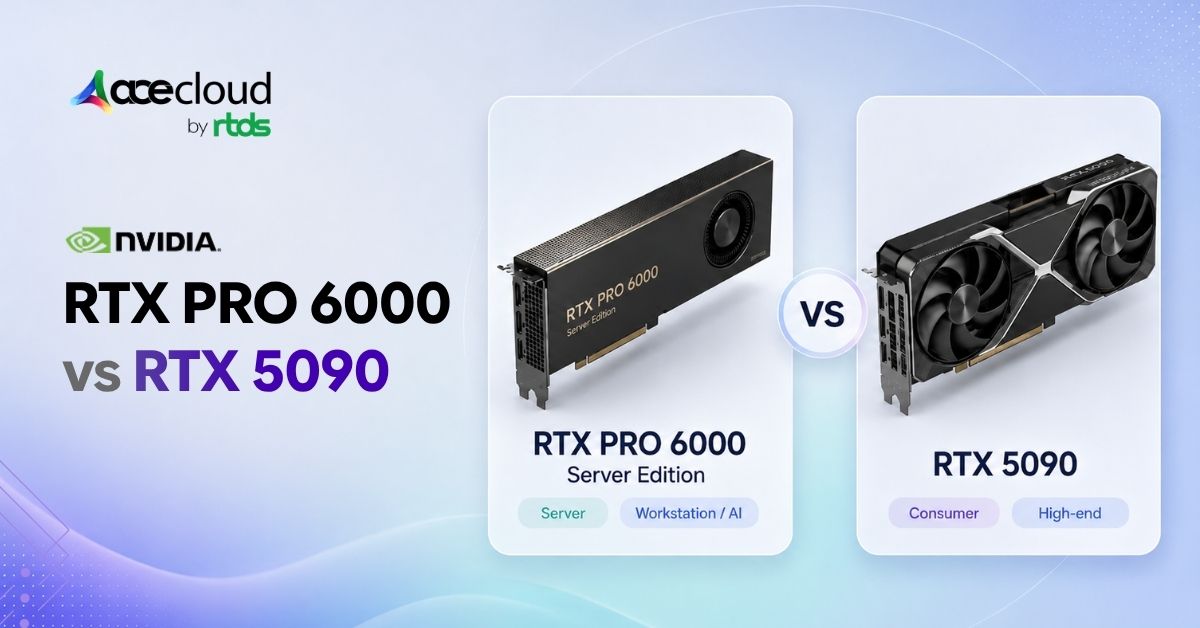
Both use NVIDIA’s Blackwell architecture, but they are configured for different environments. The RTX 5090 provides 32 GB of GDDR7 memory and 1,792 GB/s of memory bandwidth. The RTX PRO 6000 Server Edition provides 96 GB of GDDR7 ECC memory and 1,597 GB/s of bandwidth.
The real question is not which GPU wins a small benchmark that fits both cards. It is what happens when 32 GB is no longer enough, when several workloads need the GPU simultaneously, or when the card must operate inside a managed production environment.
This comparison blog uses three measurable thresholds: capacity, concurrency, and infrastructure.
RTX Pro 6000 vs RTX 5090: Specs Comparison
Both GPUs use NVIDIA Blackwell architecture, fifth-generation Tensor Cores, fourth-generation RT Cores, GDDR7 memory, and PCIe Gen5. However, their specifications reveal that the RTX PRO 6000 premium primarily buys capacity, partitioning, and data center deployment features rather than proportionally higher speed.
| Specification | RTX Pro 6000 Blackwell Server Edition | GeForce RTX 5090 |
|---|---|---|
| Architecture | Nvidia Blackwell | Nvidia Blackwell |
| VRAM | 96GB GDDR7 with ECC | 32GB GDDR7, no ECC |
| CUDA cores | 24,064 | 21,760 |
| Memory bandwidth | 1,597 GB/s | 1,792 GB/s |
| MIG support | Up to 4 isolated instances | None |
| NVIDIA vGPU | Supported with licensed software | Not listed as a supported vGPU platform |
| TDP | 600W (configurable to 450W) | 575W |
| Cooling | Passive, chassis airflow | Triple-fan, open-air |
| Interface | PCIe Gen 5 x16 | PCIe Gen 5 x16 |
| Driver ecosystem | NVIDIA RTX Enterprise (Linux-first) | GeForce Game Ready |
| Typical deployment | Rack servers, inference nodes, cloud | Desktops, creator systems, local AI |
| Best suited to | Enterprise AI and shared infrastructure | Single-user and cost-sensitive workloads |
Key Takeaway: The RTX 5090 has higher published memory bandwidth, while the Server Edition offers three times the memory capacity and enterprise sharing features. When a workload fits within 32 GB, performance will depend on the model, precision, framework, driver, batch size, and serving configuration.
When Does 32GB of VRAM Become the Limit?
The RTX PRO 6000 becomes the stronger single-GPU choice when the complete workload no longer fits within the RTX 5090’s 32 GB of memory.
Model weights are only part of GPU memory use. AI workloads also require capacity for the KV cache, context window, activations, temporary buffers, framework overhead, and concurrent requests.
| Model size | Precision | RTX 5090 (32GB) | RTX Pro 6000 SE (96GB) |
|---|---|---|---|
| 7B to 8B | FP16 or quantized | Usually fits | Fits |
| 30B to 32B | FP8 | Generally lacks runtime headroom | Fits comfortably |
| 30B to 32B | INT4 or AWQ | Often fits, configuration-dependent | Fits comfortably |
| 70B | FP8 | Does not fit | May fit with runtime headroom |
| 70B | Heavy quantization | Highly configuration-dependent | Greater context and batching headroom |
A 70B-class dense model at roughly one byte per parameter needs about 70GB for weights before runtime overhead. It cannot fit on one RTX 5090. A 96GB RTX PRO 6000 may fit the weights plus limited runtime data, but context length, KV cache, batch size and serving framework determine whether it is usable in production.
Heavy quantization can reduce memory requirements, but longer contexts and larger KV caches may still exceed 32 GB.
As a practical guideline, reconsider the RTX 5090 when measured use repeatedly reaches 28 to 30 GB. Choose the Server Edition when memory limits force CPU offloading, shorter contexts, smaller batches, aggressive quantization or recurring out-of-memory errors.
When Does Concurrency Justify the Server Edition?
The RTX PRO 6000 becomes more valuable when several requests, containers, users, or virtual machines need GPU resources at the same time.
Single-user inference may show little reason to move beyond the RTX 5090. Production serving behaves differently. As parallel requests increase, the GPU needs additional memory for active sequences, KV cache, batching, and loaded model instances.
The Server Edition supports MIG, with supported profiles such as 4×24GB, 3×32GB or 2×48GB depending on the MIG/vGPU mode. Present these as supported profile options, not as a universal partitioning plan for every workload.
These partitions can support:
- Separate development and production services
- Multiple inference endpoints
- Isolated customer workloads
- Virtual AI workstations
- Controlled testing environments
MIG does not make one task faster. It improves utilization, isolation, and resource predictability.
MIG and vGPU are also different. MIG creates hardware-isolated GPU instances. NVIDIA vGPU can expose GPU resources to supported virtual machines through time-sliced or MIG-backed profiles. The isolation, density and observability differ by profile type.
CPU capacity, system memory, networking, storage, and serving software can also limit concurrency. Choose the Server Edition when controlled sharing and predictable allocation matter more than single-user price-to-performance.
What Data Center Requirements Rule Out the RTX 5090?
The RTX 5090 becomes the wrong fit when a deployment requires validated server integration, ECC memory, supported virtualization, or predictable multi-GPU operation.
The RTX 5090 is designed as a desktop GPU. NVIDIA lists the Founders Edition with 32 GB of memory and a 575 W total graphics power rating, while cooling, dimensions and connectors vary across board-partner models.
The RTX PRO 6000 Server Edition is designed for enterprise data centers. NVIDIA offers dual-slot air-cooled and single-slot liquid-cooled versions with configurable power up to 600 W. Reference platforms include two-GPU 2U systems and eight-GPU 4U or 6U systems.
Its 96 GB memory is explicitly specified with ECC, and its software stack supports MIG and NVIDIA vGPU deployments. NVIDIA’s GeForce software license also includes a restriction on data-center deployment, so hosted or commercial use should be reviewed by legal and procurement teams.
The Server Edition can support Linux, Windows Server and virtualized deployments depending on NVIDIA driver/vGPU release, certified server platform, hypervisor, guest OS and profile type. Validate the exact support matrix before promising OS or virtualization support.
NOTE: Installing a consumer GPU in a rack does not create a validated data-center platform. Production readiness also requires suitable cooling, power, firmware, monitoring, isolation, support, and replacement procedures.
When Server Edition Makes Sense for CAD, VFX and Creative Teams
For an individual artist, editor or CAD professional working locally, the RTX 5090 or an RTX PRO Workstation Edition is generally a more direct comparison than the Server Edition.
The Server Edition becomes relevant when creative or engineering applications are centralized in a data center.
NVIDIA RTX Virtual Workstation supports professional visualization applications such as Autodesk Revit, Dassault Systèmes CATIA, Autodesk Maya, and SOLIDWORKS. This allows organizations to centralize applications and data while providing remote GPU-accelerated workstations to designers and engineers.
The Server Edition may suit:
- CAD teams using centrally managed virtual workstations
- VFX studios operating shared render nodes
- Remote teams working with sensitive project data
- Media pipelines requiring centralized GPU capacity
- Studios with scenes or datasets that exceed 32 GB
- Organizations that need controlled resource allocation across users
The RTX 5090 remains attractive for a single Blender, Maya or video-editing workstation when the project fits within 32 GB, and centralized virtualization is unnecessary.
This distinction prevents individual workstation buyers from purchasing a server product for a problem they do not have.
Should You Buy or Rent an RTX PRO 6000?
Rent the RTX PRO 6000 first when demand is uncertain, the workload is still being designed, or the team has not measured production utilization.
GPU economics depend heavily on how often the hardware will run.
A card used close to full capacity every day may justify ownership. A card used for a few large jobs each month may spend most of its life idle while the organization continues paying for the server, rack space, power, cooling, maintenance, and support around it.
Renting can be useful for:
- Model-fit testing
- Concurrency benchmarking
- Short fine-tuning projects
- Temporary inference capacity
- Demand spikes
- New model evaluation
- Proofs of concept
- Capacity planning
It also gives teams a way to test the actual RTX PRO 6000 Server Edition rather than extrapolating from specifications or workstation benchmarks.
A useful cost comparison should include more than the GPU purchase price.
Account for the certified server, CPU, system memory, storage, networking, electricity, cooling, maintenance, engineering time, and expected utilization.
We would generally buy when demand is stable, sustained, and predictable. We would rent when demand is experimental, temporary, or difficult to forecast.
RTX PRO 6000 or RTX 5090: Which GPU Should You Choose?
Match the card to your workload profile, not the price tag. Here is how we frame the decision in our own planning conversations.
| Buyer or workload | Better fit |
|---|---|
| One AI developer below 32 GB | RTX 5090 |
| Local model experimentation | RTX 5090 |
| Single-user rendering | RTX 5090 |
| Cost-sensitive bare-metal inference | RTX 5090 |
| Models exceeding 32 GB | RTX PRO 6000 Server Edition |
| Several isolated inference services | RTX PRO 6000 Server Edition |
| Virtual AI workstations | RTX PRO 6000 Server Edition |
| Secure multi-tenant GPU sharing | RTX PRO 6000 Server Edition |
| Dense multi-GPU rack servers | RTX PRO 6000 Server Edition |
| Temporary or unpredictable demand | Cloud GPU |
Takeaways:
- The RTX 5090 is the better choice when your workload fits comfortably within 32 GB and one user or process can control the whole GPU.
- The RTX PRO 6000 Blackwell Server Edition is worth the premium when 96 GB of ECC memory, MIG, vGPU, rack density, enterprise support, or repeatable multi-GPU deployment solves an actual infrastructure problem.
Choose the Right GPU with AceCloud
The RTX 5090 is the better choice when your workload fits within 32 GB, runs on a single-user system, and does not require MIG, vGPU, ECC memory, or validated server infrastructure. The RTX PRO 6000 Server Edition is worth the premium when larger models, concurrent inference, virtual workstations, or data-center requirements create a genuine operational bottleneck.
AceCloud helps teams test model fit, concurrency, utilization, and total cost before committing to expensive hardware. Validate your workload on production-ready cloud GPU infrastructure and avoid paying for capacity you do not need.
Book a free consultation with AceCloud to choose the right GPU strategy for your performance, scalability, and budget requirements.
Frequently Asked Questions
No. They share the Blackwell architecture and 96 GB memory capacity, but they differ in cooling, memory bandwidth, physical design, power configuration, virtualization support, and intended deployment. The Server Edition supports NVIDIA vGPU, while the Workstation and Max-Q editions do not.
A dense 70B model at FP8 requires roughly 70 GB for weights before runtime overhead, so that configuration cannot fit on one 32 GB RTX 5090. Heavily quantized variants may use substantially less memory, but the context window, KV cache, and runtime overhead must still fit.
Multi-Instance GPU partitions one physical GPU into isolated instances with defined memory and compute resources. NVIDIA documents up to four 24 GB MIG-backed instances, as well as other profiles such as three 32 GB or two 48 GB instances.
NVIDIA does not list the RTX 5090 as an enterprise ECC memory product. The RTX PRO 6000 Server Edition is explicitly specified with 96 GB of GDDR7 ECC memory.
It may operate in a physically and electrically compatible custom system. However, organizations must assess cooling, power, serviceability, management, and software licensing. NVIDIA’s GeForce software licence states that GeForce software is not licensed for data-center deployment.
Not automatically. A model or workload must be explicitly distributed across the GPUs using tensor parallelism, pipeline parallelism, or another multi-GPU strategy. These methods can add synchronization overhead or latency.
Buy when utilization is high, stable, and predictable and the organization can support the complete server platform. Rent when validating a workload, managing temporary demand, or avoiding a large upfront infrastructure commitment.


![Best Open-Weight Models for Vibe Coding [2026]](https://acecloud.ai/wp-content/uploads/2026/09/best-open-weight-models-vibe-coding.webp)