
AI (Artificial Intelligence) is no longer a futuristic concept. It has become a core part of business operations. From customer service chatbots to personalized product recommendations, AI is everywhere.
The demand for faster, more efficient AI is growing daily. This is where hardware plays a critical role. The CPUs that once powered our data centers can’t keep up. They lack the parallel processing power needed for complex AI tasks.
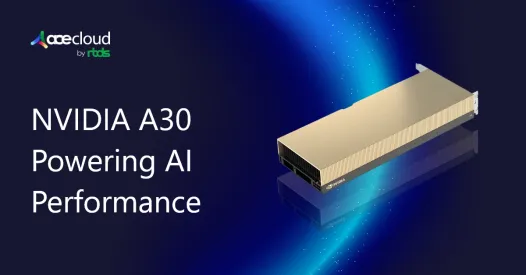
This is where NVIDIA A30 GPU comes in. This card is a versatile accelerator. It’s engineered for modern enterprise workloads. It helps with AI inference, high-performance computing (HPC) and data analytics.
In this blog, we will explore the A30’s capabilities. Besides, we will show how it drives significant performance gains and supercharges your enterprise AI initiatives.
What are the Key Performance Features of A30 GPU?
NVIDIA A30, built on the Ampere architecture, is part of NVIDIA’s EGX platform. The platform delivers optimized infrastructure for artificial intelligence and high-performance computing. The A30 uses third-generation Tensor Cores that significantly accelerate inference and shorten training time.
Below are the key performance features of this server GPU:
- A30 provides 65 TFLOPS of TF32 compute for deep learning training and inference.
- It provides 10.3 TFLOPS of FP64 compute for HPC workloads such as scientific calculations and simulations.
- This GPU offers 10.3 TFLOPS of FP32 performance for general-purpose compute.
- It includes 24 GB of HBM2 GPU memory.
- It sustains 933 GB/s of memory bandwidth, which is ideal for parallel workloads.
- A30 GPU operates at 165 W power consumption.
- It connects over PCIe Gen4, enabling 64 GB/s data transfers.
- It supports NVLink with 200 GB/s bandwidth for multi-GPU communication.
How Does A30 Deliver Speedups on Real Workloads?
The NVIDIA A30 accelerates real workloads by moving the heaviest math onto Ampere Tensor Cores and running it in mixed precision. You can adopt TF32 as a drop-in for many training jobs to lift throughput without code changes.
When models allow it, FP16 or BF16 further increase math density while maintaining accuracy with loss scaling and careful validation. For production inference, calibrated INT8 or even INT4 compress activations and weights so the GPU moves less data and runs more operations per second.
Used with TensorRT and cuDNN kernel fusions, that shift alone often doubles effective throughput and improves perf per watt.
In practice:
- Vision: Pre and post processing plus convolution heavy networks run faster because of high memory bandwidth and Tensor Core convolution kernels. Dynamic batching raises utilization without breaking SLOs.
- NLP: Encoder and decoder blocks benefit from TF32 or FP16 GEMMs. INT8 quantization preserves quality yet delivers many more tokens per second.
- Recommenders: Embedding lookups thrive on bandwidth, while mixed precision on dense layers lifts QPS with stable AUC.
You either serve more requests per second at the same latency target, or you hold throughput constant and cut latency, which lowers cost per request.
What Performance Gains Can You Expect in Practice?
Benchmarks help, but business results decide success. Treat GPU benchmarks as a starting point, then measure your service end to end. On Nvidia A30 GPU, teams often see 1.5-3× higher throughput on vision and NLP inference when they apply proper INT8 paths.
They also cut latency by 20-40% at the same accuracy after moving heavy operators to mixed precision and tuning batch size and concurrency. Power matters too. With smarter caps and higher tensor utilization, fleets usually gain 25-50% perf per watt compared to older PCIe cards.
How to Validate?
- First, baseline images per second or tokens per second and capture P95 latency.
- Second, enable mixed precision, run correctness checks and compare accuracy on a holdout set.
- Third, calibrate INT8 with representative data and retune batch size, dynamic batching windows and request concurrency.
- Fourth, re-measure cost per 1,000 requests at equal or better quality and lock the settings in code.
If GPU benchmarks improve but the service does not, look outside the card. Check host preprocessing, dataloader throughput and network I/O. Confirm pinned memory usage and avoid extra copies. Inspect framework versions, TensorRT paths and NUMA affinity. The A30 cannot accelerate work it never receives. Remove upstream bottlenecks and the gains will show up on your invoices.
How Does MIG Unlock Multi-Tenant Scale and QoS?
Multi-Instance GPU (MIG) lets one A30 operate like several isolated GPUs. Each instance gets dedicated compute and memory, which protects latency and throughput from noisy neighbors. This model fits real production where many models run together and each has its own SLO. With MIG you align resources to model size rather than forcing models to fit a full card.
Use practical profiles:
- A 4 × 6 GB layout suits small to medium models, edge microservices and A/B experiments.
- A 2 × 12 GB layout supports larger vision backbones and mid-size language models.
- Keep a 1 × 24 GB profile for heavier models or batch jobs.
Shift layouts by time of day or traffic mix to keep utilization high without breaking SLAs.
Teams choose MIG to pack more services per node, raise utilization and keep SLOs steady. You can run canary and production versions side by side, then roll forward with low risk. Pair MIG with Triton Inference Server to route by model, version and profile.
Autoscale on queue depth or P95, not just GPU percent. In Kubernetes, use the NVIDIA device plugin and schedule pods to specific MIG profiles. Monitor per-slice latency, memory headroom and errors. With this setup you gain predictable QoS and real savings.
NVIDIA A30 on MLPerf Inference v1.1
NVIDIA GPUs have posted leading results across the industry-standard MLPerf benchmark suite, which spans image classification, object detection, medical imaging, recommendation and NLP.
In NVIDIA’s A30 evaluation based on MLPerf Inference v1.1, six representative models were used: ResNet-50 v1.5 (image classification), SSD-ResNet-34 (object detection), 3D-UNet (medical imaging), DLRM (recommender), BERT (NLP) and RNN-T (automatic speech recognition, not text to speech).
The measured outcomes are clear. On BERT inference, an A30 is about 300× faster than a CPU, and across these six models the A30 delivers approximately 3 to 4× higher inference performance than T4. These gains come from the A30’s larger 24 GB HBM2 and its higher memory bandwidth versus T4 (933 GB/s vs 320 GB/s), which enables larger batches and keeps tensor cores supplied with data.
Beyond inference, A30’s third-generation Tensor Cores support TF32 for rapid pre-training and FP64 Tensor Cores for HPC. With TF32, A30 can deliver up to about 10× the deep-learning performance of T4 with zero code changes, and automatic mixed precision can add another roughly 2× for a combined improvement near 20×.
A30’s MLPerf results show substantial and repeatable gains over prior-generation GPUs and CPUs, driven by tensor compute plus high-bandwidth HBM2, which makes it a strong choice for production inference, moderate training and bandwidth-sensitive workloads.
When Should You Pick A30 Over A100 or L40s?
Choose the right NVIDIA GPU for AI, A30 vs A100 vs L40s, based on real workloads, not spec sheets.
| GPU | Choose When | Why It Fits | Trade-Offs |
|---|---|---|---|
| A30 | Steady-state inference with strict latency SLOs; models ≤ 24 GB or clean MIG splits; you want high perf per watt and rack density | 165 W Ampere Tensor Cores, strong INT8/BF16; MIG for multi-tenant QoS; predictable cost per throughput | 24 GB cap; moderate training speed; only 2-GPU NVLink pairing |
| A100 | Frequent large-model training or very big context windows; need higher memory and multi-GPU NVLink fabrics; peak training speed matters most | 40-80 GB, high SM count, mature multi-GPU scaling; best for heavy training and mixed precision | Highest cost and power; overkill for many inference fleets |
| L40S | Graphics/rendering + AI on one card; want Ada-gen efficiency and larger memory than A30; prefer high single-GPU inference throughput (no MIG) | Strong FP16/FP8* inference, excellent rendering, ~48 GB class memory; great per-GPU throughput | No MIG (single tenant per GPU); less suited to double-precision HPC; still higher TDP/cost than A30 for pure inference |
Our Recommendation:
For production inference at scale and moderate training, A30 usually wins on cost per throughput and total operating cost.
Ready to turn AI plans into production?
The Nvidia A30 GPU delivers fast inference, solid training efficiency and great perf per watt. If you compare Nvidia AI chips with real GPU benchmarks, A30 wins on cost per throughput for enterprise ML hardware.
At AceCloud, we package A30 instances with MIG profiles, Triton and usage alerts so you hit latency SLOs without surprise bills.
Launch an A30 on AceCloud today or book a sizing session with our architects to right-size models, validate accuracy and cut cost per request. Build faster, scale smarter, own your margins.
Frequently Asked Questions
No. It handles moderate training well, especially with TF32 or FP16. Use it to fine-tune and to serve production traffic.
Up to four isolated slices on typical profiles. Match the slice size to each model’s memory and latency needs.
Use the full 24 GB profile, quantize weights or split across two A30s with NVLink. Consider A100 or L40s for very large footprints.
Line up your models, accuracy thresholds and SLOs. Run identical GPU benchmarks and compare cost per 1,000 requests at equal quality.
Mixed precision with correctness checks, then INT8 with careful calibration. These two steps unlock most of the gains.

