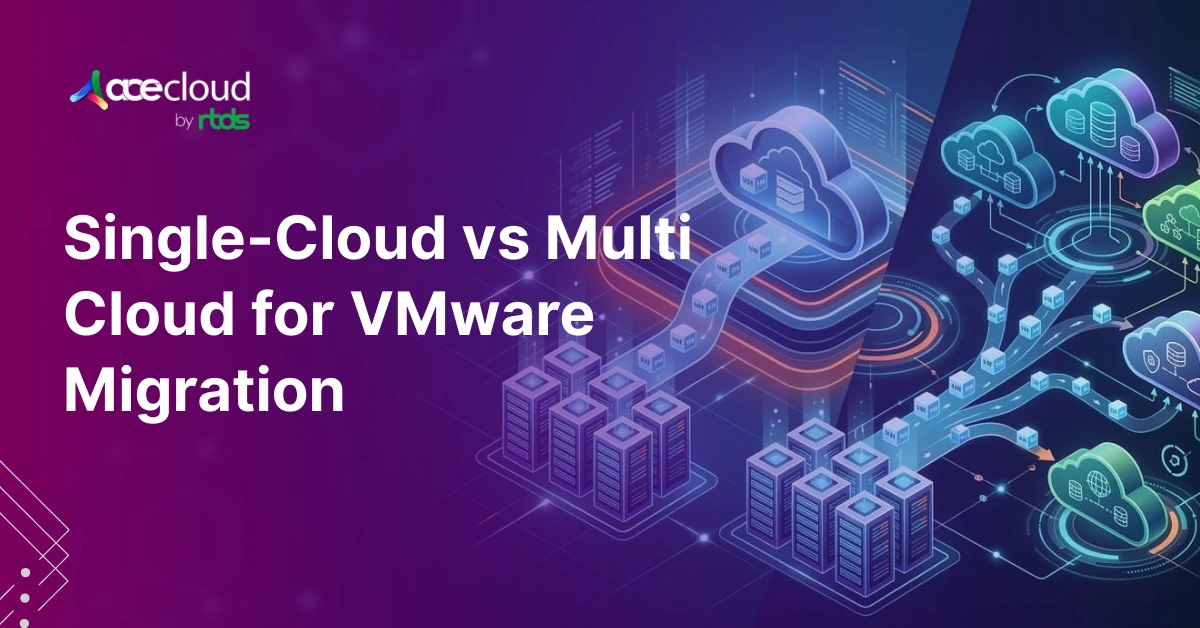
VMware migration strategy decisions shape how fast you can deliver change, how predictable spend stays and how reliably you can recover from incidents. In this context, choosing single cloud or multi-cloud is not a tooling debate but an operating decision.
In a TechRadar’scoverage of CloudBolt research, only 4% have fully migrated off VMware while 63% changed strategy at least twice. Those reversals happen when governance, the cost model and resilience requirements collide with dependency-heavy applications and compliance evidence needs.
Therefore, good looks like workload placement by constraints, not philosophy, with an explicit decision framework you can defend. Additionally, it clarifies when multi-cloud reduces concentration risk and when it adds an avoidable operational tax.
Meanwhile, most estates remain hybrid during migration waves since change windows and control validation rarely align across all teams. This blog gives you criteria, weights and patterns to choose the simplest platform that meets requirements.
How Cloud Strategy, Deployment Model and Provider Strategy Connect?
You can make faster, lower-risk choices when you separate business outcomes from where workloads run and who hosts them.
Use this hierarchy to keep decisions clean and auditable:
Cloud Strategy
Defines business outcomes, risk posture and your operating model, including governance, cost allocation and control objectives.
Deployment Model
Defines where workloads run, such as public cloud, private cloud or hybrid combinations.
Provider Strategy
Defines who runs those workloads, including a single-cloud strategy or multi-cloud computing across multiple providers.
Decision Framework
Turns these ideas into a matrix with criteria, constraints, tradeoffs, scoring and weights, which you can defend in reviews.
Difference Between Multi-cloud and Hybrid Cloud for VMware Workloads
Use this table to align terms quickly before scoring provider options.
| Term | Simple definition | Typical VMware scenario | Key watch-out |
|---|---|---|---|
| Hybrid cloud | On-prem or private + public cloud, with shared ops controls. | VMware on-prem plus one public cloud using common IAM, logging, backup. | Integration work is heavy, especially network, identity, DR testing. |
| Multi-cloud | Actively running workloads across 2+ public cloud providers as part of the architecture. | Most apps on Provider A, regulated workloads on Provider B. | Higher ops overhead: skills, tooling, runbooks, governance drift. |
| Hybrid, not multi-cloud | One public cloud + on-prem/private, with no second public cloud in scope. | Migration waves to one provider while keeping some systems on-prem. | Underestimated dependency mapping causes rework and delays. |
| Multi-cloud, weak hybrid | Multiple public clouds, minimal shared controls. | Separate teams use different clouds with inconsistent standards and without a common VMware or platform operating model across them. | Inconsistent IAM and logging increases incident and audit risk. |
| Common VMware migration path | Estates go hybrid first during migration waves. | Phased moves driven by dependencies, evidence needs, change windows. | Without a decision framework, strategy reversals become likely. |
What are the 6 Scoring Criteria in a Decision Matrix?
A scoring matrix gives you a repeatable way to choose single-cloud or multi-cloud, while keeping the conversation tied to measurable outcomes.
You should treat the matrix as a decision record that can survive leadership changes, audits and vendor negotiations. The matrix also creates alignment because each stakeholder can see which constraints drove the recommendation.
The following are 6 scoring criteria and what you should measure
Cloud economics (Cost)
It measures run cost, egress exposure, commitment mechanics, tooling overhead that changes with each provider and the cost of stranded VMware licenses and on-prem hardware during the overlap period. Cost scoring works when you use unit economics, because per-VM pricing hides the impact of data transfer and duplicated platforms.
Risk
It measures outage tolerance, security posture gaps, change risk and vendor concentration risk by workload tier. Risk needs its own row because “cheap” architectures often fail during incident conditions, when recovery paths become the real product.
Agility
It measures provisioning speed, standardization, automation maturity and modernization paths available for the workload class. Agility matters because migration waves stall when platforms require bespoke build patterns for each team.
Compliance
It measures auditability, residency boundaries, regulatory scope and evidence automation for controls like encryption and access review. Compliance becomes measurable when you define evidence artifacts up front, because “we can comply” is not the same as “we can prove it.”
Operations (Ops)
It measures landing zone maturity, IAM and logging consistency, incident response readiness and skill coverage. Ops deserves heavy weight because Uptime Institute links major outages to procedure failures, which you can mitigate with standard runbooks and drills.
Exit
It measures portability, contract flexibility, data portability and the level of coupling to proprietary services and IAM models. Exit is measurable when you define what must move, how long it can take and what the cutover and rollback look like.
How do you start with a Workload Inventory Before Choosing Providers?
You should score workloads, not the entire estate in one shot, because VMware environments usually contain mixed tiers and constraints.
A staged inventory reduces rework because you discover dependencies before pilots harden into production exceptions. CloudBolt describes VMware exits as dependency-heavy and often lengthy, which supports investing early in discovery.
Build the inventory in 3 passes
- Tier workloads from Tier 0 to Tier 3 by criticality and change tolerance. You can align tiering to RTO expectations, because Tier 0 recovery targets usually drive architecture cost.
- Map dependencies that determine sequencing and blast radius. You should capture app-to-app calls, shared databases, identity flows, DNS dependencies and required network ports.
- Document constraints that impact placement and controls. You should record RPO and RTO targets, data residency, latency sensitivity, licensing boundaries and hardware dependencies.
Output artifacts that become decision inputs
- Dependency map with blast radius notes for shared components like identity, messaging and shared databases.
- Workload placement worksheet for latency, data gravity, compliance scope and change windows.
- Landing zone requirements for network segmentation, IAM, logging, backup and encryption standards.
Which Constraints and Tradeoffs Should You Document?
Constraints remove ambiguity, which prevents stakeholders from debating abstractions like ‘lock-in’ without defining what it means for your estate.
You should document constraints in a form that can be reviewed and signed, because provider strategy becomes a policy boundary for procurement and architecture.
Additionally, constraints should include operating discipline, since Uptime Institute’s outage analysis ties many major incidents to ignored or inadequate procedures.
Document these constraints before you select single-cloud or multi-cloud:
- RPO and RTO commitments by tier, including what each tier costs to meet. This matters because cross-region and cross-cloud DR adds both engineering work and recurring operational overhead.
- Data residency and cross-border transfer constraints, including approved regions and encryption requirements. Residency drives placement because some workloads cannot legally move across boundaries without controls and evidence.
- Landing zone controls you will standardize, including identity, logging, encryption and backup baselines. Standard controls reduce human error because responders do not need to relearn procedures per workload.
- Tooling constraints for monitoring, SIEM, ticketing and CMDB integrations. Tool integration drives lead time because inconsistent telemetry creates slow incident triage and weak change impact analysis.
- Skills constraints across CloudOps, SecOps and platform engineering. Skills must be explicit because multi-cloud expands the set of APIs, IAM models and runbook variants teams must master.
What Reference Architectures You Use for VMware Workload Placement?
You can avoid design churn when you select a default architecture pattern, then allow exceptions through the decision matrix. These patterns help you align platform choices with operating model maturity, because controls and skills usually limit options more than vendor features.
Pattern A: Single-provider standardization
You standardize one landing zone, then build multi-region DR inside the same provider for critical tiers. This pattern executes faster because IAM, logging and incident procedures remain consistent.
However, it does not mitigate provider-level concentration risk (for example, a CSP-wide identity or control-plane incident), which should be made explicit in your risk register. It also supports centralized FinOps, which matters when spend management is a top challenge.
Pattern B: Multi-cloud by exception
You default to one provider, then add a second provider only when constraints demand it, such as residency or service specialization. This pattern is often sustainable because it limits duplicated tools and runbooks.
Pattern C: VMware-consistent operations across environments
You keep operating procedures consistent across on-prem, private cloud and public cloud by standardising on the VMware stack (for example, VMware Cloud Foundation or VMware Cloud offerings on hyperscalers) during migration waves.
VMware describes its multi-cloud approach as enabling consistent operations across VMware environments, which can reduce operational drift during transitions for vSphere/vSAN/NSX-based workloads (but not automatically for all native cloud services).
Pattern D: Modernize on the way out
You rehost VMware VMs where needed (for example, lift-and-shift to IaaS or a VMware-on-cloud offering), then selectively refactor high-change workloads to reduce long-term coupling. This pattern pays off when the Exit score is poor under a pure rehost approach and business value supports refactor effort.
Practical 90-Day Decision Plan
You can reduce decision fatigue when you time-box discovery, scoring and pilots into one quarter with clear deliverables. This plan works because it produces a publishable decision record, not only a pilot environment that cannot scale.
Days 0 to 30: Inventory and constraints
- Complete tiering, dependency mapping and tier-specific RPO and RTO targets.
- Document residency rules, evidence needs and licensing boundaries that affect placement.
- Draft landing zone requirements, governance guardrails and change control expectations.
Days 31 to 60: Score and pick two pilots
- Apply the matrix to workload classes, then select a default architecture pattern.
- Pilot one simple workload and one dependency-heavy workload to validate controls and runbooks.
- Define success criteria, rollback steps and cutover approvals under change control.
Days 61 to 90: Validate and publish the decision record
- Validate monitoring, backup, DR procedures and cost assumptions using real usage and logs.
- Publish provider strategy, architecture pattern, risk register and the migration wave plan.
- Require every exception to reference a scored criterion and an approved constraint.
Turn Your VMware Migration Strategy into an Executable Plan
You should treat provider choice as a repeatable scoring exercise, then publish a decision record your teams can execute. Start by tiering workloads, mapping dependencies and locking baseline constraints for RPO, residency and controls.
Next, score workload classes against cost, risk, agility, compliance, operations and exit, then pick one default pattern with exceptions by matrix. If you want help operationalizing this approach, AceCloud can support discovery, landing-zone design and pilots with predictable networking, migration assistance and an uptime SLA.
Book a short working session to validate weights, select two pilots and define success criteria, rollback steps and runbooks. You can move faster while keeping governance, security and costs under control across teams and migration waves.
Frequently Asked Questions
Hybrid combines public and private or on-prem environments, while multi-cloud uses multiple public cloud providers for services and workloads.
Single-provider is often cheaper early because standardization reduces duplicated tooling and training costs across teams. Multi-cloud can pay back when it avoids costly coupling or enables best-fit services, although it adds management and skills overhead.
Risk increases when identity, logging and procedures differ across clouds, because responders must execute different runbooks under stress. Uptime Institute links many major outages to human error and procedure failures, which supports standardization.
You should score ‘Exit’ explicitly, standardize landing zone controls and avoid coupling critical workloads to proprietary primitives unless business value is clear. This approach reduces switching costs without forcing every workload into a portable lowest-common-denominator design.
You should start with workload inventory, dependency mapping and constraints like RPO, RTO and residency, then pilot in waves.

![AWS S3 to Indian Alternative: Complete Migration Guide [2026]](https://acecloud.ai/wp-content/uploads/2026/06/s3-alternative.webp)