AI infrastructure has entered a new phase as it is no longer just about raw FLOPS. Today, the key problems are memory capacity/bandwidth and scaling efficiency across many GPUs without turning your training into a network benchmark.
- Reasoning models push longer contexts while multimodal models push bigger activation footprints.
- High concurrency inference pushes KV cache growth that can dwarf the model weights.
In short, the bottleneck keeps moving, and it often moves toward memory and interconnect. That is the context in which HGX B300 shows up.
NVIDIA HGX B300 is a reference platform that OEMs and cloud providers like us build into full systems. NVIDIA positions HGX B300 as a platform for large scale training and high throughput inference, with over 2 TB of GPU memory per node and 14.4 TB/s of NVLink Switch bandwidth.
What is NVIDIA HGX B300?
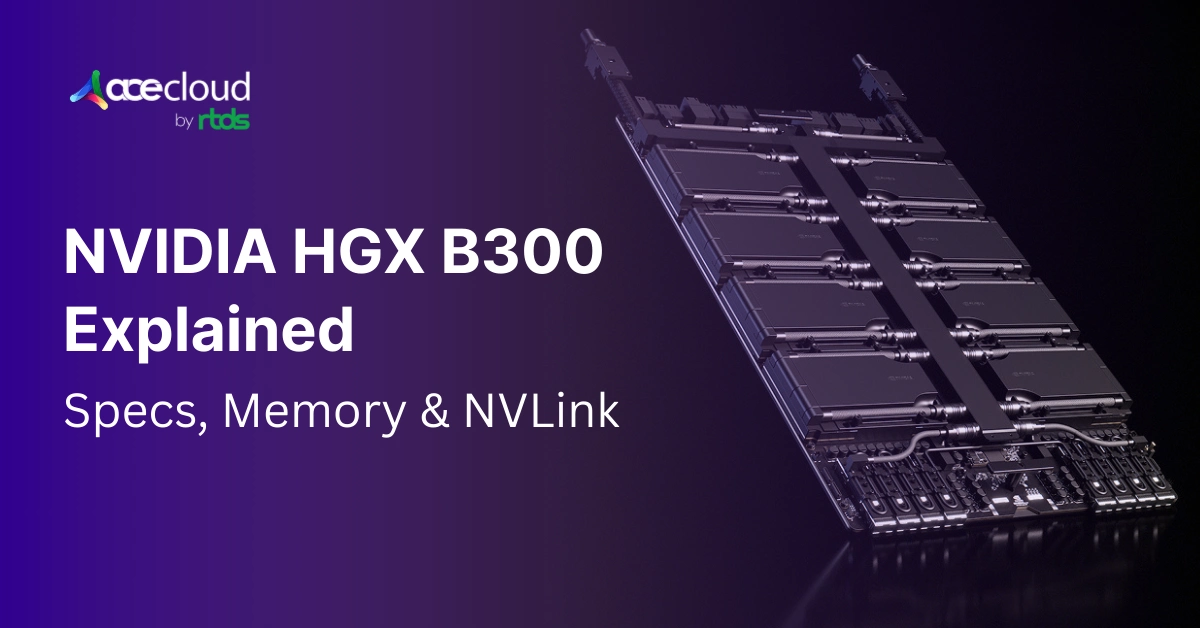
HGX is NVIDIA’s baseboard platform that standardizes how multiple SXM GPUs, NVSwitch, and high-speed networking come together in a single node. In the B300 generation, the HGX baseboard is built around 8xB300 GPUs.
It also showcases tight GPU-to-GPU connectivity inside the node and 800 Gb/s class external networking per GPU via ConnectX 8 SuperNICs.
| Spec | HGX B300 (8 GPU baseboard) |
|---|---|
| GPUs per baseboard | 8x Blackwell Ultra GPUs |
| GPU memory | 288 GB HBM3e per GPU |
| Total GPU memory per node | 2.30 TB HBM3e (8 GPU node) |
| HBM bandwidth | Up to 8 TB/s per GPU |
| Aggregate HBM bandwidth | Up to 64 TB/s per node |
| Intra GPU interconnect | NVLink 5, 1.8 TB/s bidirectional per GPU |
| NVLink Switch bandwidth | Up to 14.4 TB/s aggregate (platform messaging) |
| External networking per GPU | Up to 800 Gb/s (2 x 400GbE) per GPU |
| NICs on the HGX baseboard | 8x ConnectX 8 SuperNICs |
Here are a few practical implications:
1. HGX is meant for scale
It is designed so that an 8 GPU node behaves like a coherent intra node island for model parallelism. This, while still scaling out over Ethernet or InfiniBand for data parallel and pipeline parallel work.
2. HGX is an ecosystem contract
When OEMs build NVIDIA-Certified HGX systems, you get a predictable topology for NVLink, NIC placement, and GPU layout. That predictability matters for performance tuning and fleet operations.
3. B300 isoptimized for the era of huge working sets
NVIDIA highlights high memory capacity per GPU and very high bandwidth interconnect to keep multi-GPU training efficient. If you have used HGX H100 or HGX H200 nodes before, think of HGX B300 as the same idea.
Only that it is pushed into a new operating regime where memory per GPU and intra node bandwidth are sized for larger models, longer contexts, and higher concurrency inference.
NVIDIA B300: AI Growth Meets Power and Bandwidth Limits
Data center power and capacity are now being reshaped by AI. IEA projects that global electricity consumption for data centers is set to grow rapidly through 2030, reaching around 945 TWh in its base case.
That is one reason why efficiency per rack and per watt is not optional anymore. At the same time, the buildout pace is massive. Hyperscalers are projected to spend roughly $610B in 2026, based on midrange guidance, a sharp increase versus only a couple of years earlier.
This kind of spending does not happen if workloads are small or intermittent. It happens when the business case is strong and the capacity race is real.
Meanwhile, power grids are reacting as the U.S. Energy Information Administration expects US electricity demand to hit new highs in 2026 and 2027, citing drivers that include AI data centers.
Put those together and you get the modern design constraint, i.e., you must extract more useful AI work out of each rack, each megawatt, and each square meter. NVIDIA’s HGX B300 is a platform designed to do exactly that for the GPU dense node.
Comparison: NVIDIA B300 vs B200 vs H200
One of the clearest ways to understand HGX B300 is to compare it with the immediate prior HGX platforms. NVIDIA publishes a concise spec comparison in its HGX AI Factory reference architecture documentation.
| Spec (SXM) | H200 | B200 | B300 |
|---|---|---|---|
| Memory per GPU | 141 GB HBM3e | 180 GB HBM3e | 288 GB HBM3e |
| Memory per 8 GPU node | 1.1 TB | 1.44 TB | 2.30 TB |
| HBM bandwidth per GPU | 4.80 TB/s | up to 8 TB/s | up to 8 TB/s |
| GPU to GPU bandwidth (NVLink 5) | not listed in that table | not listed in that table | 1.8 TB/s bidirectional per GPU (NVLink 5 spec) |
| NVLink Switch aggregate per node | varies by generation | varies by generation | 14.4 TB/s aggregate |
To put simply, NVIDIA B300 is the big memory Blackwell Ultra option. It is highly useful if your workloads are memory constrained, or if you are trying to keep more of the model and KV cache resident on GPU.
NVIDIA HGX B300 Architectural Deep Dive
Here is how NVIDIA has architectured the HGX B300:
1) Eight SXM GPUs in one intra-node fabric
HGX B300 nodes are built around eight B300 SXM GPUs on a single baseboard. The point of that baseboard is predictable, very high bandwidth GPU-to-GPU communication through NVLink and NVSwitch.
In practice, this is what makes tensor parallelism and expert parallelism behave well. When you split layers, attention, or MoE experts across GPUs, the cost of exchanging activations and gradients can dominate.
HGX platforms are designed to make the intra-node path as fast and as stable as possible.
2) A memory system designed for model residence
Blackwell Ultra’s defining feature is memory capacity. NVIDIA states that Blackwell Ultra provides 288 GB of HBM3e per GPU, which it frames as 3.6 times the on-package memory of H100 and 50% more than the base Blackwell generation. The raw number is important, but the operational effect is more important:
- More of the model can stay on GPU without paging or sharding across too many nodes.
- More KV cache can remain on GPU during long context inference.
- More concurrent inference sessions can be served per GPU before memory becomes the limiter.
In other words, B300 can reduce how often you are forced into “memory workarounds” that look clever on paper but destroy latency, cost, or stability in production.
3) NVLink 5 and NVSwitch 5 for intra-node scaling
Blackwell Ultra supports fifth generation NVLink and NVLink Switch. NVIDIA specifies NVLink 5 bandwidth at 1.8 TB/s bidirectional per GPU and calls out scale to 576 GPUs in a non-blocking compute fabric in maximum topologies.
The spec sheet also highlights 14.4 TB/s of aggregate NVLink Switch bandwidth in the HGX B300 platform messaging. This matters because AI training is often a communication problem disguised as a compute problem. Once you go past a few GPUs, interconnect quality determines whether you scale linearly or watch throughput collapse.
4) Up to 800 Gb/s class networking per GPU
NVIDIA HGX B300 reference architecture notes external connectivity of 800 Gb/s (2 x 400Gb/s Ethernet) per GPU via eight ConnectX 8 SuperNICs on the baseboard. That detail is easy to overlook, but it signals something important. HGX B300 is designed for both intra node and inter node performance. It is not enough to have a fast NVLink island. Your cluster fabric must also be strong enough to keep GPUs fed when you scale out.
How B300’s HBM3e Memory Boost Changes Real Workloads?
It is tempting to treat more memory as a convenience feature. But in 2026, it is more of a performance feature.
1) Bigger models stay in fewer shards
As parameter counts grow, so does the cost of splitting a model across many GPUs and nodes. Each split introduces communication overhead, scheduling complexity, and more failure surface area.
Increasing per GPU memory lets you fit larger slices per device, which can reduce the number of partitions and the volume of cross device transfers. Even when you still need multi node training, keeping more of the model local can cut the frequency and size of transfers on the critical path.
2) Long context inference becomes a memory problem first
Reasoning models and agentic workflows often run long contexts, multi-turn traces, and tool outputs. In transformer inference, the KV cache can become the dominant memory consumer at high sequence lengths and high concurrency.
When KV cache spills to host memory or storage, latency gets unpredictable and throughput drops. NVIDIA explicitly calls out that Blackwell Ultra’s memory capacity is critical for extending context length without KV cache offloading and for enabling high concurrency inference.
3) Bandwidth matters as much as capacity
Capacity keeps data resident and bandwidth keeps the compute units busy. NVIDIA reports up to 8 TB/s of HBM bandwidth per Blackwell Ultra GPU, which it positions as a large jump over H100 class bandwidth. In practice, high bandwidth reduces stalls in attention and feed forward layers, especially when batch sizes are constrained by latency targets.
How NVLink and NVSwitchEnable Efficient Scaling?
NVLink 5 bandwidth ranks at up to 1.8 TB/s bidirectional per GPU and positions it as a 2x improvement over NVLink 4 in Hopper. The HGX AI Factory reference architecture also ties HGX B300 baseboards to fifth generation NVLink and NVSwitch. This lists total aggregate bandwidth of up to 14.4 TB/s with GPU-to-GPU bandwidth of up to1800 GB/s.
What this means in plain terms:
- Tensor parallel all reduce and all gather operations can run faster inside the node.
- Expert routing in MoE models can become less painful at high utilization.
- Activation checkpointing strategies can be tuned with less fear of turning communication into the bottleneck.
Every time you split a layer across GPUs, you pay the price in collective communication. When the intra node fabric is weak, you compensate by shrinking parallelism, increasing gradient accumulation, or lowering model size.
Those are all expensive compromises. The whole point of HGX is that eight GPUs should behave like one coherent accelerator island.
NVIDIA HGX B300 pushes that island’s memory and bandwidth high enough that many workloads can stay inside a single node longer, which is almost always a win for performance and operability.
Networking and IO: ConnectX 8 SuperNICs and DPUs in Real Deployments
OEM system designs around HGX B300 commonly highlight support for both InfiniBand and Ethernet clusters at up to 800 Gb/s.
For example, a Supermicro HGX B300 system datasheet lists eight integrated ConnectX 8 SuperNICs and support up to 800 Gb/s, along with BlueField 3 DPUs. The practical decision is workload and operations driven.
- InfiniBand is often chosen for high end distributed training where collective operations and tail latency matter at scale.
- Ethernet is often chosen for environments that want unified networking operations, broader vendor ecosystems, and predictable integration with existing data center patterns.
NVIDIA supports both via Spectrum X Ethernet and Quantum X InfiniBand in the broader ecosystem. Many HGX B300 deployments will pick one based on cluster size, operator expertise, and procurement realities.
Why BlueField DPUs show up in B300 systems?
DPUs offload networking, storage, and security tasks from the host CPUs. In GPU dense nodes, host CPU cycles are precious as they drive input pipelines, orchestration, and sometimes preprocessing. Offloading can also improve isolation and security posture.
Supermicro’s HGX B300 system designs list dual port BlueField 3 DPUs as part of the platform configuration. NVIDIA’s HGX B300 system elements in its reference architecture also include DPUs as a standard part of the certified design checklist.
Performance Positioning of NVIDIA HGX B300
You will see a lot of performance claims for new platforms. The key is to separate useful directional signals from numbers you should bet your budget on.
NVIDIA’s public HGX B300 performance claim
NVIDIA’s HGX platform page states that HGX B300 delivers up to 2.6x higher training performance for large language models such as DeepSeek R1. It ties to over 2 TB of high-speed memory and up to 14.4 TB/s of NVLink Switch bandwidth.
Interpretation tips:
- “Up to” means the benchmark is selected and tuned.
- The improvement is real as a directional indicator, especially for memory and communication heavy training setups.
- Your mileage will depend on model architecture, precision mode, batch size, and how close you run to memory limits.
DGX B300 as a reference system
DGX B300 is a complete NVIDIA system built around eight B300 GPUs and NVLink Switch. NVIDIA lists 2.1 TB total GPU memory and up to 14.4 TB/s NVLink bandwidth on its DGX B300 spec page, with up to 800 Gb/s networking. Even if you are not buying DGX, the system specs help you triangulate what a typical B300 node is expected to look like in terms of memory, interconnect, and IO.
Why B300 Pushes Data Centers Toward Liquid Cooling?
The AI industry is colliding with physical limits, and power density is one of them.
The node level reality
OEM designs for HGX B300 show how quickly power scales. Supermicro’s HGX B300 system datasheet lists configurations with large redundant power supplies and highlights both air cooled and liquid cooled systems.
It also provides rack level examples.
- In an air-cooled rack example, it lists 32 B300 GPUs and 9.2 TB HBM3e per rack.
- In a liquid-cooled rack example, it lists 64 B300 GPUs and 18.4 TB HBM3e per rack.
The conclusion is clear. When you pack this much GPU memory and compute into a rack, you will be forced to think about cooling architecture, not just server selection.
The grid level reality
This is where broader energy statistics we shared earlier become relevant. For operators, this translates into three practical questions you must answer early:
- Can your facility deliver the power density per rack you need?
- Can your cooling system remove heat at that density reliably?
- Can you expand capacity fast enough to keep up with demand without compromising uptime?
HGX B300 is a compute platform, but it forces infrastructure conversations that used to be later into now.
How HGX B300 Changes Cluster Design Choices?
This is where many teams get surprised. Buying a powerful node is easy, but running a powerful cluster is the hard part.
1) Single node versus multi node strategy
Because B300 increases GPU memory per node to roughly 2.30 TB in an 8 GPU configuration, some workloads that previously required multiple nodes can fit in one node or fewer nodes. That can simplify:
- Parallelism strategy
- Failure domains
- Orchestration complexity
- Cost predictability for experiments
In other words, the key question is not if it can fit. The question is whether we can fit it while keeping utilization high.
2) Fabric planning for training
Training at scale wants stable, low-latency, and high-bandwidth inter-node connectivity.
NVIDIA explicitly designs HGX B300 around 800 Gb/s class networking per GPU via ConnectX 8. If you plan to scale training across many nodes, validate your fabric design against your collective communication profile.
All reduce patterns, expert routing, and pipeline bubbles respond differently to topology choices.
3) Storage and data pipelines are still the silent bottleneck
High end GPUs do not forgive slow input pipelines. If you cannot keep dataloaders fed, you end up paying for idle accelerators.
This problem gets worse as GPUs become faster and memory bandwidth increases. The practical fix is a system level view of storage throughput, CPU preprocessing, network paths, and observability.
NVIDIA and OEM reference architectures often call out GPUDirect RDMA and storage fabric options in rack designs for this reason.
When is NVIDIA HGX B300 the Right Tool in 2026?
We highly recommend that you use this as a decision filter. We have made this intentionally short, since the goal is clarity, not a never-ending checklist. HGX B300 tends to be a strong fit when:
- Your model and KV cache footprint is large enough that memory capacity is the primary limiter.
- You run long context inference or high concurrency inference, where offloading KV cache breaks latency targets.
- You use heavy tensor parallel or MoE patterns and need strong intra node bandwidth to keep scaling efficient.
- You are consolidating multiple workloads into fewer, denser nodes to simplify operations, assuming your facility can handle the power and cooling.
NOTE: If your workloads are small, your batch sizes are modest, and you are mostly doing lightweight fine tuning, you may not need B300 class memory capacity.
Practical Deployment Checklistfor HGX B300 Clusters
Here is one focused list that tends to prevent expensive mistakes.
| Checklist item | What to do | Why it matters |
|---|---|---|
| Topology sanity check | Confirm NVLink and NIC topology for the exact system SKU you plan to buy, since “HGX B300” can appear in multiple chassis designs | Avoids performance surprises and mismatched topology that hurts scaling |
| Host sizing | Validate CPU core count and system memory bandwidth expectations from certified designs, ensure the host is not the bottleneck | Prevents GPU underutilization caused by weak CPU, memory, or I/O pipeline |
| Fabric choice | Choose InfiniBand vs Ethernet based on training scale, team skill, and integration constraints, then validate with a small-scale proof | Fabric decisions drive distributed training efficiency and tail latency |
| Cooling plan | If targeting high GPU density per rack, plan liquid cooling early, compare air cooled vs liquid cooled rack density examples | Cooling limits density and sustained performance more than specs do |
| Power path | Align with facilities on per rack power delivery, redundancy, and future growth runway | Power availability and expansion constraints can block scaling |
| Observability from day one | Instrument utilization, networking, and data-loading metrics as first-class signals from day one | Helps detect bottlenecks early and avoid expensive rework after scaling |
Power Your AI/ML Workloads with AceCloud
HGX B300 platform’s most important story is not a single benchmark. It is the combination of a very large HBM3e capacity per GPU, a very high HBM bandwidth, and a dense intra node NVLink Switch fabric.
All this is designed to keep eight GPUs behaving like one coherent accelerator island. It pulls you into a more physical era of infrastructure where megawatts, cooling loops, and fabric design decide whether you get the performance you paid for.
Finally, if you treat HGX B300 as just faster GPUs, you will end up underutilizing it. If you treat it as a system building block, and design your node, fabric, and facility as one integrated machine, B300 becomes a practical foundation for the AI factory era.
Need help running your AI/ML workloads efficiently without burning your pockets? We have your back. Connect with our friendly cloud experts and get answers to all your cloud GPU-related queries for free. Book your free consultation today!
HGX B300 is the platform that OEMs build into servers. DGX B300 is NVIDIA’s pre-built, validated system based on that platform.
It helps keep more models, activations, and KV cache on GPU, which improves throughput and stabilizes latency.
Choose B300 if memory is your bottleneck. Choose B200 if you do not need the extra memory headroom.
Yes. They speed up GPU to GPU communication inside the node, which directly impacts scaling efficiency.
Ignoring topology, under sizing the host, picking a fabric without testing, and delaying power and cooling planning.
Not always, but it is often needed for higher rack density and more stable thermals.