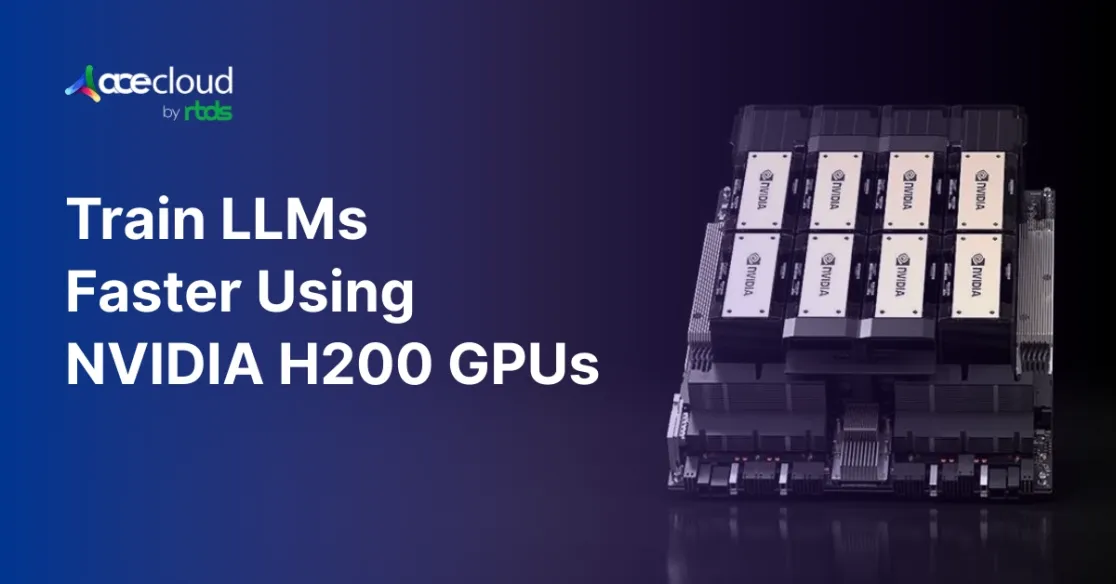
LLMs like ChatGPT or Llama learn from trillions of tokens and billions of parameters, so running the matrix math on CPUs alone would take years. That’s why modern teams rely on GPU clusters: many GPUs, linked with high-bandwidth networks, splitting the workload, so training finishes in days or weeks instead of never.
NVIDIA’s new H200 GPU is built specifically for this era. With Hopper architecture, large HBM3e memory capacity and high bandwidth, H200 fits larger models, longer contexts, and bigger batches per GPU while keeping Tensor Cores fully utilized.
According to Menlo Ventures’s latest market analysis, companies spent $37 billion on generative AI in 2025, up from $11.5 billion in 2024, a 3.2x year-over-year increase.
What is the NVIDIA H200 GPU?
The NVIDIA H200 is a data center GPU, built on the Hopper architecture, to accelerate generative AI and high-performance computing workloads. It offers 141 GB of HBM3e memory and 4.8 TB per second of bandwidth, nearly doubling the H100’s memory capacity.

Image Source: NVIDIA
You can expect training and inference performance to improve compared with H100 for many LLM workloads, especially those that are memory- or bandwidth-bound or able to use FP8. For purely compute-bound FP16/BF16 kernels with small models, the uplift will be smaller.
To dive deeper into how the H200 stacks up against the H100 across performance, memory and real-world AI workloads, check out our in-depth comparison: NVIDIA H200 vs H100.
How NVIDIA H200 Improves Training Performance?
Training large language models depends on removing system bottlenecks as much as improving algorithms.
You can accelerate convergence by aligning memory, precision and interconnect choices with transformer workloads.
HBM3e memory
The NVIDIA H200 uses HBM3e as an ultra-fast workspace for active weights and activations, increasing both capacity and bandwidth compared with the H100’s 80 GB of HBM3 and around 3.3 TB/s of bandwidth. This upgrade means H200 can keep more parameters and activations on-device while streaming them much faster during each training step.

Image Source: NVIDIA
More importantly, the H200 can sustain significantly larger per-GPU and global batch sizes. Larger batches can raise arithmetic intensity and GPU utilization and, with appropriate learning-rate scaling and schedule tuning, reduce wall-clock time to reach a target loss.
AceCloud’s GPU clusters pair H200 with high-speed NVMe storage and GPUDirect pipelines, ensuring your tokens and weights reach the HBM3e stack without CPU bottlenecks.
FP8 precision
The H200 adds strong support for FP8, an 8-bit floating-point format that uses less space than FP16. Using FP8 cuts memory required for core matrix operations roughly in half while preserving accuracy on most layers.
In many transformer kernels this enables substantially higher effective FLOPs per second and larger batches or sequence lengths within the same memory and cycle budget.
This reduction eases pressure on memory footprint and bandwidth. In practical terms, you can run faster training cycles and host larger models without exhausting device memory.
NVLink 4.0
During LLM training, devices exchange gradients and activations continuously. Slow links create idle time that lowers utilization. The H200 features fourth-generation NVLink (up to 900 GB/s aggregate bidirectional GPU-to-GPU bandwidth on HGX H200 / H200 NVL platforms), providing much higher intra-node throughput than PCIe alone.
With higher link bandwidth, collective operations finish sooner and pipeline bubbles shrink. As a result, you can keep all GPUs busy computing instead of waiting on data transfers, which raises overall cluster efficiency.
All H200 nodes on AceCloud are NVLink-optimized with RDMA-enabled networking, delivering near-linear scaling across nodes during distributed LLM training.
Cluster integration
The H200 integrates into HGX H200 servers that pack four or eight GPUs in one node. This density concentrates significant compute in a compact footprint and simplifies wiring and management.
You can assemble large clusters more easily and meet the requirements of the biggest LLMs with fewer physical systems.
Energy efficiency
Training large LLMs consumes substantial electricity. The H200 is designed to deliver higher performance per watt than H100 on many LLM tasks, particularly when FP8 is enabled and the memory subsystem is fully utilized. In well-tuned setups, this lets you get more useful tokens processed for the same power budget.

Image Source: NVIDIA
With better efficiency, you can train faster or scale model size without a proportional rise in energy costs, which lowers total cost of operation.
Enterprise impact
Faster training enables quicker experimentation and iteration, which shortens the path from prototype to production. Reduced memory needs and lower power draw translate into smaller cloud bills and improved budget predictability.
In practice, that means lowering the GPU-hours needed per experiment, improving tokens processed per dollar, and making it easier to justify larger LLM experiments to stakeholders without blowing up timelines or budgets.
When you optimize hardware efficiency in this way, you can control the cost of large-scale AI projects while maintaining delivery speed.
How to Train LLMs Faster with NVIDIA H200 in Practice?
To turn H200’s specs into LLM throughput gains, you should redesign your training pipeline around memory, data and parallelism carefully.
Keeping H200 GPUs fed with data
Even on high-end GPUs, LLM training frequently stalls on I/O rather than compute. H200’s bandwidth amplifies that risk because the device can consume data extremely quickly once everything fits in HBM3e.
To avoid underutilization, you should:
Use high-throughput storage.
Prefer local NVMe SSDs or parallel file systems that support GPUDirect Storage where available, which reduces CPU involvement in data transfer.
Pre-tokenize and pack sequences offline.
Prepare tokenized shards with prepacked sequences that match your target context lengths. This practice reduces runtime tokenization and padding overheads, which can otherwise saturate CPUs before GPUs.
Scale data loader workers with headroom.
Profile CPU utilization and ensure enough workers handle decompression, shuffling and transfer. You should aim for sustained GPU utilization above 85 percent on long runs, using tools like Nsight Systems, Nsight Compute or PyTorch Profiler to check whether H200 is waiting on data rather than compute.
Approaching distributed LLM training on H200 clusters
NVLink 4.0 keeps GPUs inside a node well-connected, but distributed LLM training also stresses the network between nodes. When you scale from a single HGX H200 node to a full cluster, it helps to think in two layers: inside the node and across nodes.
If your cluster uses multiple HGX H200 servers, you should:
- Prefer InfiniBand or high-speed RoCE / Ethernet for cross-node communication, so gradient and activation exchanges don’t dominate step time.
- Track how much of each step is spent in AllReduce / AllToAll. If that share grows as you add nodes, your network is becoming the bottleneck.
- Use topology-aware scheduling, keeping tightly coupled ranks on the same switch or rack when possible.
With H200-class GPUs, it’s easy for the accelerator to outrun the network if you don’t design for distributed LLM training explicitly.
Choosing batch size and parallelism strategy
H200’s memory profile allows you to rethink how you balance data, tensor and pipeline parallelism compared with earlier GPUs.
A workable strategy is:
Maximize per GPU batch size first.
Start with pure data parallelism and increase global batch size on each H200 until you approach memory limits for your target sequence length and activation configuration. This simplifies your implementation and eases debugging.
Capacity planning hint
On H200, you can often keep 100B-class dense LLMs in memory with moderate sharding when you use FP8 and sensible activation management, which reduces the need for complex, deeply stacked parallelism strategies.
Introduce tensor parallelism only when required.
Shift to tensor parallelism when a single H200 can no longer hold the model at your desired batch and context length. That may occur for models well above 100B parameters or extremely long contexts.
Use sequence or context parallelism for very long windows.
For multi thousand token contexts, you can partition sequences across GPUs to keep activation memory per device manageable while retaining long receptive fields.
Reduce checkpointing when memory is sufficient.
Checkpointing trades memory for recomputation. On H200, you can disable or reduce it once your configuration fits comfortably into HBM3e, which cuts wall clock step time.
You should validate each configuration with both utilization of metrics and training stability. The goal is to reach target tokens per second with the simplest parallelism scheme your model size allows.
Selecting the framework stack
Most production-grade frameworks already expose Hopper and H200 optimizations. You can choose based on your architecture preference and team experience.
Typical options include:
- PyTorch with DeepSpeed or Megatron-style parallelism for GPT-type pretraining and instruction tuning at scale. These stacks integrate well with Transformer Engine and FP8 training flows.
- NVIDIA NeMo for an integrated workflow that covers data preparation, training and deployment with H200-oriented configuration templates.
- TensorRT LLM for highly optimized inference on the same H200 hardware after training, with features like speculative decoding to increase tokens per second.
You should standardize internal templates around one or two of these stacks. That practice helps your team to use proven configurations and avoid one off experimental pipelines on expensive clusters.
Train LLMs Faster with H200 on AceCloud
Training large language models faster with H200 depends on aligning GPUs, memory, storage and networking into one coherent platform that your team can operate confidently. AceCloud’s GPU-first infrastructure helps you accelerate training throughput, reduce experiment time and optimize cost per token with NVIDIA H200 clusters purpose-built for distributed LLM workloads.
Deploy FP8-ready H200 instances with NVLink 4.0, high-throughput NVMe storage and InfiniBand networking, all managed under a 99.99%* uptime SLA.
Start with a proof of concept today and benchmark H200 performance against your current A100/H100 workloads with AceCloud’s GPU architects.
Book a free consultation with AceCloud’s AI infrastructure team.

Frequently Asked Questions
H200 typically delivers significantly higher training throughput than H100 when FP8, larger batches and strong I/O are configured. Exact NVIDIA H200 performance gains depend on your model architecture, tokenizer and context length, so you should validate with your own datasets and the benchmarking checklist above.
A100 to H100 already yields notable gains through Hopper and FP8 support. H200 then adds substantial memory capacity and bandwidth, which lets you fit larger models per GPU and push sequence length without aggressive sharding.
H200 targets both. FP8 Tensor Cores accelerate training matmuls and reduce memory footprint, while HBM3e bandwidth improves attention and projection throughput during training and inference.
Growing model sizes and longer contexts favor memory-rich accelerators. H200 aligns with this trajectory by combining FP8 training with large HBM capacity, which reduces architectural debt during the next upgrade cycle.
Yes. AceCloud supports hybrid GPU clusters with A100, H100 and H200 instances. You can mix GPU types to balance cost and performance while maintaining unified orchestration through managed Kubernetes and GPUDirect Storage.


