Downtime can cut revenue, breach SLAs and trigger compliance reporting, therefore you should design reliability instead of hoping the cloud absorbs failures. Block Storage Reliability keeps your data available when disks fails, instances restart or deployments go sideways during production traffic.
Enhanced reliability means fewer outages, smaller blast radius, faster recovery and performance that stays predictable under pressure. Block storage gives you a virtual disk, and many services replicate blocks across multiple hosts within a zone to limit damage from single-component failures.
Since storage is separate from any single virtual server, you can replace compute quickly and preserve state after failures.
ResearchAndMarkets estimates the global block storage market will grow from $28.15B in 2026 to $77.26B by 2032 at a CAGR of 18.30%, which implies broader adoption of stateful cloud workloads and stricter uptime expectations.
In this guide, you compare block storage with file and object storage to understand how replication behavior, performance tiers, and snapshots directly improve reliability. You will then connect these capabilities to RPO, RTO, high availability, and disaster recovery outcomes in modern cloud architectures.
What is Block Storage?
Block storage splits data into fixed-size blocks, then stores each block separately with its own identifier. Blocks are distributed across underlying media and storage nodes, but the storage system presents them as a single logical volume that the host sees as a disk.
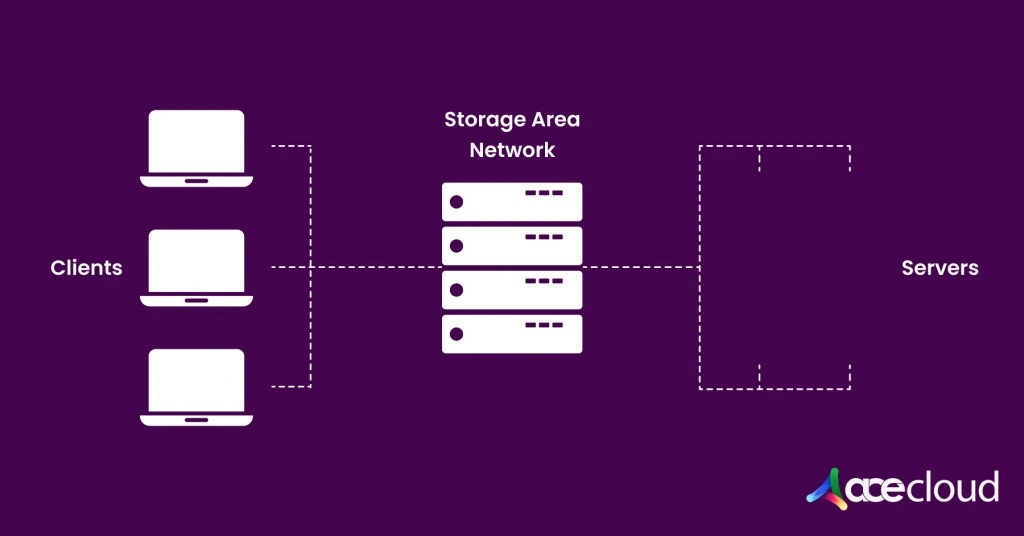
It is the standard model behind hard disk drives and workloads that update data frequently. You can host blocks volumes on SANs, local SSDs, or cloud block storage services. NAS appliances typically expose file protocols (NFS/SMB) built on top of underlying block media.
Block storage has been a core technology for decades. Today, many teams use object storage for large volumes of unstructured data and file storage for collaboration. However, block storage remains critical for high-performance applications that need consistent, low-latency access.
Block vs Object vs File Storage – The Difference
This side-by-side comparison table helps you to match the storage type to the I/O pattern, because mismatches create latency spikes and unstable throughput.
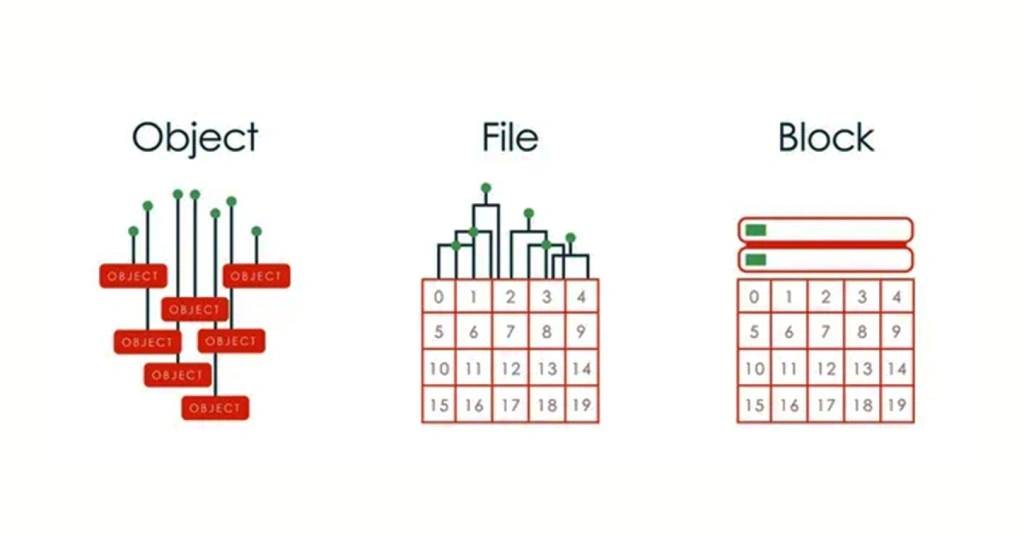
| Factor | Block storage | Object storage | File storage |
|---|---|---|---|
| What it is | Virtual disk made of blocks | Bucket of objects plus metadata | Shared folders and files |
| Access method | Attach and mount to a VM or node | API calls like PUT and GET | Mount over network share |
| Best for | Databases, VM disks, transactional apps | Backups, archives, data lakes, media | Shared app data, home dirs, collaboration |
| Read and write style | Fast random read and write | Best for large sequential transfers | File-level read and write |
| Latency | Lowest | Higher | Medium, network-dependent |
| Performance control | IOPS and throughput tiers | Limited per-object tuning | Depends on share throughput and contention |
| Sharing pattern | Usually single writer per volume (some platforms support multi-attach with clustered filesystems) | Many clients, app manages coordination | Many clients with file locking |
| Scale | Scale by adding volumes | Near unlimited | Scales by share or service limits |
| Recovery pattern | Snapshots, fast restore, reattach volume | Versioning, lifecycle, copy-based restore | Snapshots, restore folders or shares |
| Kubernetes fit | Best for stateful workloads | Best for artifacts and backups | Best for shared volumes across pods |
| Cost per GB | Highest | Lowest | Middle |
| Common mistake | Using it like shared file storage (attaching the same volume to multiple hosts without a clustered filesystem) | Using it for low-latency databases | Overloading one share without throughput planning |
Key Takeaway:
- Choose block storage when you need predictable low latency for databases, queues, VM boot disks, stateful Kubernetes workloads.
- Choose object storage when you need durable storage at massive scale for backups, logs, media, datasets, archives.
- Choose file storage when multiple systems must share the same directory structure, especially for legacy apps or team file workflows.
How Block Storage Improves Availability and Performance?
Block storage improves reliability when you pair predictable disk behavior with a tested recovery process.
Storage replication and fault tolerance
Many managed cloud block services replicate data across multiple storage nodes within a zone, which reduces risk from a single disk or host failure. Ephemeral or local NVMe disks are an exception and usually do not provide this replication. This design helps availability because a surviving replica can continue serving reads and writes with limited disruption.
Replication boundary for logical failures
Replication protects against component loss (disk, node, shelf), not against bad writes, accidental deletes, or application-level corruption that get replicated just as quickly. Therefore, snapshots and isolated backups remain necessary for ransomware recovery and rollback from misconfiguration.
However, within-zone replication does not automatically protect against full zone outages, therefore you should design cross-zone recovery when zonal loss is within scope. You can document this boundary by listing what fails over automatically and what requires runbook action.
High availability patterns for VM failover
A common pattern replaces failed compute, then reattaches the existing volume and restarts services using a documented runbook. This approach improves RTO because you avoid reloading large datasets from backups before accepting production traffic again.
You should standardize the runbook steps across teams, including attach commands, mount checks, filesystem validation and service health verification. You should also practice the runbook under time pressure to remove hidden dependencies.
Predictable IOPS and low latency for mission-critical apps
Predictable IOPS and latency reduce timeouts, which helps prevent retry storms that overwhelm dependent services during traffic spikes. Stable storage performance also helps you control queue depth and connection pools, which reduces cascading failure risk across application tiers.
Performance tiers and volume size matter because many cloud block offerings couple baseline IOPS and throughput to volume size. You should right-size both capacity and performance instead of relying on a default disk profile. Therefore, you should test storage under peak concurrency and confirm latency percentiles align with application timeouts and retry policies.
Monitoring and alerting signals for storage-driven incidents
Monitoring turns storage reliability into early detection, not post-incident investigation.
You should alert on p95 and p99 disk latency because tail latency often triggers retries and cascades. You should also track queue depth and throughput saturation, because both can indicate throttling or noisy-neighbor effects.
You should monitor snapshot success rates and snapshot completion times, because slow or failing snapshots often break RPO targets quietly. Additionally, you should alert on volume attach and mount failures, because they can block recovery during failover.
How to Use Snapshots, Backups and Disaster Recovery to Meet RPO and RTO?
Recovery works best when you treat snapshots, backups and DR drills as one controlled workflow.
Snapshots vs backups
Snapshots are point-in-time, usually crash-consistent copies designed for fast rollback and quick restores within your storage platform. Some stacks support application-consistent snapshots when coordinated with databases or hypervisors. Backups are separate copies designed for longer retention and stronger isolation from production failures.
You should treat backups as a control against account compromise and ransomware, because snapshots can be deleted by the same permissions. You should also store backups across zones or regions when your risk model includes zonal or regional outages.
Snapshots for rollback and corruption recovery
Snapshots let you roll back quickly after accidental deletes, ransomware impacts, misconfiguration or logical corruption in production data. They reduce blast radius because you can restore to a known-good point without rebuilding environments from scratch.
You should set snapshot frequency based on change rate, because high-write workloads require shorter intervals to meet RPO targets. Additionally, you should enforce retention tiers and restrict deletion permissions, because weak controls can turn snapshots into a single failure point.
Security controls for recovery points
Recovery points only help when they remain available during security incidents.
You should separate permissions for snapshot creation and snapshot deletion, because deletion rights are high impact during ransomware events. You should log snapshot, backup and key-management actions, then alert on unusual deletion patterns.
You should also confirm how your KMS or key management system affects restores, because key loss or misconfigured policies can make otherwise intact backups unusable. Key rotation and break-glass access procedures should be documented and tested.
Disaster recovery testing and restore drills
You should run restore drills on a schedule because untested backups commonly fail due to missing dependencies or incomplete documentation. A practical drill restores a snapshot into an isolated network, validates integrity and measures time to a healthy application state.
Validate IAM roles, encryption keys, networking, DNS and startup ordering because each dependency can block recovery. After each drill, you should update runbooks and automation based on measured bottlenecks and observed failure modes.
Multi-cloud considerations for DR planning
Multi-cloud DR increases complexity because identity, encryption, networking and tooling differ across providers and regions. You should document what is portable, what is provider-specific and how data moves during a real incident with limited time.
Additionally, you should test cross-provider assumptions early, because bandwidth, egress policies and restore mechanics often differ from design expectations.
Build Reliability You Can Prove with AceCloud Block Storage
Block Storage Reliability is not a feature you switch on; it is a discipline you operationalize. When you combine the right storage type with predictable performance tiers, snapshot and backup isolation, tight security controls and rehearsed runbooks, you reduce downtime risk and recover faster when failures happen.
If you are ready to harden mission-critical workloads, AceCloud helps you move from theory to execution with cloud infrastructure built for production, multi-zone architectures and an uptime-focused approach.
Launch resilient compute, attach persistent block volumes, scale performance as demand grows and validate recovery with repeatable drills.
Want a second set of eyes on your design? Talk to an AceCloud cloud expert for a quick reliability review, workload sizing guidance and a practical path to stronger RPO, RTO and availability targets.
Block storage acts like a persistent disk for VMs and Kubernetes nodes. When provided by a managed cloud service with replication and SLAs, it supports higher durability, faster recovery, and more predictable performance than ephemeral disks.
Block storage supports low-latency random access for databases, while object storage fits unstructured blobs, backups and archives.
It supports consistent IOPS and low latency, which reduces timeouts and helps prevent cascading failures during load spikes.
It supports fast reattachment after compute failure, while some offerings add cross-zone replication for zonal failure tolerance.
It depends on SLA definitions and architecture requirements. Therefore, compare AWS EBS terms, Azure managed disk design and Google regional disk behavior.