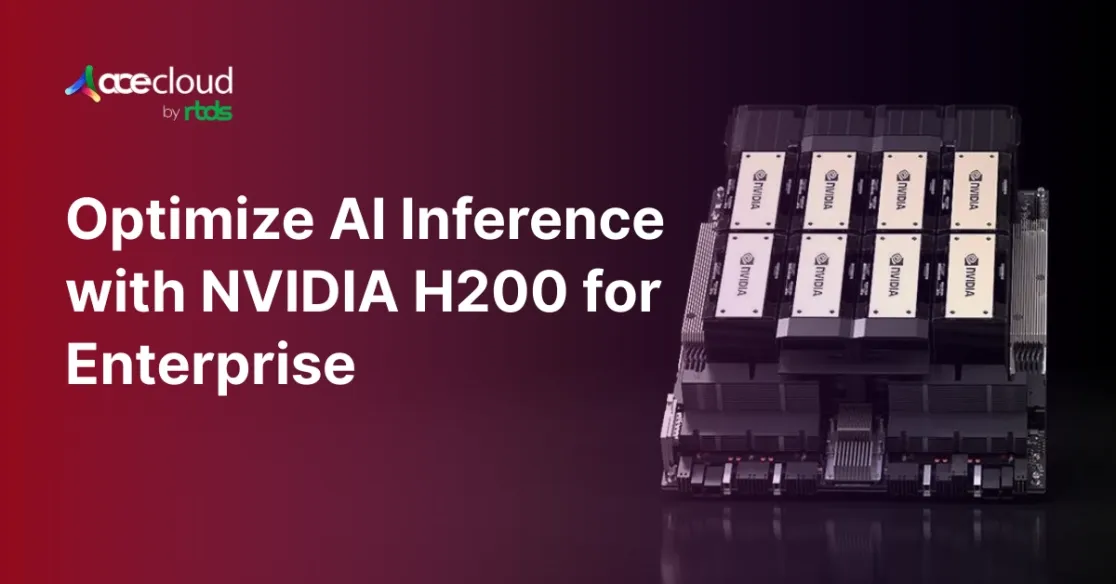
Optimizing AI inference is now a boardroom priority as enterprises shift from pilots to always-on copilots, chatbots and decision engines. This is because inference is where models answer questions, generate content and analyze data. Not just that, it is also where latency, cost and scalability problems show up first.
Modern transformer-based LLMs demand immense compute and extremely fast access to data, so CPU-only or older GPU stacks struggle under real-world traffic. The NVIDIA H200 Tensor Core GPU is designed to change that equation.
Built on the Hopper architecture, it combines 141 GB of HBM3e memory with up to 4.8 TB/s bandwidth and fourth-generation Tensor Cores tuned for FP8 and mixed precision AI math.
According to a Grand View Research report, the generative AI market climbs from $16.87 billion in 2024 to $109.37 billion by 2030, growing at a CAGR of 37.6%. H200 class infrastructure becomes a genuine strategic advantage, especially for teams that know how to tune their inference stack around it.
What is AI Inference?
AI inference is the stage where a trained artificial intelligence model uses what it has learned to recognize patterns and make decisions on new, unseen data.
It is fundamental to how modern AI systems work in the real world and powers many of today’s most visible use cases, including generative AI applications like ChatGPT. During inference, models apply what they learned during training to reason about inputs, interpret context and generate appropriate responses.
The process begins with training, where a model is exposed to large datasets and optimized using decision-making algorithms. Many of these models are based on neural networks, including large language models (LLMs), which are loosely inspired by how the human brain processes information.
For example, a facial recognition model might be trained on millions of face images until it can reliably identify attributes such as eye color, nose shape and hair color, then use those features to recognize individuals in new images.
Why AI Inference Optimization Matters?
Most AI teams still historically treated GPUs as primarily training accelerators, but that mindset is outdated for production systems. Here are the top reasons why inference optimization is more important than ever:
- Training is a one-time cost that occurs once per model version and is relatively easy to plan for.
- Inference is a continuous cost that runs for every user, every session, every second.
- Latency directly shapes user experience because sub-second responses are critical for real usability.
- Inefficient inference drives unit economics by increasing cost per token, per query and per user.
A model can be brilliantly trained, but if it takes three seconds to respond, it will not feel usable. Also, no matter how advanced the model is, an AI product cannot scale if every inference call burns excessive resources.
For example, if a service handles 5 million requests a day, saving just 1 cent per 100 requests is roughly $500 per day or more than $180,000 per year. Optimizing AI inference is not just a technical improvement; it is also a direct lever on budget and long-term ROI.
How NVIDIA H200 Redefines Inference Performance?
The NVIDIA H200 raises the bar for AI inference speed and efficiency. Compared to the H100, NVIDIA reports up to ~1.9× higher performance on certain large-language-model inference benchmarks, depending on model size, precision and sequence length, which directly improves how fast AI applications can respond to user requests.
To dive deeper into how the H200 stacks up against the H100 across performance, memory and real-world AI workloads, check out our in-depth comparison: NVIDIA H200 vs H100.

Image Source: NVIDIA H200
141 GB HBM3e Memory
One of the H200’s biggest advances is its 141 GB of HBM3e memory. HBM3e (High Bandwidth Memory 3e) is ultra-fast, high bandwidth RAM placed very close to the GPU. It offers up to 4.8 TB/s of bandwidth, significantly higher than H100’s HBM3 bandwidth (on the order of ~1.4–1.5× depending on SKU).
This allows many large language models (especially up to the ~tens-of-billions parameter range, or larger with FP8/quantization) to reside fully in GPU memory, reducing slow host–device transfers and significantly cutting inference delays.

Image Source: NVIDIA H200
Transformer Engine
The built-in Transformer Engine further accelerates performance. It uses the Hopper Transformer Engine to dynamically choose FP8 vs FP16 for different tensors, typically with higher-precision accumulation, to balance speed and numerical stability.
FP8 uses smaller numerical representations, which reduces memory footprint and bandwidth pressure and can increase math throughput, while preserving model quality when properly calibrated. This precision optimization delivers substantial speedups for generative AI workloads such as text generation and image creation.
Multi-GPU scaling and memory efficiency
H200-based systems also benefit from high-bandwidth interconnects like NVLink and careful memory planning across GPUs. Larger models can be sharded across multiple H200s using NVLink 4.0 inside a node and high-speed InfiniBand/RoCE between nodes, and you can keep more of the model state and KV cache resident in GPU memory instead of spilling to host.
This matters for real time workloads such as LLM chat, code assistants and RAG systems where long context windows and high concurrency can otherwise trigger cache thrashing and unstable tail latencies. By combining H200’s bandwidth with topology aware placement and caching strategies, teams can deliver smoother, more predictable inference with better resource utilization.
Together, these innovations enable near instant responses in demanding applications. Chatbots can respond almost immediately, image generation tools can produce high resolution outputs in seconds and researchers can run complex simulations, such as drug interaction analyses, far more quickly. The H200’s inference-focused architecture makes real-time AI deployment genuinely achievable.
How to Architect Enterprise Workloads on NVIDIA H200?
For enterprise AI engineers and architects, hardware is only part of the story. You also need a clear picture of how H200 fits into your overall AI architecture.
A typical H200-backed deployment for LLMs or RAG might include:
- A front-end API or gateway that handles authentication, rate limits and routing.
- One or more H200 nodes running optimized LLM engines (for example, TensorRT LLM) behind an inference server.
- Stateful components such as a vector database and document store for retrieval augmented generation.
- Observability and logging wired to GPU metrics and application SLOs.
H200 is a strong fit for large, memory-bound workloads with long context windows and strict latency targets. Smaller models or offline batch jobs might run more cost-effectively on smaller GPUs, while very large frontier models or long-context enterprise LLMs benefit most from H200 combined with multi-GPU NVLink setups and appropriate model sharding.
Best Practices for AI Inference Optimization on NVIDIA H200
You can combine compiler optimizations, runtime scheduling and systems tuning to meet strict service objectives at scale. On H200, the goal is to translate its memory bandwidth and capacity into predictable latency and high throughput.
1. Tune batching without breaking time to the first token
Start with dynamic batching to amortize kernel launches, then cap batch growth to protect time to first token under bursty traffic. For interactive workloads, this often means using moderate batch sizes rather than aggressively packing every GPU cycle.
2. Manage KV cache for long conversations
You should manage KV cache placement and eviction to maintain high cache hit rates during long dialogues, ideally using paged / hierarchical KV cache implementations (as in TensorRT-LLM) instead of naive full-context recomputation, which stabilizes p95 latency under concurrency.
H200’s 141 GB of HBM3e lets you hold more KV cache per GPU before eviction, which is especially useful for chat style and copilot workloads.
3. Use routing and concurrency controls to protect SLOs
Add request routing that is KV-aware, set per-model concurrency limits and use profile-guided tuning to keep SM occupancy high without starving memory bandwidth. Combine this with admission control/back-pressure so overload degrades gracefully instead of causing timeouts across all tenants.
4. Track the right metrics and unit economics
Triton exposes metrics for batching, execution counts and queue times that you can wire into SLO dashboards. In addition to latency and error rate, monitor GPU utilization, memory headroom, tokens per second and cost per 1,000 tokens or per 1,000 requests. Linking these metrics to business features makes ongoing optimization much easier to justify.
How TensorRT, CUDA and Inference SDK are Used for GPU Optimization?
TensorRT optimizes graphs through kernel fusion, precision calibration and kernel auto-tuning, then compiles model engines specialized for Hopper. TensorRT-LLM adds in-flight batching, paged KV cache and attention kernels crafted for large decoders, which increases throughput at fixed latency targets.
You should prototype with the PyTorch-centric TensorRT-LLM flow, benchmark with trtllm-bench, then deploy with trtllm-serve or Triton to carry tuned settings into production. NVIDIA reports substantial uplifts versus untuned baselines, including multi-x gains when combining TensorRT-LLM with optimized batching.
A simple three-step playbook for H200 is:
| Phase | What to Do | Tools / Focus |
|---|---|---|
| Export and optimize | Export your model from PyTorch or another framework and build a TensorRT-LLM engine tuned for H200. | TensorRT-LLM, H200-optimized engines |
| Benchmark realistically | Benchmark with real or representative prompts to compare FP16 vs FP8 and test batch/sequence configs. | trtllm-bench, batch size, seq length |
| Deploy and iterate | Deploy behind Triton or trtllm serve with dynamic batching and KV-aware routing, then tune settings based on p95 latency and cost per 1,000 tokens. | Triton, trtllm serve, p95 latency, cost/1K tokens |
Always validate FP8 or lower precision modes on your own evaluation set so that latency gains do not come at the expense of unacceptable quality drops.
How to Get Started Optimizing AI Inference on NVIDIA H200?
To turn these ideas into action, teams can follow a short, repeatable process:
- Inventory inference workloads and group them by latency sensitivity, context length and traffic volume.
- Select 1 or 2 candidates that are clearly memory-bound or struggling on existing GPUs and move them to H200 first.
- Optimize models with TensorRT LLM, testing FP16 vs FP8 and a small range of batch sizes under realistic load.
- Deploy on H200 with Triton, enabling dynamic batching, KV-aware routing and detailed metrics export.
- Review metrics monthly, then adjust precision, batching, cache policy and scaling thresholds as models and usage patterns evolve.
This loop helps AI and MLOps teams continuously optimize AI inference rather than treating it as a one-time tuning exercise.
Accelerate H200 Inference Today with AceCloud
Enterprise inference performance now determines user satisfaction, cost per request and roadmap speed across copilots, chatbots and RAG services at a meaningful production scale daily.
With NVIDIA H200, you can standardize sub-second latency and higher tokens per second using FP8 acceleration, large HBM3e memory and NVLink-aware deployment patterns.
You should pair TensorRT engines, Triton scheduling and KV cache policies with profile-guided tuning so p95 and p99 stay predictable under production traffic.
AceCloud delivers GPU-first cloud infrastructure with on-demand and spot H200 instances, managed Kubernetes and migration support, so you can operationalize improvements faster.
Start a pilot on AceCloud today, benchmark TensorRT LLM pipelines against your baseline, then scale capacity confidently with SLOs, cost controls and enterprise support.

Frequently Asked Questions
H200 adds 141 GB HBM3e and up to 4.8 TB per second bandwidth, which enables larger batches, longer contexts and fewer cache spills during decoding. FP8-capable Tensor Cores accelerate transformer math with strong accuracy when calibrated, improving latency and throughput for LLM workloads.
Bandwidth and capacity reduce memory stalls, while TensorRT engines cut kernel overhead through fusion and tuned kernels. You can also use NVLink to shard large models across GPUs without saturating PCIe, which preserves time-to-first-token and improves tokens per second under load. In practice, this means fewer out of memory events and more stable p95 and p99 latencies as traffic grows.
TensorRT is NVIDIA’s inference SDK and compiler that performs graph optimizations, precision calibration and kernel tuning to produce high-performance engines for Hopper. You can combine TensorRT-LLM with in-flight batching and KV cache paging to raise throughput significantly versus untuned baselines.
Select your model and context targets, tune with TensorRT-LLM, containerize, then deploy behind Triton with dynamic batching and KV-aware routing. You should scale across NVLink nodes first for sharding efficiency, then scale out behind a gateway with SLO-driven autoscaling. This pattern keeps the hottest paths on H200, while allowing you to mix in other GPU tiers for lighter workloads.
Prioritize capacity planning, workload classification, and cost modeling tied to service SLOs and growth projections for accelerator demand. You should iterate benchmarks and monitoring, then revisit precision and batching as models and prompts evolve.


